

Cortico Web Release:
1. Updates to Appointment Booking
1.1 - Attempting to access a booking flow with no active Specializations (workflow + provider) now redirects back to the Book selection page.
1.2 - Fixed an issue where booking pages had an extra scrollbar on mobile.
2. Updates to the patient portal
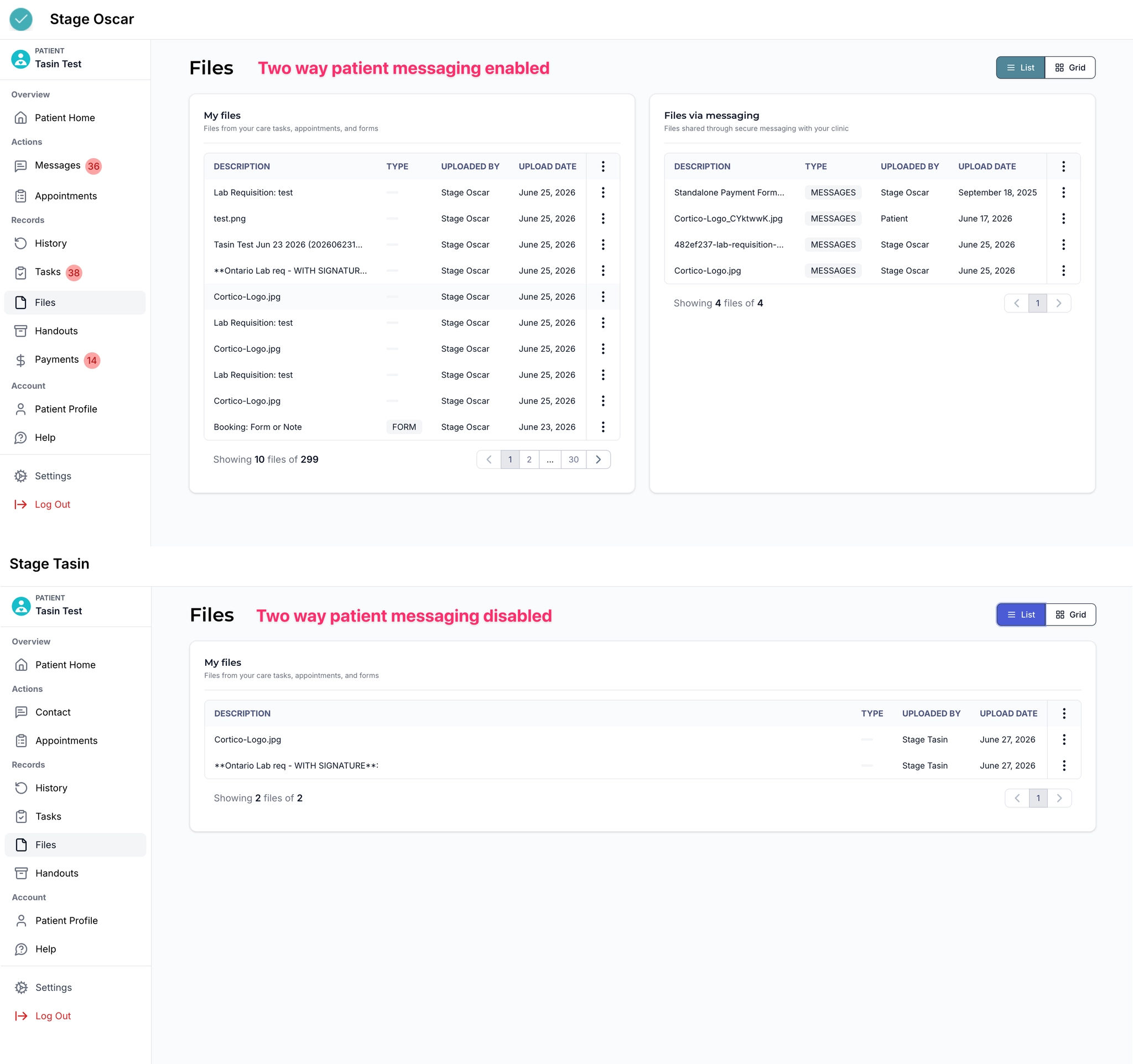
2.1 - The Files page now shows Tasks files and Messaging files in two tables on the same page if two-way messaging is enabled.
2.2 - Fixed display issues on mobile for the appointment-specific patient portal view.
2.3 - Added a loading animation when cancelling an appointment, since the action can take a moment to complete.
3. Updates to Request to Book
3.1 - Fixed an issue where the booking link expiry date was sometimes rounding up to one day past the selected date.
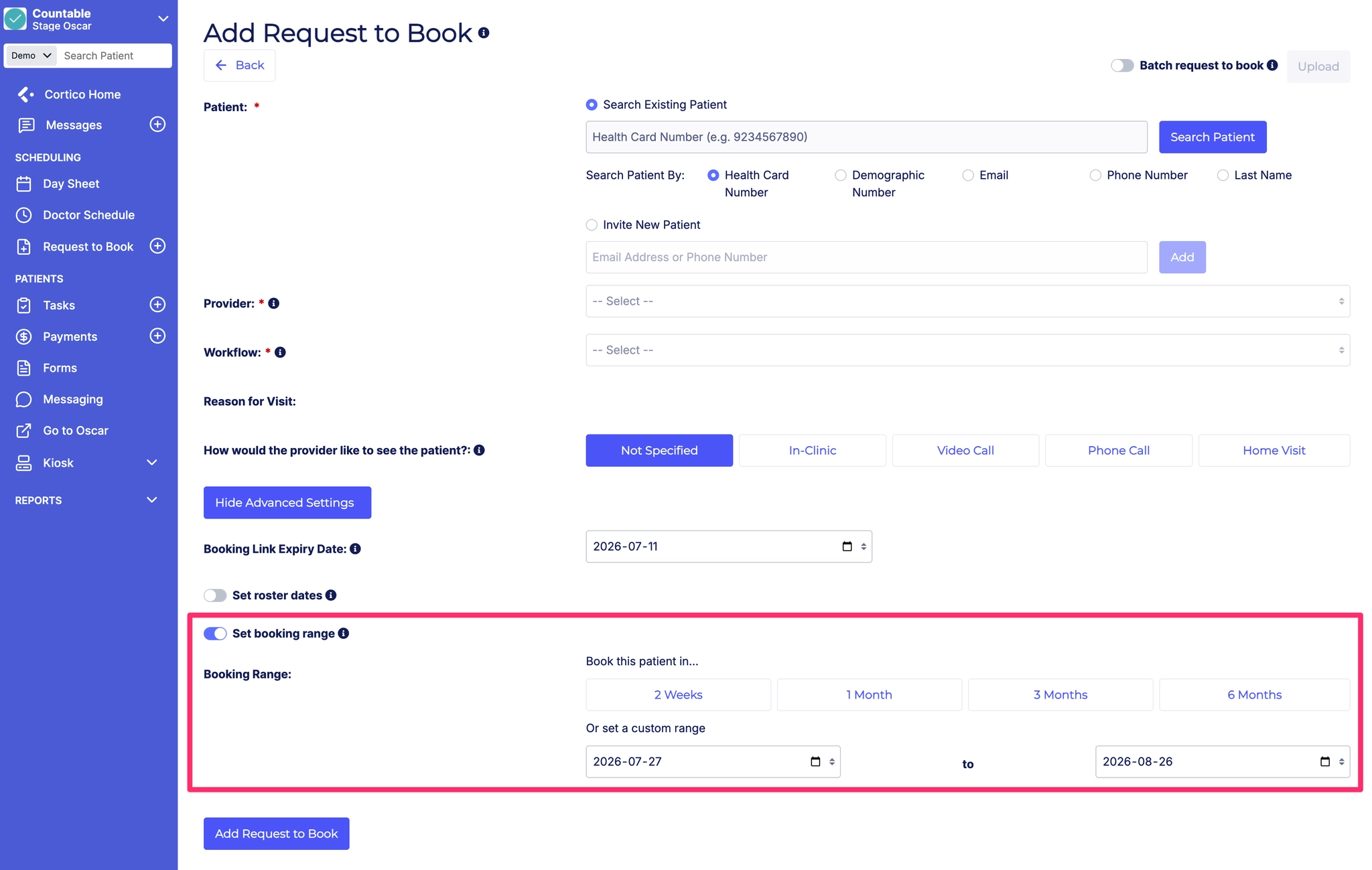
3.2 - When creating a new Request to Book invite, the "Set booking range" toggle is now sticky and defaults to the previously selected option.
4. Updates to payments
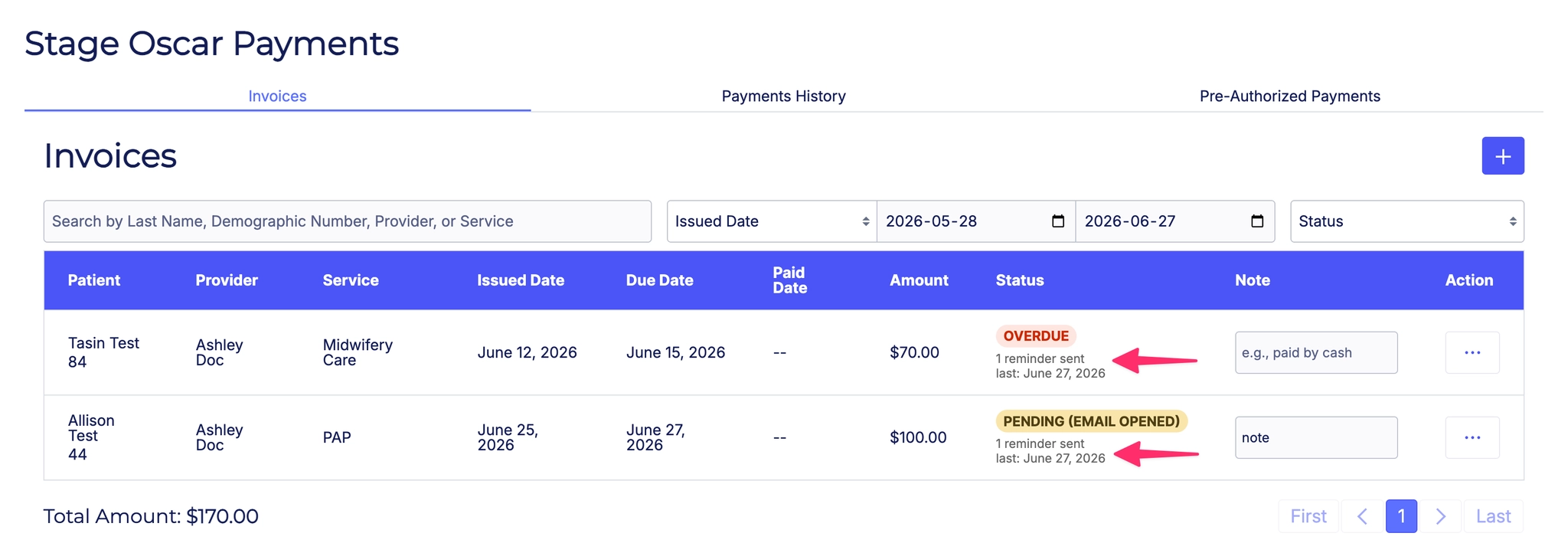
4.1 - Added workflow event tracking for invoice reminders. Rows on the invoices page will now indicate when the last reminder for each invoice was sent.
5. Updates to patient forms
5.1 - Fixed an issue where the Cortico logo and QR code were overlapping in generated form response PDFs.
6. Updates to Clinic Settings
6.1 - Fixed an issue where provider updates in Clinic Settings > Health Teams were not persisting after refresh.
7. Updates to provider home
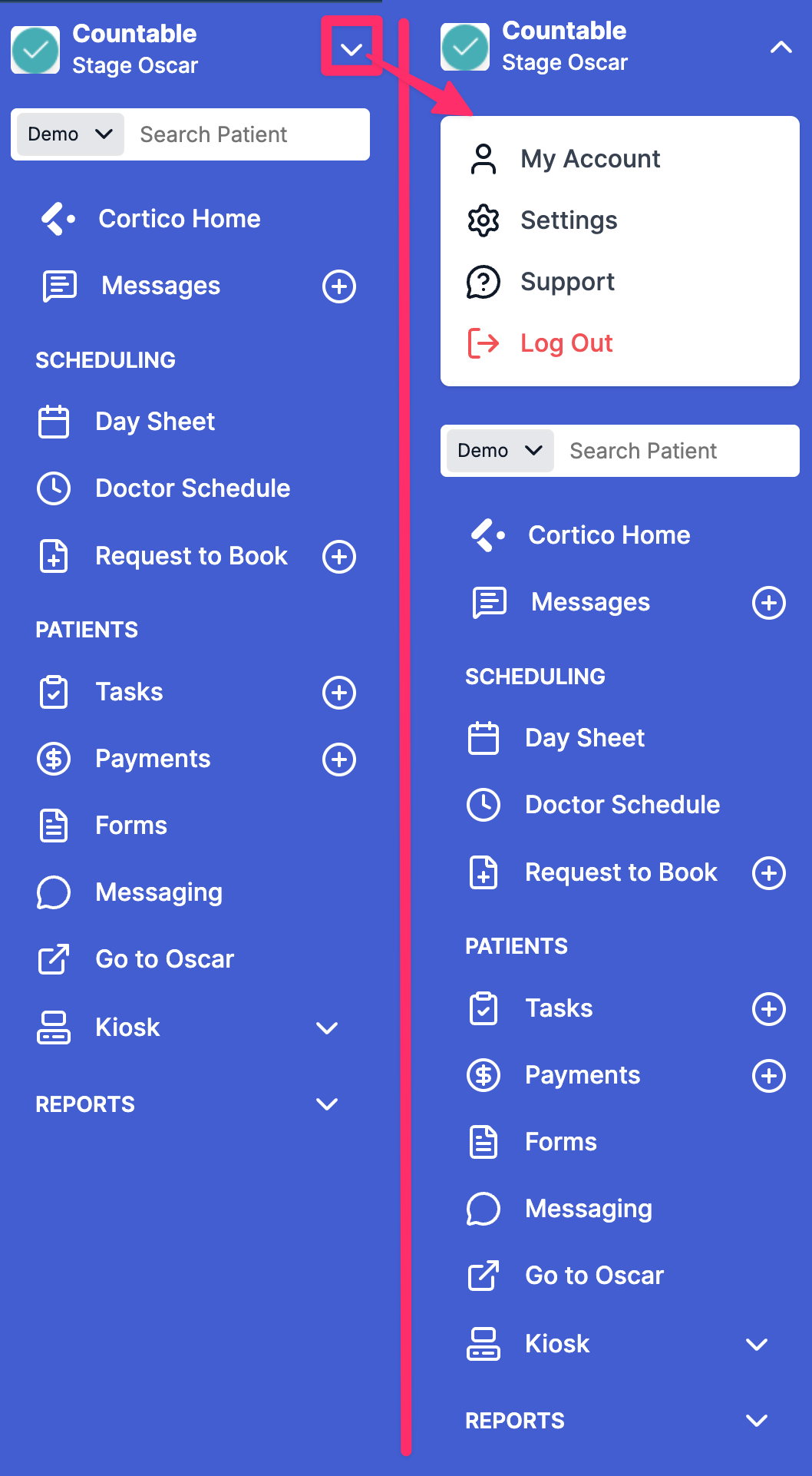
7.1 - Reorganized the menu items in the provider sidebar.
8. Updates to EMR integrations
8.1 - [Accuro] Fixed an issue where patients could not immediately sign in with their updated email address after changing it in the patient portal.
8.2 - [Accuro] Added support for double bookings via subcolumns.
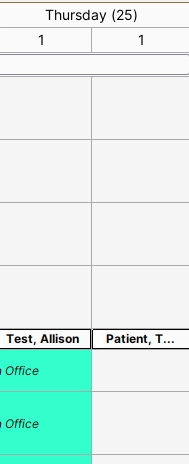
8.3 - [Accuro] Clinical Notes generated from plug-in messaging now use the message subject as the Clinical Note title.
9. Other updates
9.1 - Moved Patient Home in the patient navigation menu to the Account section.
9.2 - Fixed an issue where the patient sign-in page did not correctly detect already-signed-in patients and redirect them to the patient dashboard.
9.3 - Wording updates to patient lookup and sign-in headings for consistency and clarity.
9.4 - Added clearer indications of the booking options available to new patients on the homepage and booking pages.
9.5 - Fixed display issues on mobile for various staff table views, including Invoices, Business Review, and Reminder Reports.
Cortico Plug-in:
1. Messaging
1.1 - Fixed an issue where providers could not view untriaged or in-triage messages, with the Triage tab showing "Unable to retrieve messages from the server".
1.2 - Added guardrails when sending messages so messages are only sent once the correct patient context is confirmed.
1.3 - Refactored the Conversations List so the plug-in and web share a single underlying component (no visible change for users).
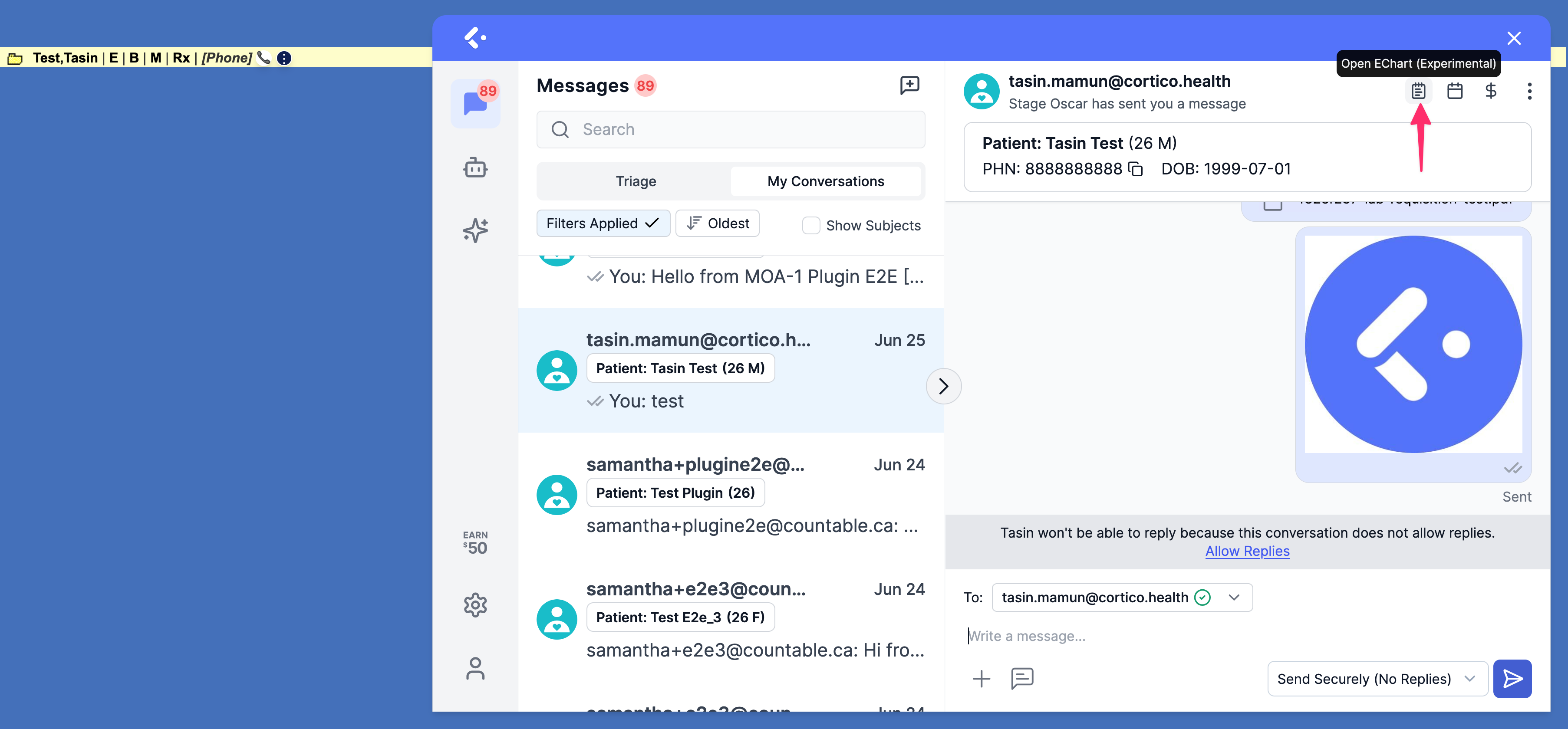
1.4 - Re-enabled the Open EChart action, allowing providers and MOAs to jump from a Cortico conversation directly to the patient's encounter notes in the EMR.
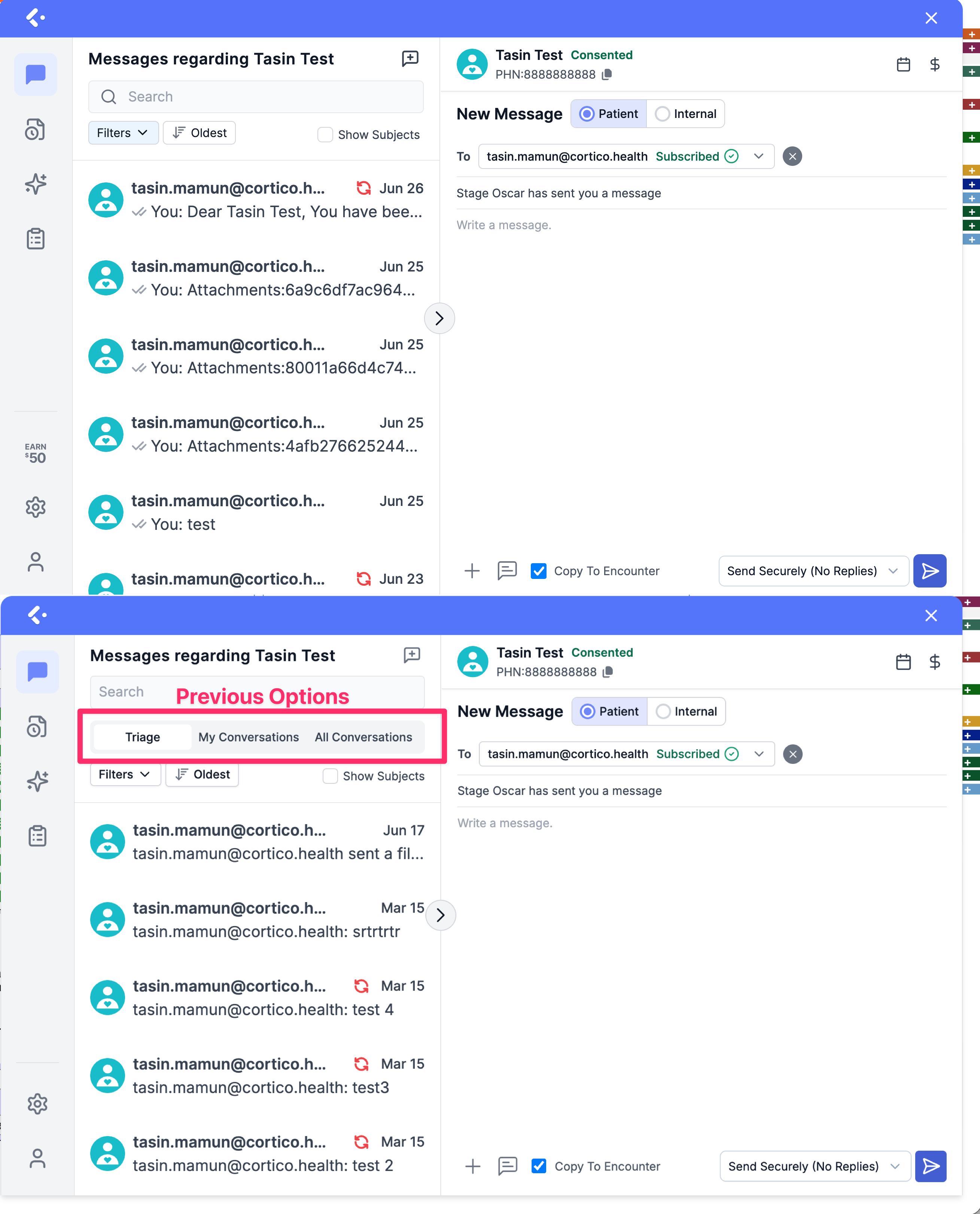
1.5 - Restored Single Thread Mode as the default, so there is one conversation per patient.
1.6 - Removed the conversation filter tabs from the patient chart so all conversations are shown by default.
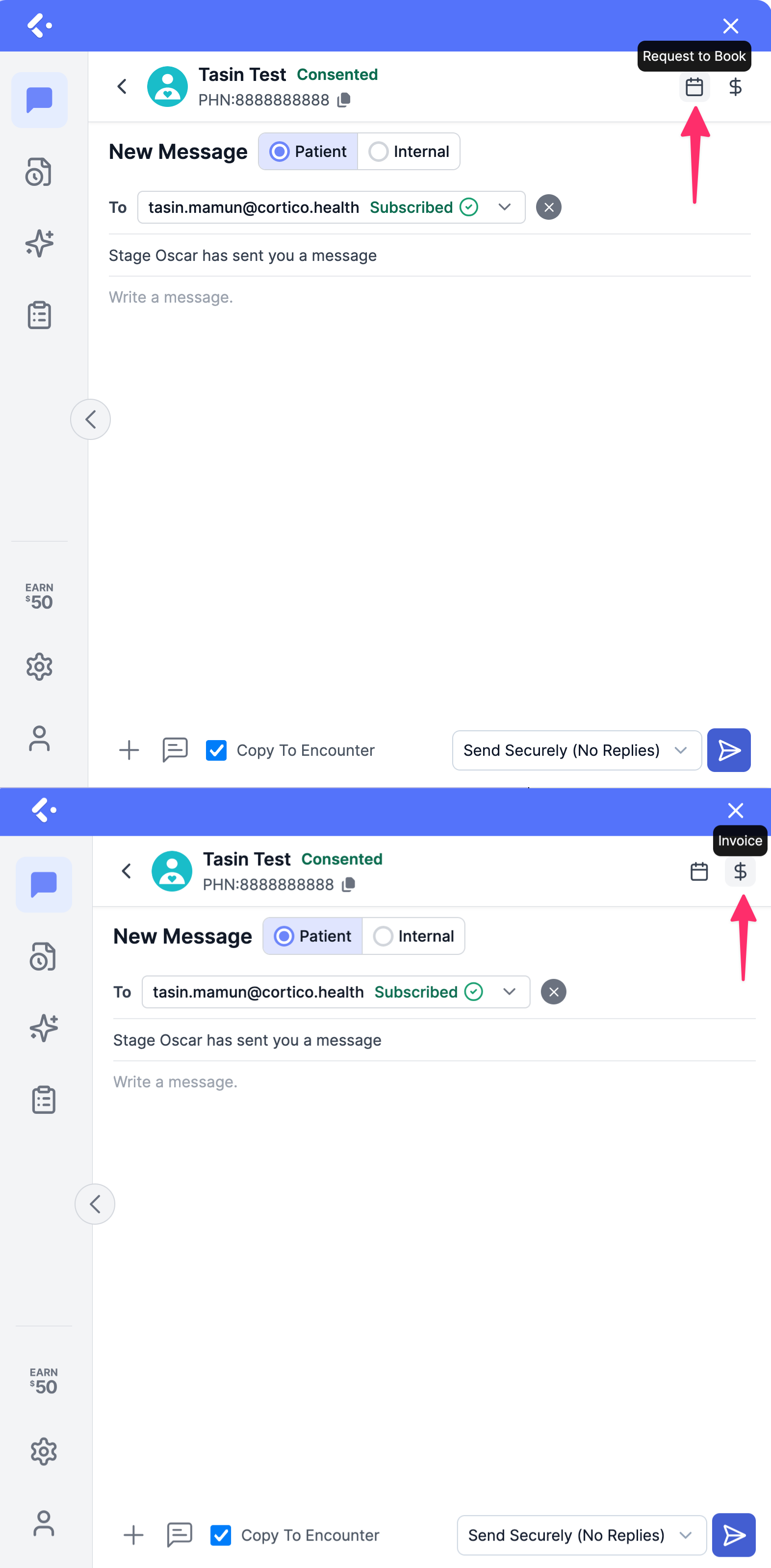
1.7 - Fixed an issue where the Invoice and Request to Book icons were missing from patient messaging screens.
2. Cortico AI
2.1 - Fixed an issue where AI Chat was leaking the first scheduled patient's context on the schedule page.
2.2 - Various QA fixes to AI Chat and the AI Workspace.
3. Annotate & Fax
3.1 - Cleaned up the Annotate and Fax settings dialog to remove excessive whitespace, and added an option to load bootstrap settings without logging in.
3.2 - Fixed an issue where Annotate and Fax was showing a blank document when opening the feature (reported by Christie Clinic).
4. Appointment Actions
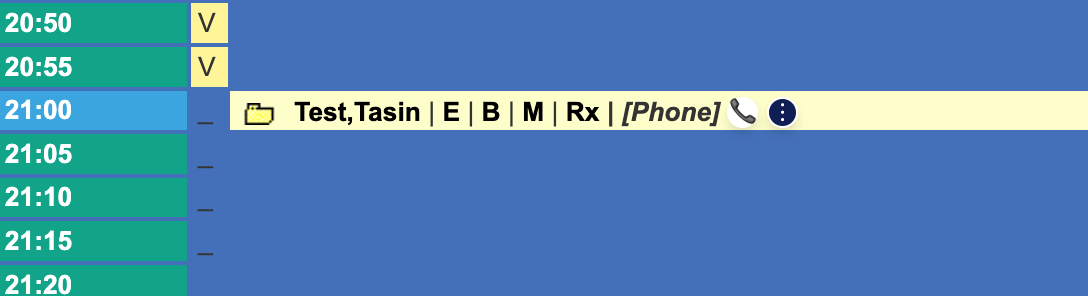
4.1 - Clicking the phone-medium icon now launches the user's default phone app to dial the appointment number, allowing one-click calling.
5. UI/UX Improvements
5.1 - Consolidated the plug-in's dropdown menus onto a single shared component for more consistent styling and behavior.
5.2 - Refactored the plug-in's Button component to use a shared component aligned with the Cortico style guide.
5.3 - Fixed styling conflicts when the embedded plug-in loads on the Provider Home page.