

Cortico Web Release:
1. Updates to Appointment Booking
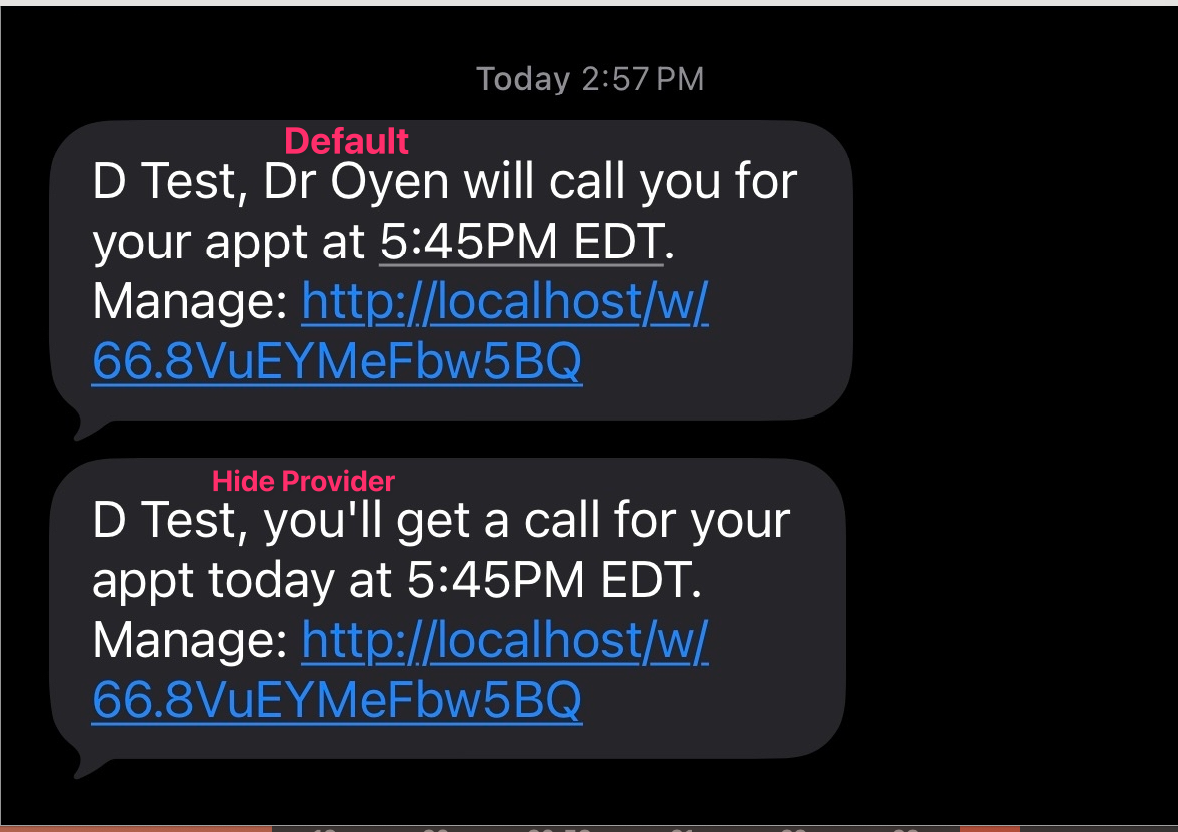
1.1 - Added a workflow config option to hide the provider's name in SMS and email appointment reminders.
2. Updates to the patient portal
2.1 - [Ontario patients] Added the health card expiry update modal (same as in the booking flow) to the Profile page when a patient's health card is expired or expiring soon.
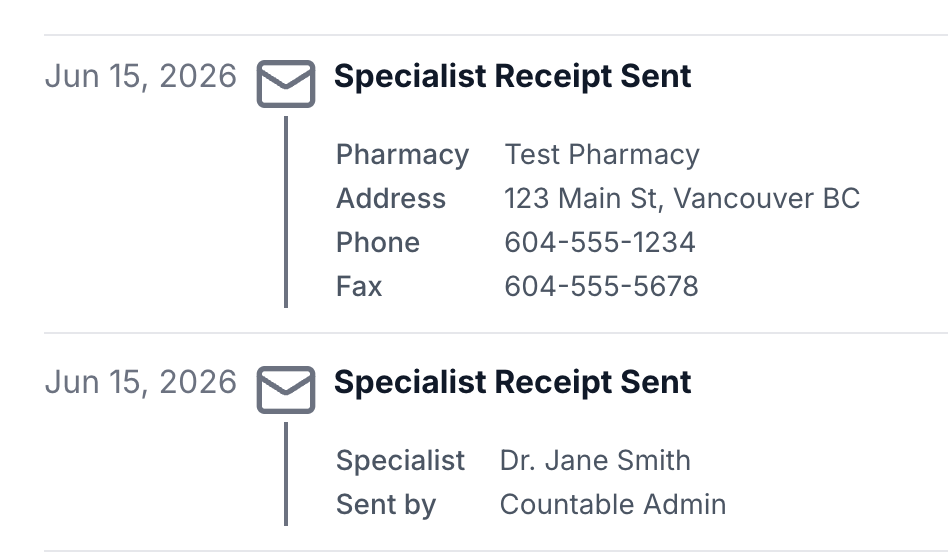
2.2 - Added Prescription and Specialist Receipts to the History timeline.
3. Updates to patient forms
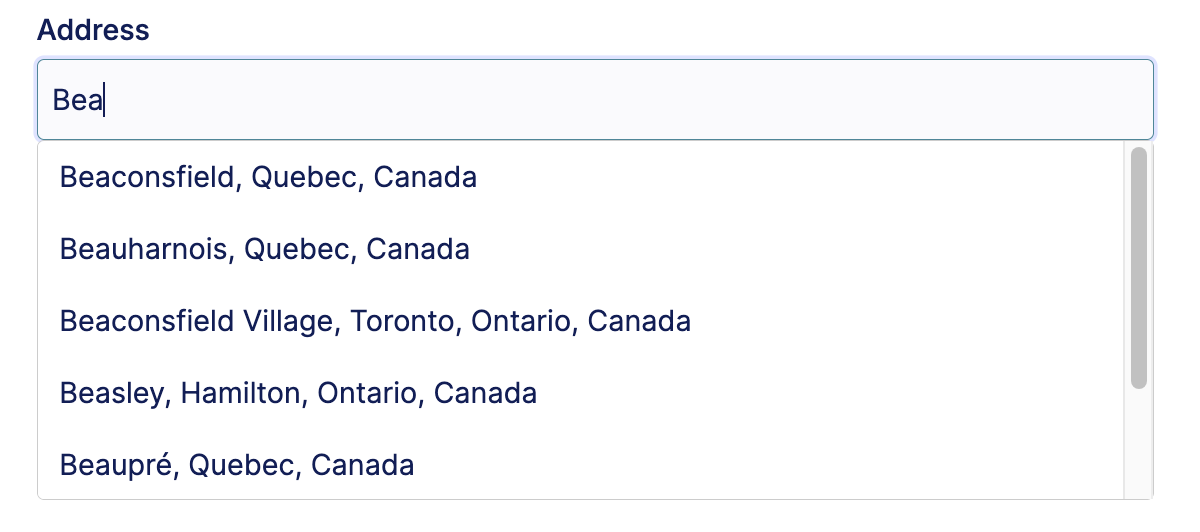
3.1 - Added a new "Address" question type to allow patients to enter their address with auto-lookup functionality. Their answer also gets updated in their patient record.
4. Updates to Request to Book
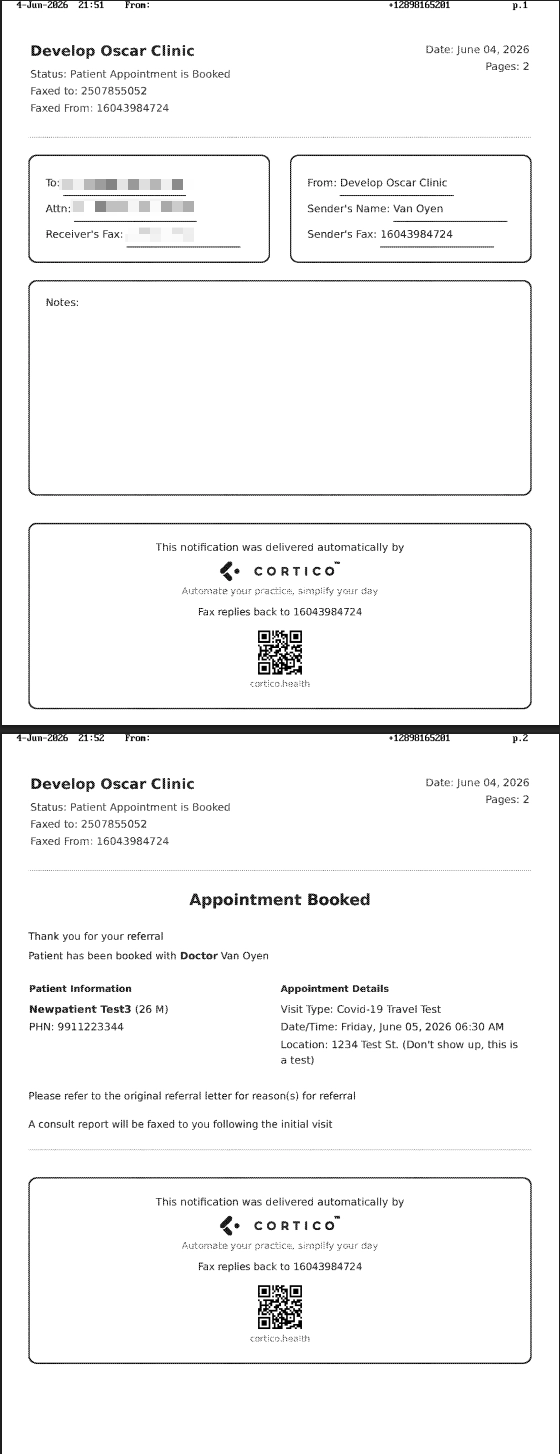
4.1 - [OpenOSP / OscarPro / Oscar19 only] A fax notification is now sent to the GP clinic when a patient books an appointment with a referred specialist through Request to Book.
4.2 - Fixed a UI issue where the "More actions" menu was cut off for the last entry in the table.
5. Updates to Clinic Settings
5.1 - Added configuration fields for the plug-in fax annotator.
6. Updates to EMR integrations
6.1 - Standardized the Date of Birth format returned by all EMR backends.
7. Other updates
7.1 - Added a referral system for new leads.
7.2 - Added a patient inquiries metric to the Provider dashboard.
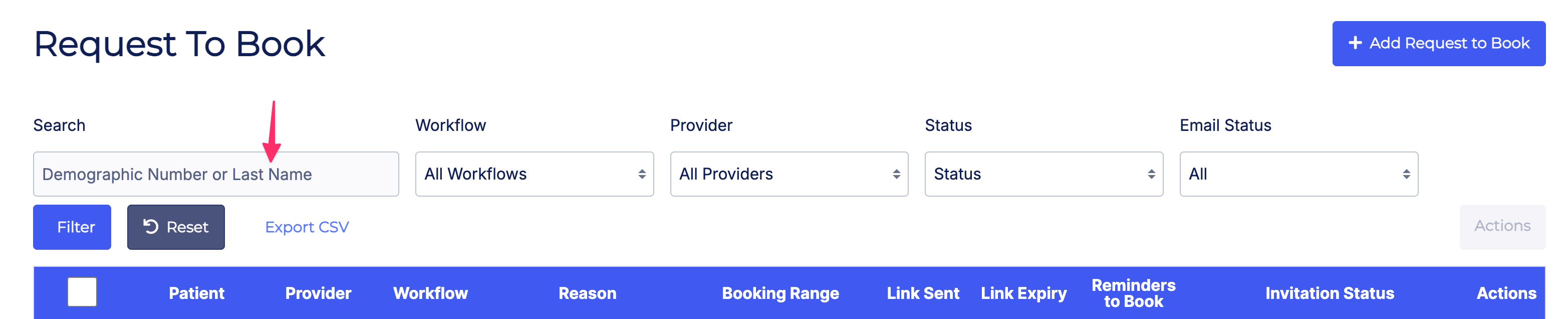
7.3 - Added consistent patient last-name search across staff pages (Tasks, Request to Book, Invoices, Email logs, Reminders Report).
7.4 - Usability and success-rate improvements to the patient sign-in flow.
7.5 - Fixed misaligned text in the terminal booking and new patient form timeline steps.
Cortico Plug-in:
1. Messaging
1.1 - Added a Scheduled Messages section to the plug-in sidebar where clinic users can view, update, and delete their scheduled messages.
1.2 - Providers and MOAs can now set a default recipient in provider messaging for quickly contacting people they message daily.
1.3 - Fixed an issue where auto-attach failed on Encounter > Documents when PRO Inbox was enabled.
1.4 - The new v2 chat thread ("Messages β") now has feature parity with v1, including reading, sending, attachments, mentions, member management, saved replies, archiving, and copy-to-encounter.
1.5 - Fixed an issue where the read/sent checkmark was rendering on incoming MOA messages instead of the user's own outbound messages.
1.6 - Internal MOA messages no longer include a subject line, reducing clutter in internal messaging.
1.7 - Fixed an issue on the Cortico Web patient page where triggering Copy to Encounter would show an error even though the copy succeeded (the red sync icon would still disappear).
1.8 - Fixed an issue where read-receipt checkmarks were being shown on patient-sent messages.
1.9 - Various fixes to scheduled messages in preparation for soft launch.
2. Cortico AI
2.1 - Cortico AI Chat can now render visual charts and pull structured lab results from Oscar, so providers can review patient trends and lab data at a glance.
3. Annotate & Fax
3.1 - Annotated documents can now be sent over the Cortico plug-in messenger.
3.2 - The Annotator textbox is now easier to modify, with more consistent and user-friendly behavior.
3.3 - Restored Ctrl+Z keyboard shortcut for undoing annotations, and made Annotator dialogs draggable, matching the previous version's behavior.
4. Appointment Actions
4.1 - Added an "Upgrade to video" button to the plug-in for converting appointments to video.
5. UI/UX Improvements
5.1 - Providers and MOAs now have separate persistent filter presets for the schedule view and the patient e-chart view, so conversation filters no longer need to be manually re-toggled when switching between them.
5.2 - The send button and attachment button in the messenger composer are now styled consistently with the rest of the messaging UI.
6. Integrations
6.1 - Reduced the MedAccess EMR featureset so unsupported features no longer appear in the plug-in.
6.2 - Added a unified capability-detection layer so plug-in features can be gated by EMR capability rather than by branching on the EMR.
6.3 - The plug-in now resolves an EMR object via a detection factory on load, encapsulating EMR-specific behavior behind a single abstraction.
6.4 - Improvements to clinic-lookup caching, scoped per EMR host with no caching of not-found results.