

Cortico Web Release:
1. Updates to Appointment Booking
1.1 - Fixed an issue in "Any Provider" mode where the calendar became unresponsive when there was no availability within 7 days, preventing patients from manually loading more dates.
1.2 - Fixed an issue where an incorrect error message was shown when a clinic does not allow booking multiple future appointments and the patient already has one booked.
1.3 - Improvements to pharmacy search.
2. Updates to the patient portal
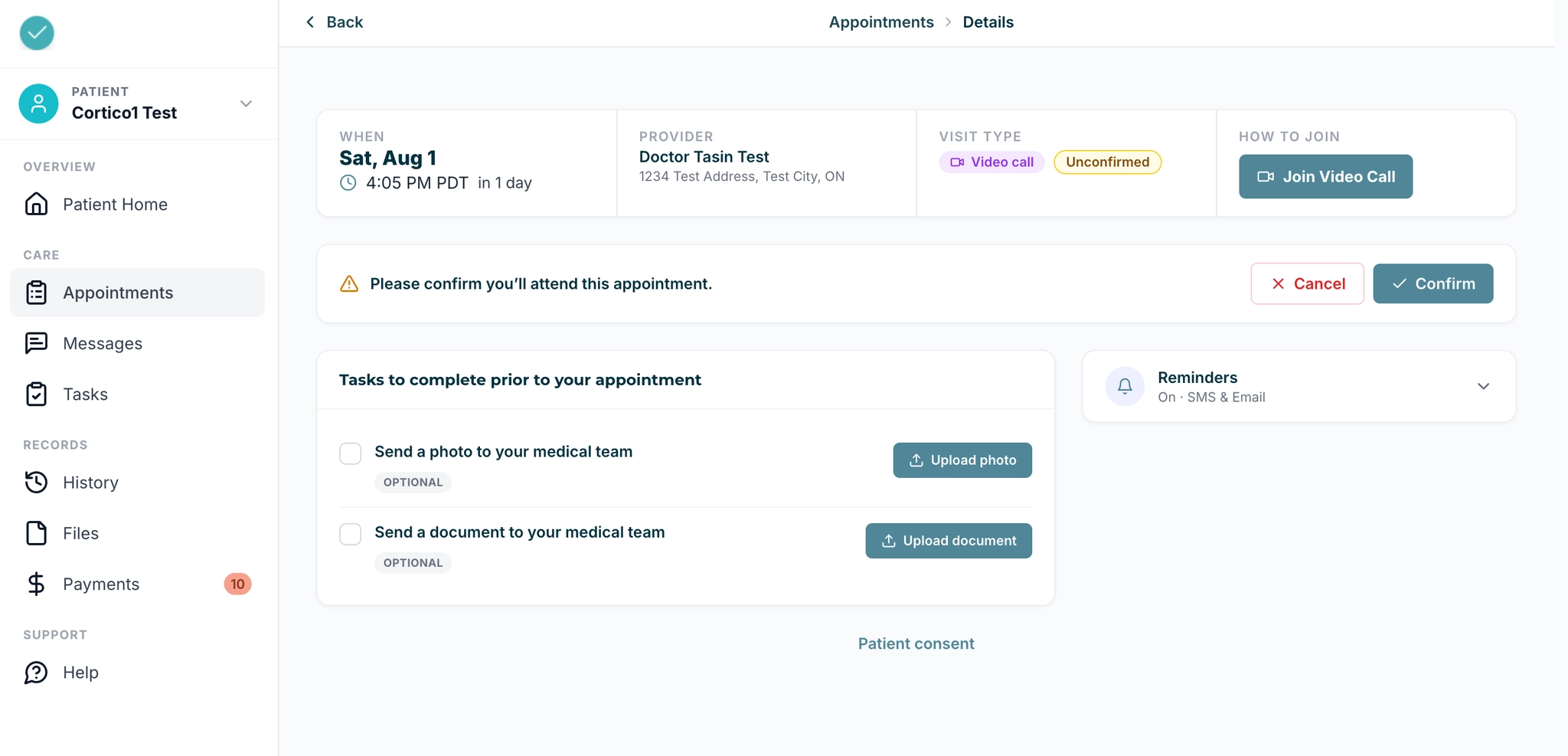
2.1 - New design for the standalone appointment page.
3. Updates to video appointments
3.1 - The video call toolbar is now hidden on desktop when the mouse is idle, so it no longer blocks the other person's face.
3.2 - Additional UI updates to the video appointment waiting room.
3.3 - Added a VIDEO_CALL_SUCCESS workflow event to define and track successful video calls.
4. Updates to provider/staff daysheet
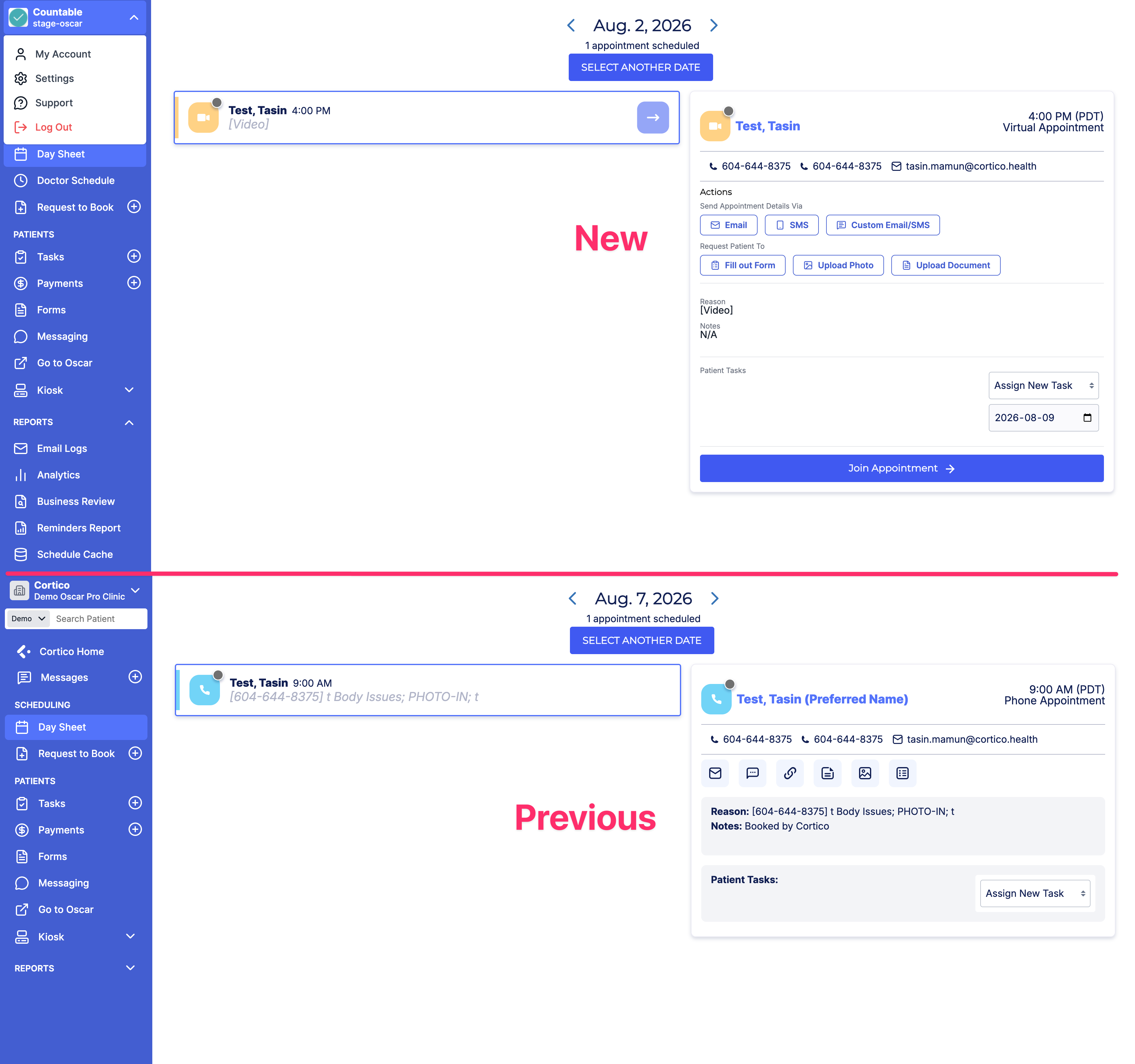
4.1 - UI updates to the daysheet icons. Buttons now include the action they perform, so users don’t need to hover over the button to know what it does.
5. Updates to Request to Book
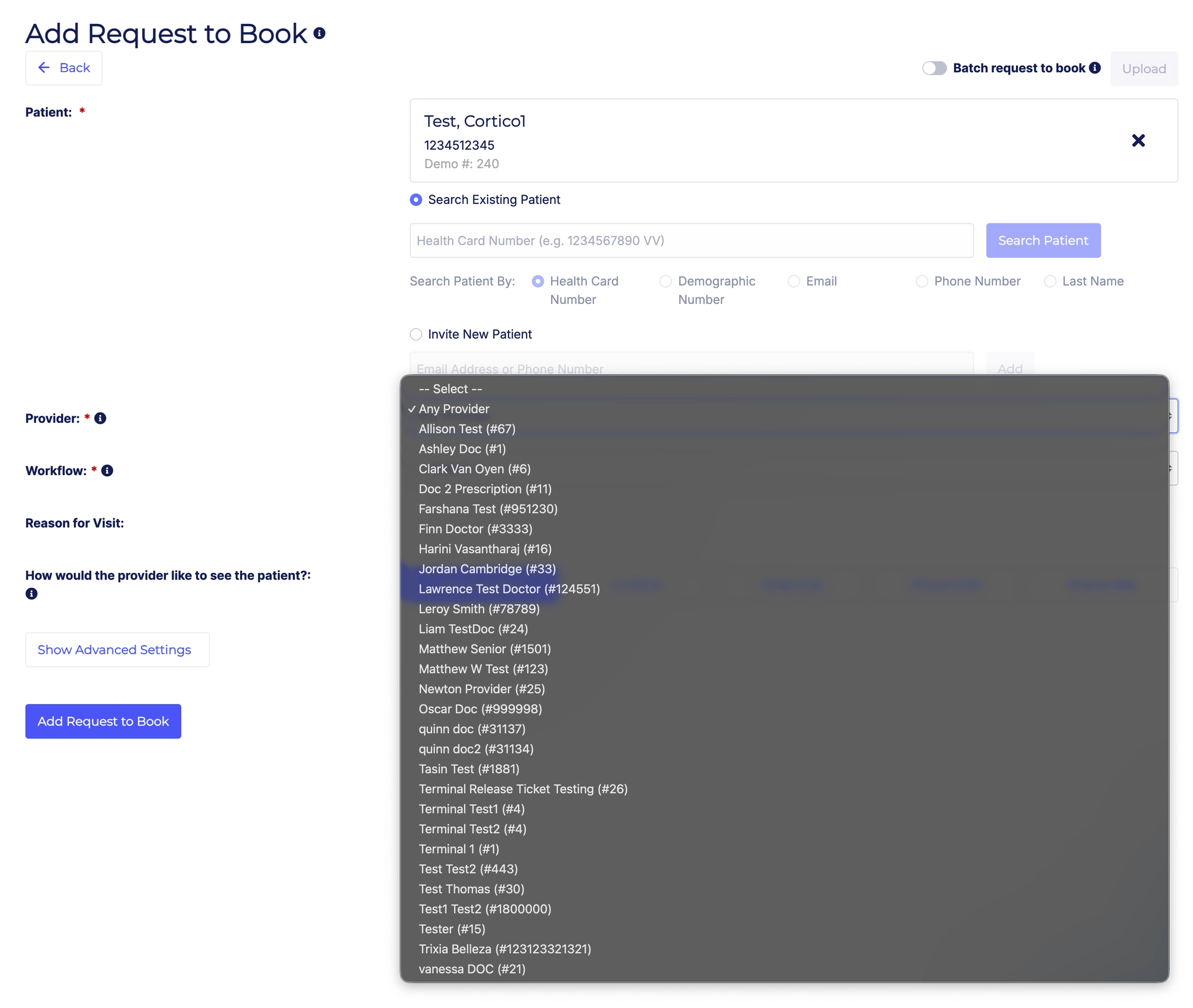
5.1 - The provider dropdown is now sorted by first name.
6. Updates to payments
6.1 - Added a field to store the clinic's GST number for use on invoices (applies to Canadian clinics).
7. Updates to Clinic Settings
7.1 - The "site name" and "slug" fields for Locations are now required to be unique when set.
8. Other updates
8.1 - Added an automated job and a manual option to retry uploading files to the EMR that previously failed to upload.
8.2 - Updates to allow or disallow access to various features (such as the homepage booking link) for self-registered freemium clinics.
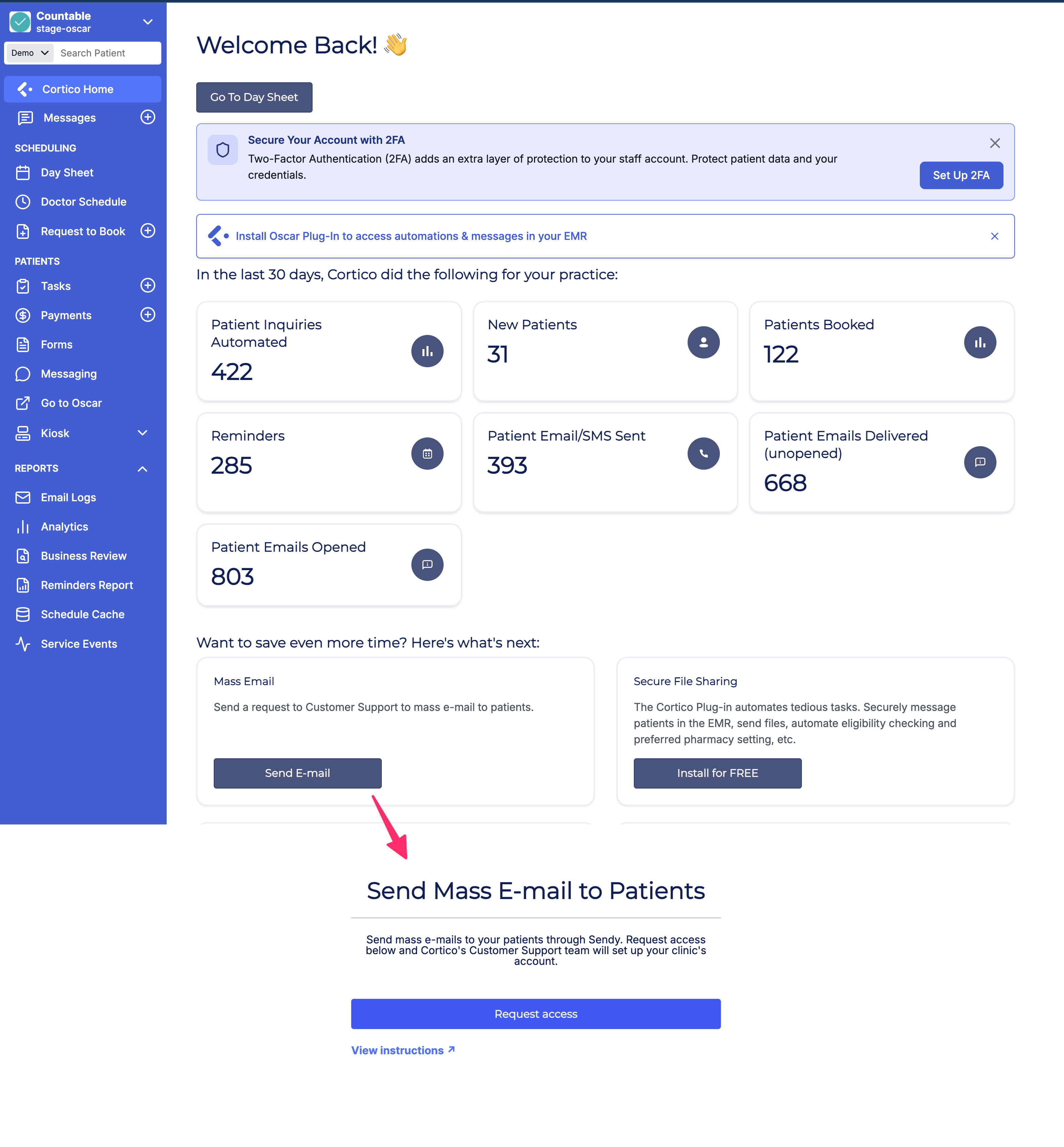
8.3 - Added self-service mass email setup (via Sendy) to the dashboard.
8.4 - The "Powered by Cortico" section on the patient sign-in page now uses text-based branding instead of an image.
8.5 - Fixed an issue where a long clinic name would overflow and overlap other text in the footer.
Cortico Plug-in:
1. Messaging
1.1 - When a provider outside the Cortico network receives a direct message from a provider inside the network, they now receive an email linking them to the self-registration page, so they can register, get their own Cortico instance, sign in, and read the message.
1.2 - Retired the plug-in's local messaging stores so production surfaces consume stores from the shared package, giving a single source of truth for messaging store data (internal refactor, no user-visible change).
1.3 - Fixed an issue where an auto-attached eForm showed a blank preview in the file carousel on Oscar.
1.4 - Clinic users can now tag and rename a file when attaching it to a message, so recipients and later viewers can identify documents and find them by a clear, readable name.
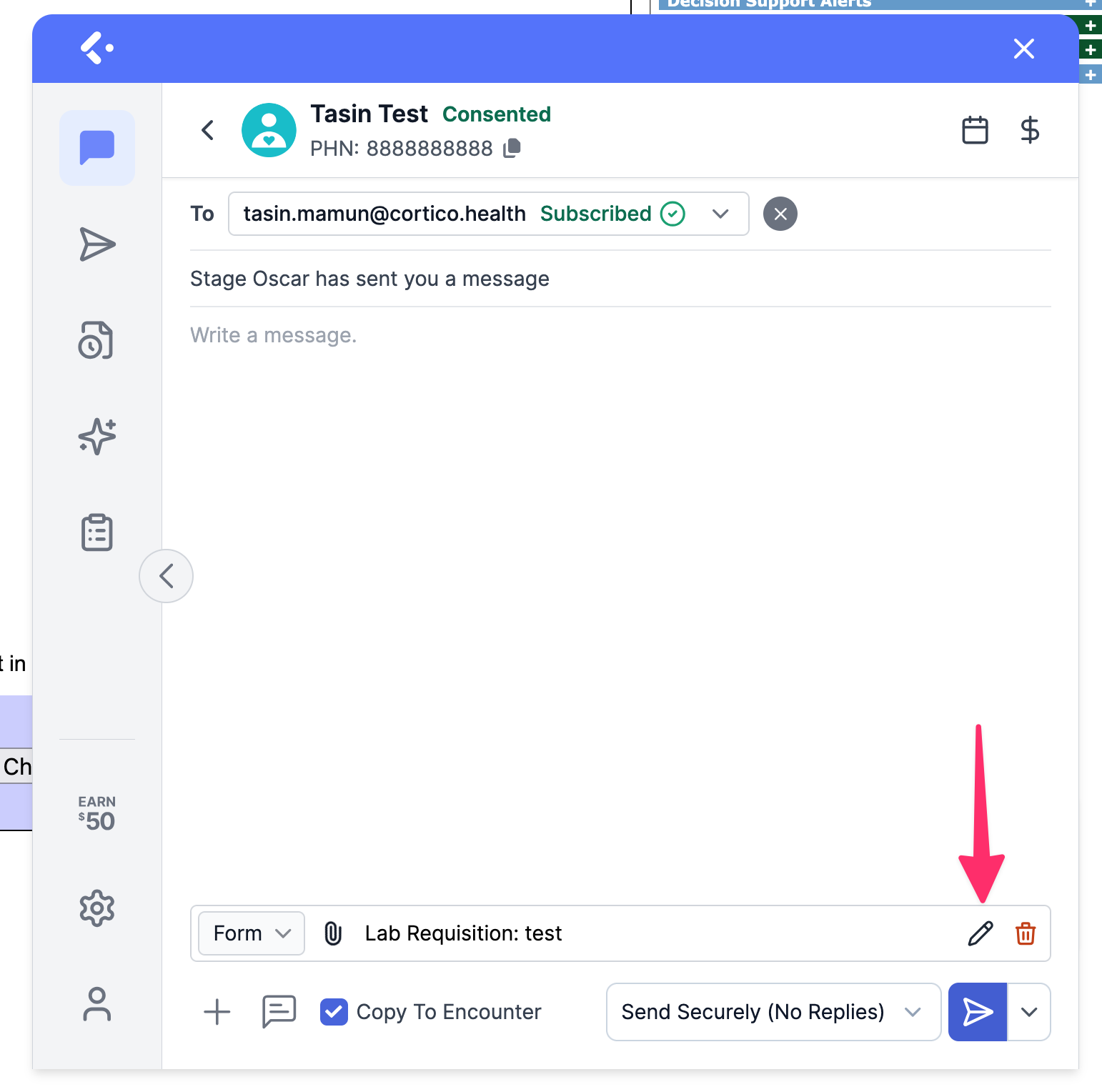
1.5 - Fixed an issue where the Download option disappeared from the "..." menu after a PDF was uploaded.
1.6 - Fixed an issue where the Edit Filename action in patient messaging would accidentally send the attachment.
2. Cortico AI
2.1 - Fixed an issue where the AI chat Referral Letter action did not prompt for the reason for referral or the specialty.
3. Appointment Actions
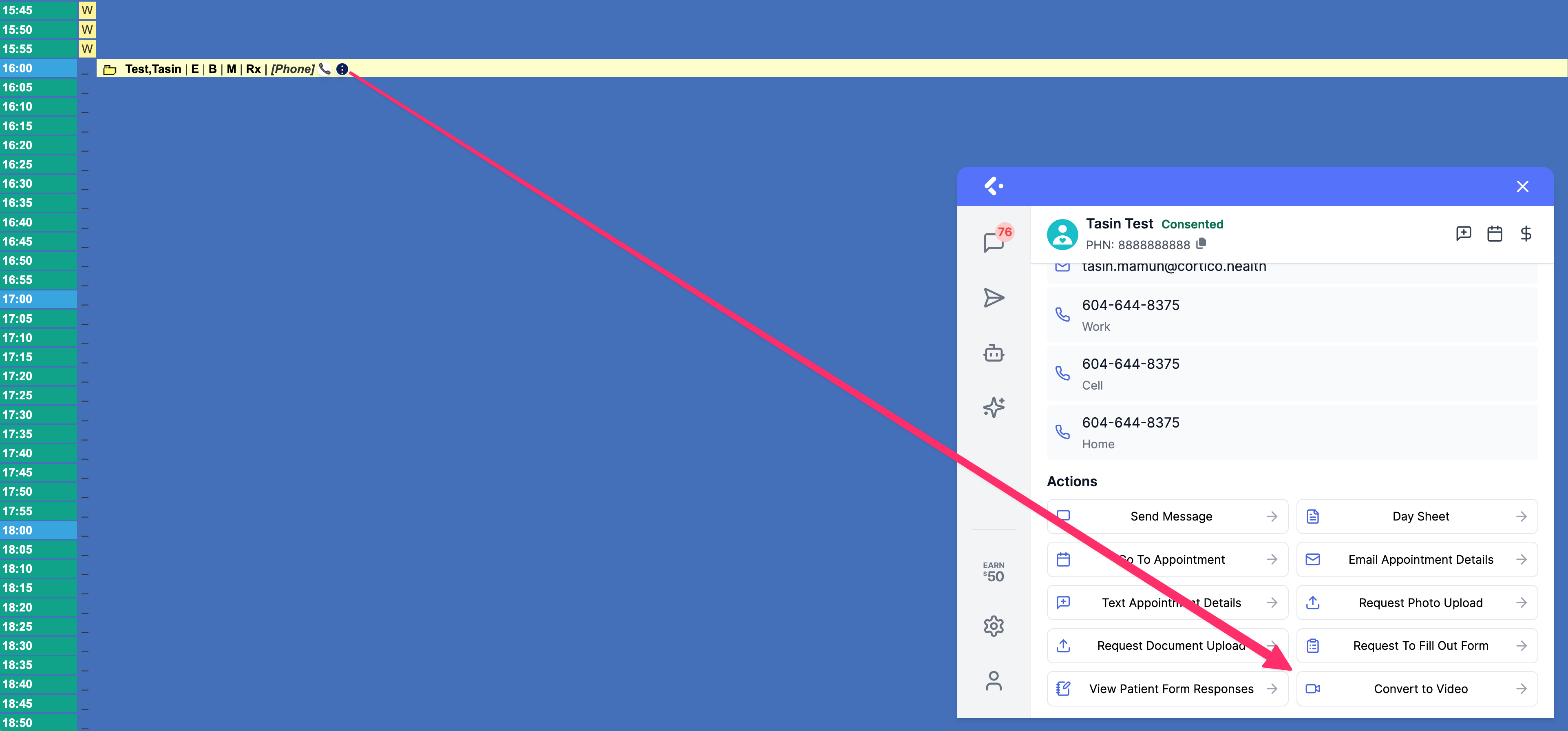
3.1 - Added a "convert to video" button to the plug-in for converting appointments to video.
4. Referral Receipt
4.1 - Referral receipt messages can now be customized, including the use of canned responses.
5. Authentication
5.1 - Expired access tokens are now refreshed automatically using the refresh token from extension storage, reducing unexpected sign-outs.
6. UI/UX Improvements
6.1 - eForms added to the instant messenger from the eForm creation page now display their file name on the e-chart, giving providers additional context about which eForm was sent.
6.2 - The medium is no longer shown in the Reason field when it isn't necessary.
6.3 - Fixed an issue where the plug-in automatically navigated to Settings after opening the plug-in, selecting the 3-dot menu, and returning to the plug-in.
7. Plug-in Integration
7.1 - [MedAccess] The Cortico plug-in can now be opened with a task attachment pre-attached.
8. Metrics & Tracking
8.1 - AI chat usage analytics are now recorded in conversation_stats, allowing measurement of document-read patterns, reasoning and cache token cost, and context-truncation frequency (internal instrumentation, no user-visible change).
9. Stability & Error Handling
9.1 - Fixed a transient network error that occurred when fetching clinic settings in the browser extension.
9.2 - Fixed an "Invalid demographic number" error thrown by getPatientInfo in the browser extension.
10. Code Quality & Infrastructure
10.1 - Refactored the utils file into smaller, focused modules for improved maintainability (internal refactor, no user-visible change).
10.2 - Added guardrails to enforce that fetch, useQuery, and useMutation go through the service registry, keeping data fetching centralized and consistent (internal code standards, no user-visible change).
10.3 - Reorganized API error handling to throw on res.ok instead of relying on the request method in ApiClient (internal refactor, no user-visible change).
11. Plug-in Setup & Building
11.1 - The plug-in build script now packages only the files required to reproduce the build, making the source archive self-contained and free of unnecessary files (internal build improvement, no user-visible change).
12. Testing
12.1 - Added a shared facade for two-way messaging E2E scenarios so clinic and environment cases can be added and updated in one place (internal test improvement, no user-visible change).
12.2 - Switched to Mock Service Worker (MSW) for mocking network requests instead of Vitest mocks, making tests more resilient and closer to real network behaviour (internal test improvement, no user-visible change).