

Follow these steps to send a Referral Receipt to the patient when a new consultation note is created:
Create a new consultation entry from the e-Chart.
Click the "Send Receipt to Patient" button next to the submit options.
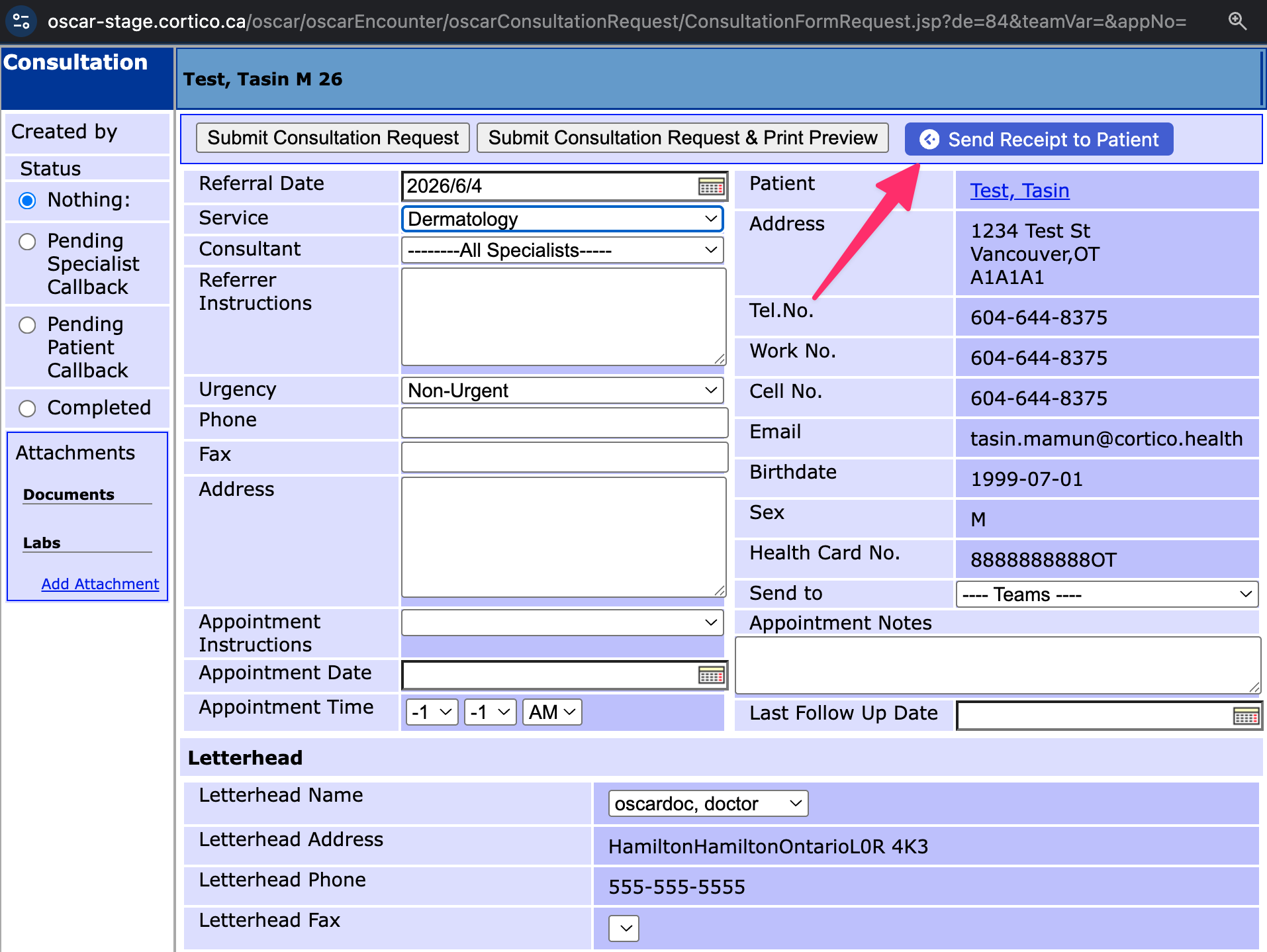
Now you can edit the referral receipt template if needed, and click "Send" to send it to the patient.
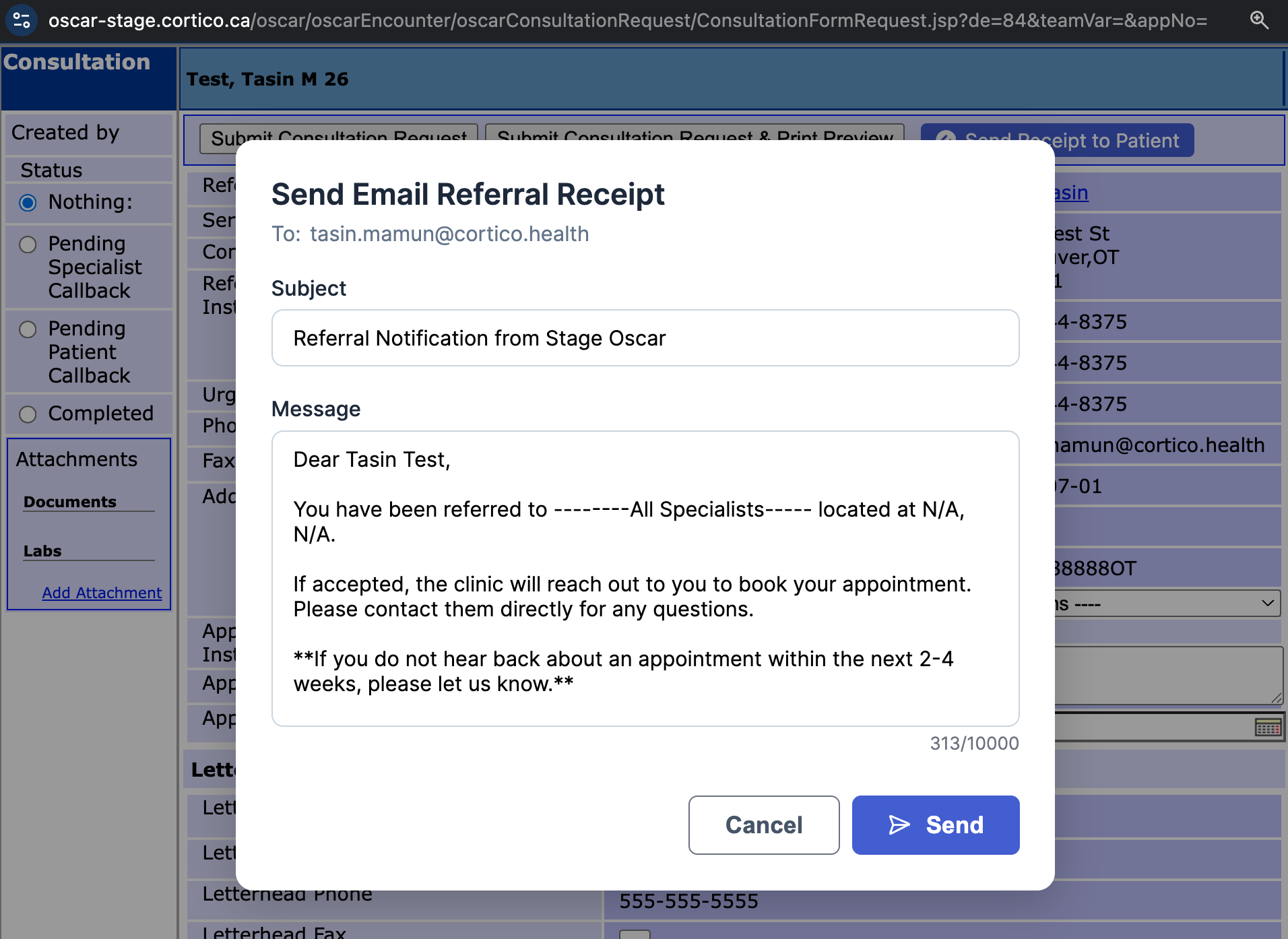
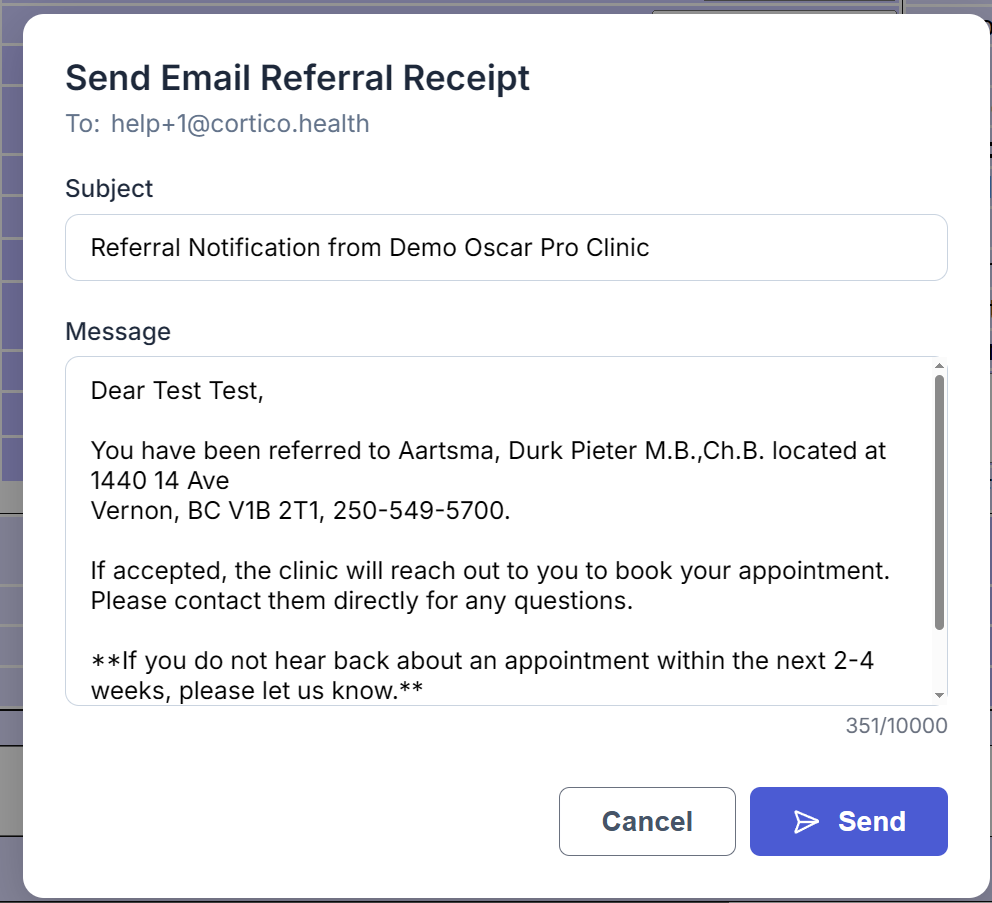
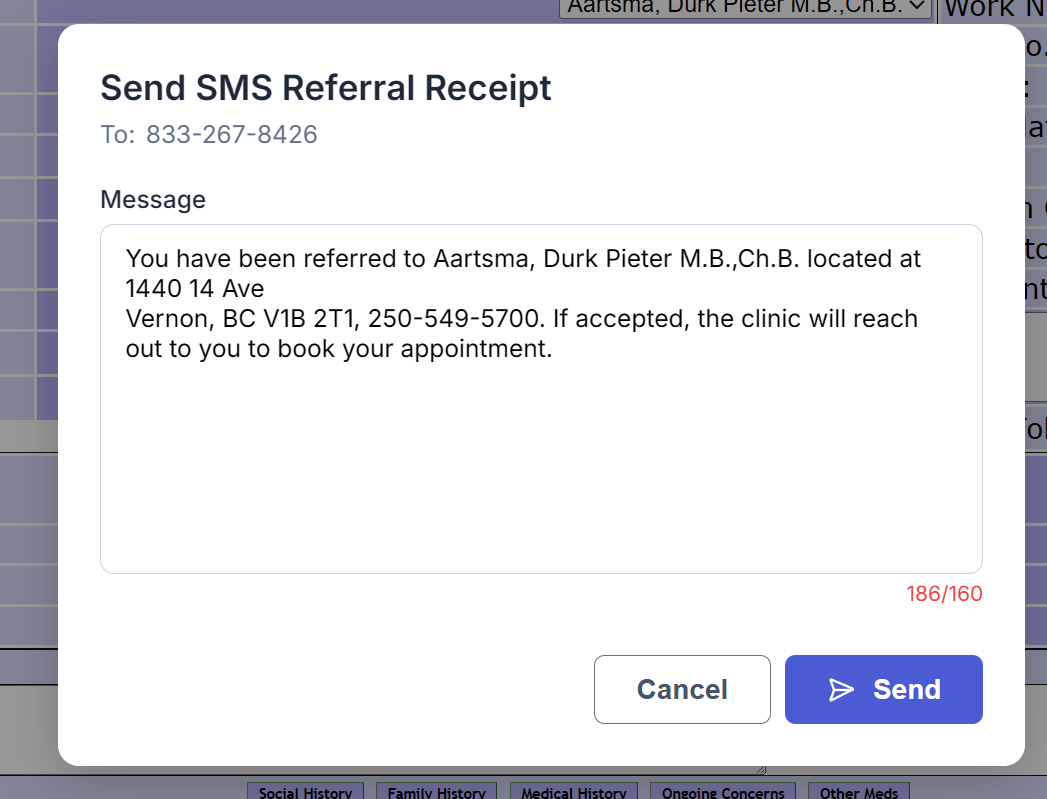
By default, the referral receipt is sent by email. However, if the patient does not have an email on file, it will fall back to SMS.
Here is an example of what message will be sent over email and SMS respectively:
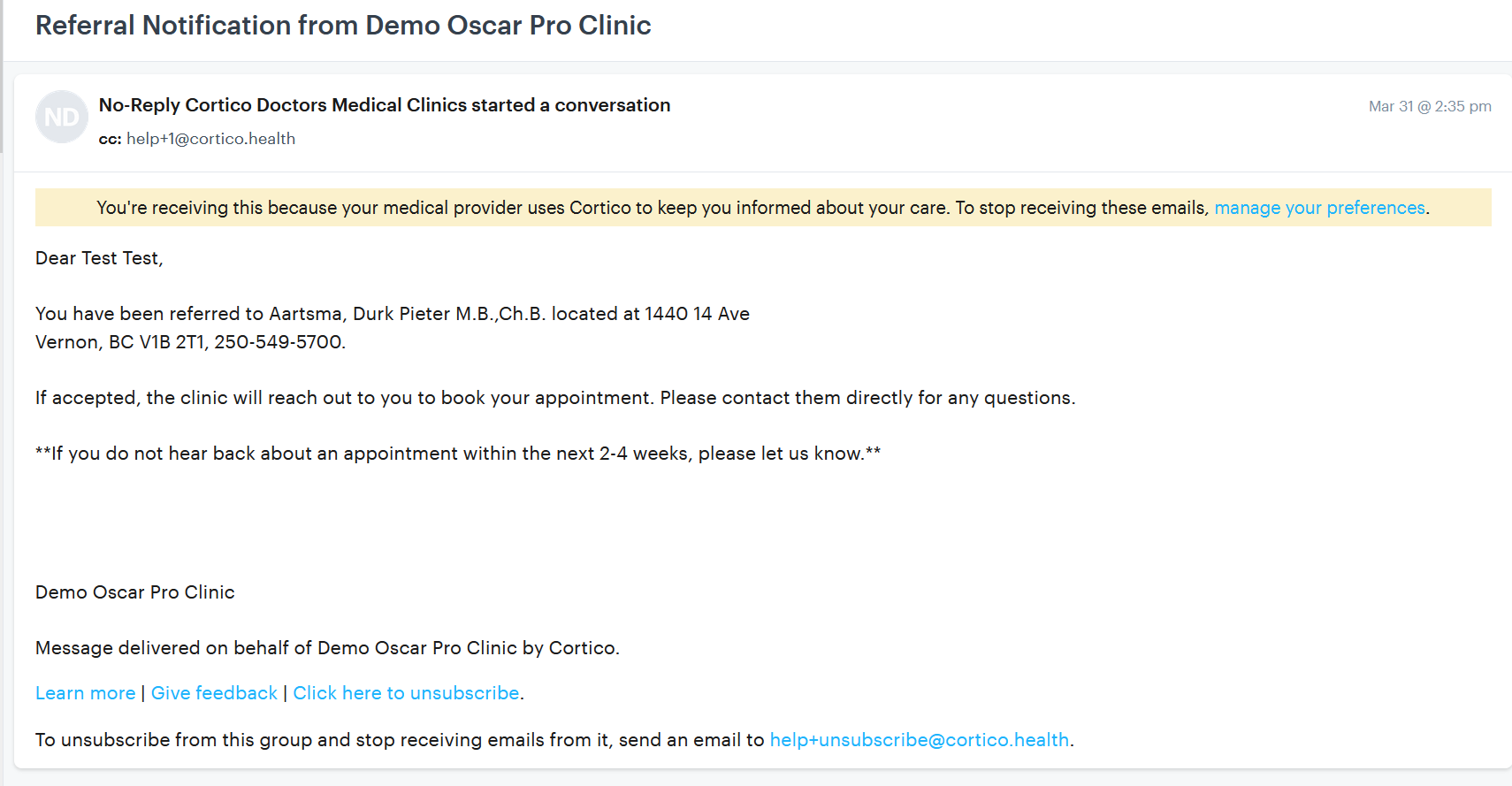
Here is an example of the how the email appears when received by the patient:
If you need help setting up this feature, please feel free to reach out to help@cortico.health.