

Cortico Web Release:
1. Updates to Appointment Booking
1.1 - Improved the layout of appointment medium options on mobile so they take up less vertical space.
2. Updates to video appointments
2.1 - Clinics can now customize the expected wait time and contact instructions shown in the video room while a patient waits for the doctor to join.
3. Updates to terminal kiosks
3.1 - Fixed an issue where patients could get partway through the new patient signup flow even when new patient signup was disabled for the clinic.
4. Updates to Request to Book
4.1 - Fixed an issue in the nightly job that matches manually booked appointments to open Request to Book invitations and marks them as Completed.
5. Updates to Clinic Settings
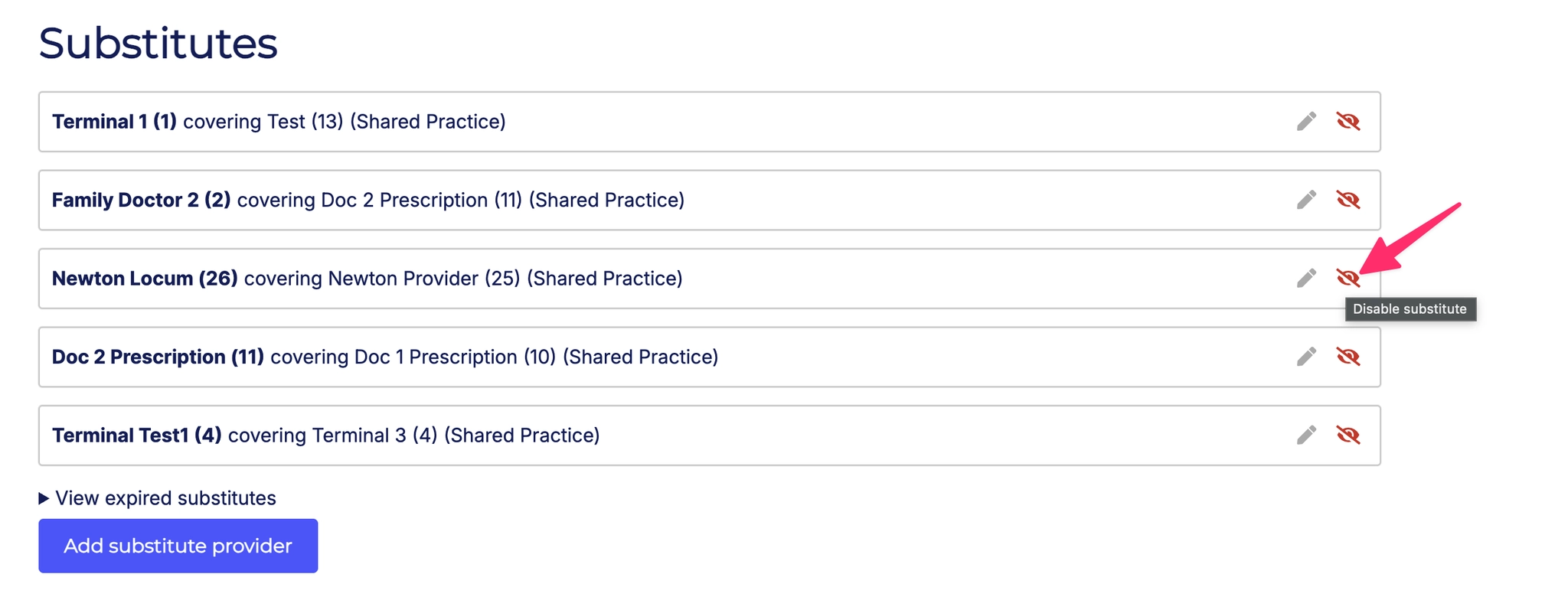
5.1 - Added a button to disable a locum, which sets the end date so the locum ends immediately.
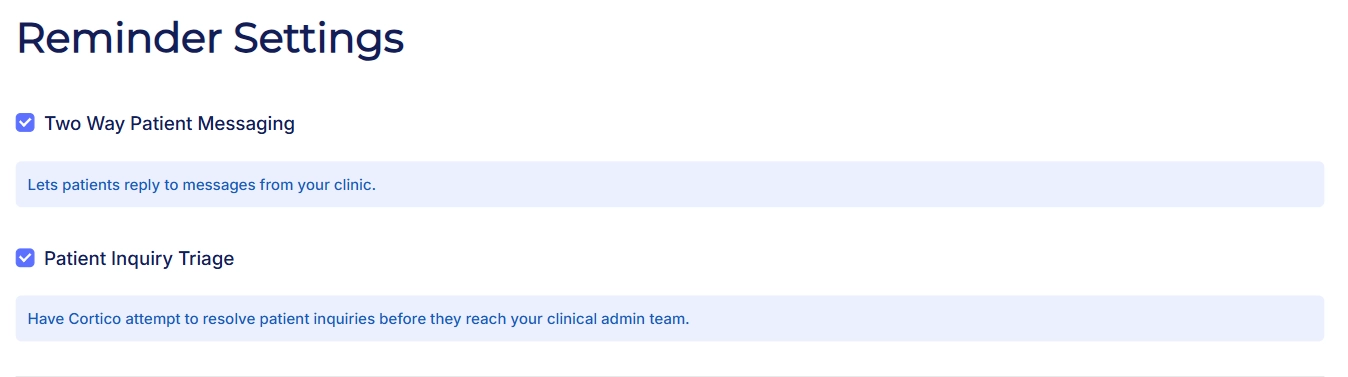
5.2 - Added a configuration option to enable/disable two-way messaging and patient inquiry triage.
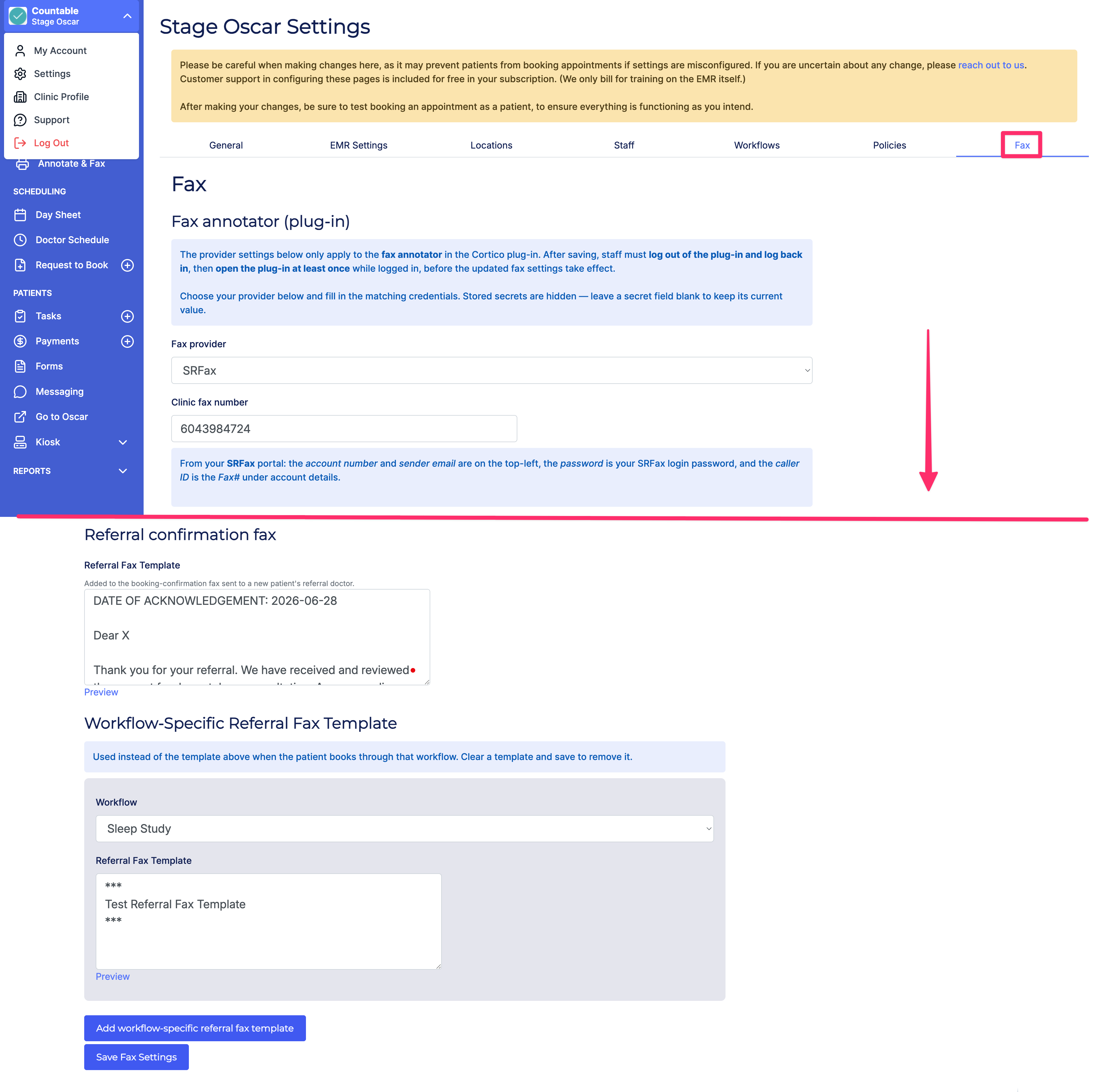
5.3 - Moved workflow-specific referral fax policy templates to the Fax tab on /settings.
5.4 - Making changes to other users in the clinic now requires admin or billing permissions.
6. Updates to payments
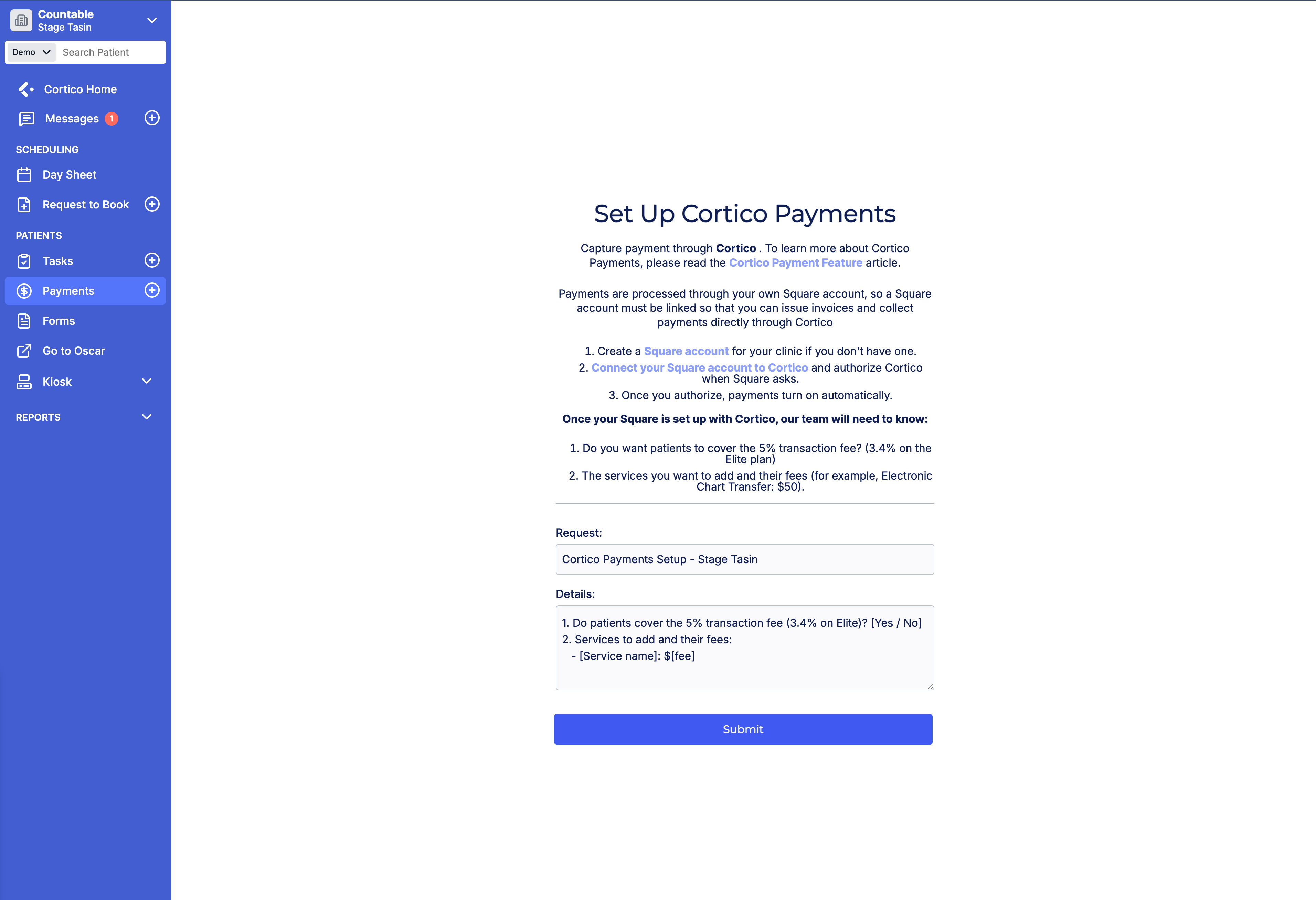
6.1 - Improvements to the Square self-onboarding flow for clinics. Payments are now enabled after the clinic connects their Square account. Previously, they needed to contact support to have this enabled.
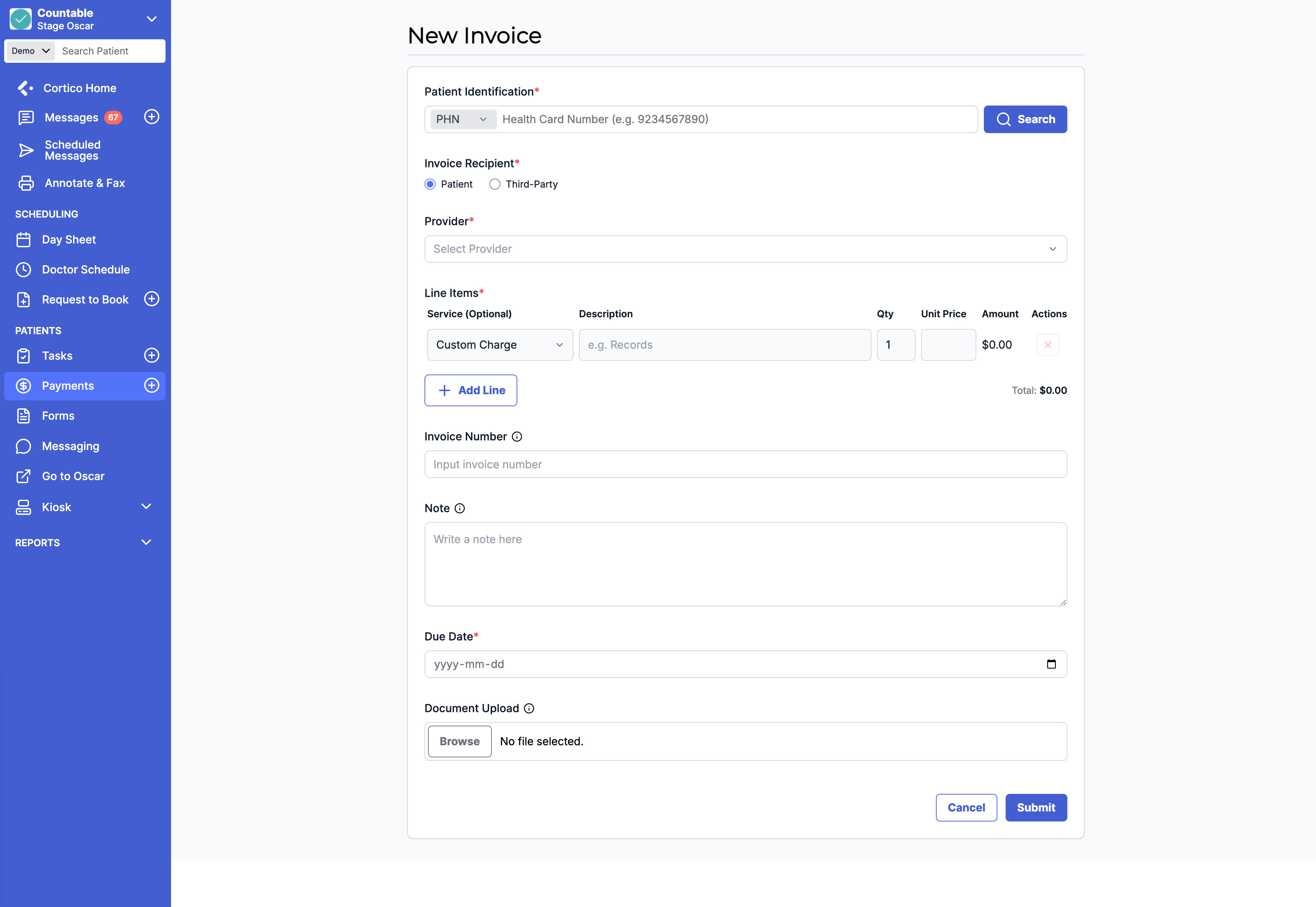
6.2 - UI update to the Create Invoice page to use a full-width layout.
7. Updates to EMR integrations
7.1 - [PSS] Added support for document upload.
7.2 - [Profile] Refactored provider schedule lookup to use the POS field for multi-location support.
7.3 - [MedAccess] Added support for booking confirmation faxes.
8. Other updates
8.1 - Cortico Web feature access for new clinics is now restricted until the Customer Service Agreement is signed.
8.2 - The call-to-action in patient task notification emails now links to the Tasks page of the patient portal instead of the homepage.
8.3 - Fixed issues where "Resend Reminder" sometimes failed on the Patient Tasks page.
8.4 - UI and spacing fixes for the clinic homepage at iPad and tablet breakpoints.
8.5 - Fixed an issue that allowed unverified self-registered clinics to access patient messaging.
Cortico Plug-in:
1. Messaging
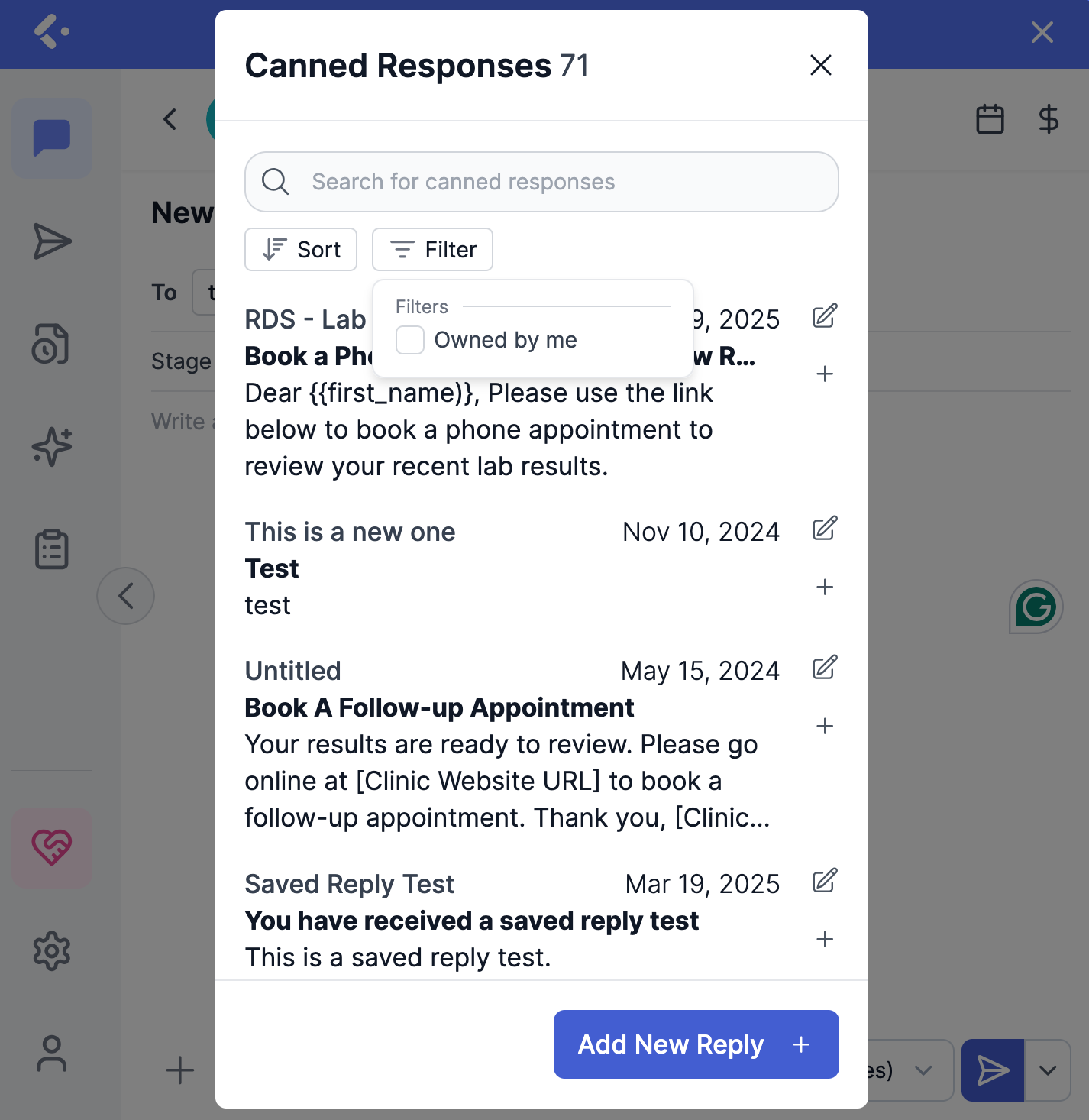
1.1 - Improved canned response organization with personal ("owned by me") and clinic-wide filters.
1.2 - Fixed an awkward in-between state when detecting a patient, where the view briefly flipped to internal before settling on the patient.
1.3 - The conversation list now shows "Yesterday" for yesterday's messages instead of a clock time.
1.4 - Added a Referral tab to the Provider Home messaging page, so providers can view and manage referral-related messages separately from general patient messaging.
1.5 - Providers can now send a referral through the New Message screen in Provider Home messaging, composing and sending referral information directly to a recipient.
1.6 - Received referrals now appear in the Triage tab, so MOAs can assign them to a provider.
1.7 - Added a conversation header actions menu in Provider Home messaging, so providers can request to book, invoice, or run other conversation actions from within the open thread.
1.8 - Added Send, Send Securely, and Send and Allow Replies options in Provider Home messaging, so providers can choose how a message is delivered.
1.9 - The messenger now remembers tags previously set on files, so attached files are tagged correctly without manual selection.
1.10 - Fixed an issue where closing an internal or external conversation only restricted patient replies, while other users could still reply.
1.11 - Fixed issues with default-recipient auto-switching, where a manually selected internal recipient was not cleared and the auto-selected default was dropped when switching from External to Internal.
1.12 - Fixed a delay where a provider reply took 1.5 to 2 seconds to show as sent.
1.13 - Added a conversation row actions menu in Provider Home messaging, so providers can leave, close or reopen, or mark a conversation read or unread directly from the list.
2. Cortico AI
2.1 - Added instrumentation to record how much of the first-prompt chart dump each source consumes, to inform decisions about the note context limit (internal instrumentation, no user-visible change).
2.2 - Fixed an issue where AI chat dropped imaging, transcription, and PDF-only labs that had no result table.
2.3 - Providers can now see which AI model powers AI chat, giving more confidence in response quality.
3. Annotate & Fax
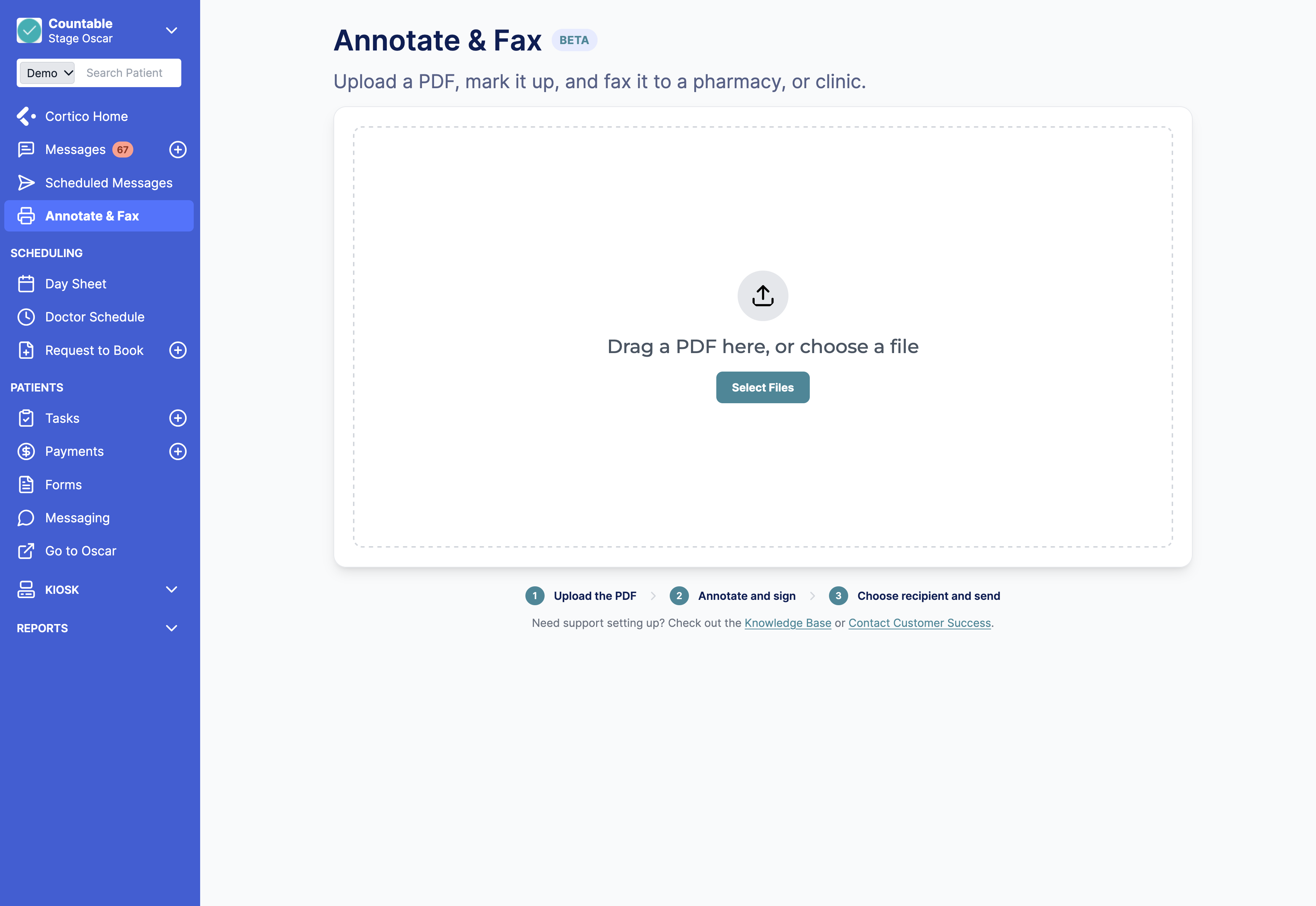
3.1 - Added the Document Annotator to the Cortico Web dashboard.
4. Appointment Actions
4.1 - [MedAccess] Added a checkbox option for appointment cancellation notifications.
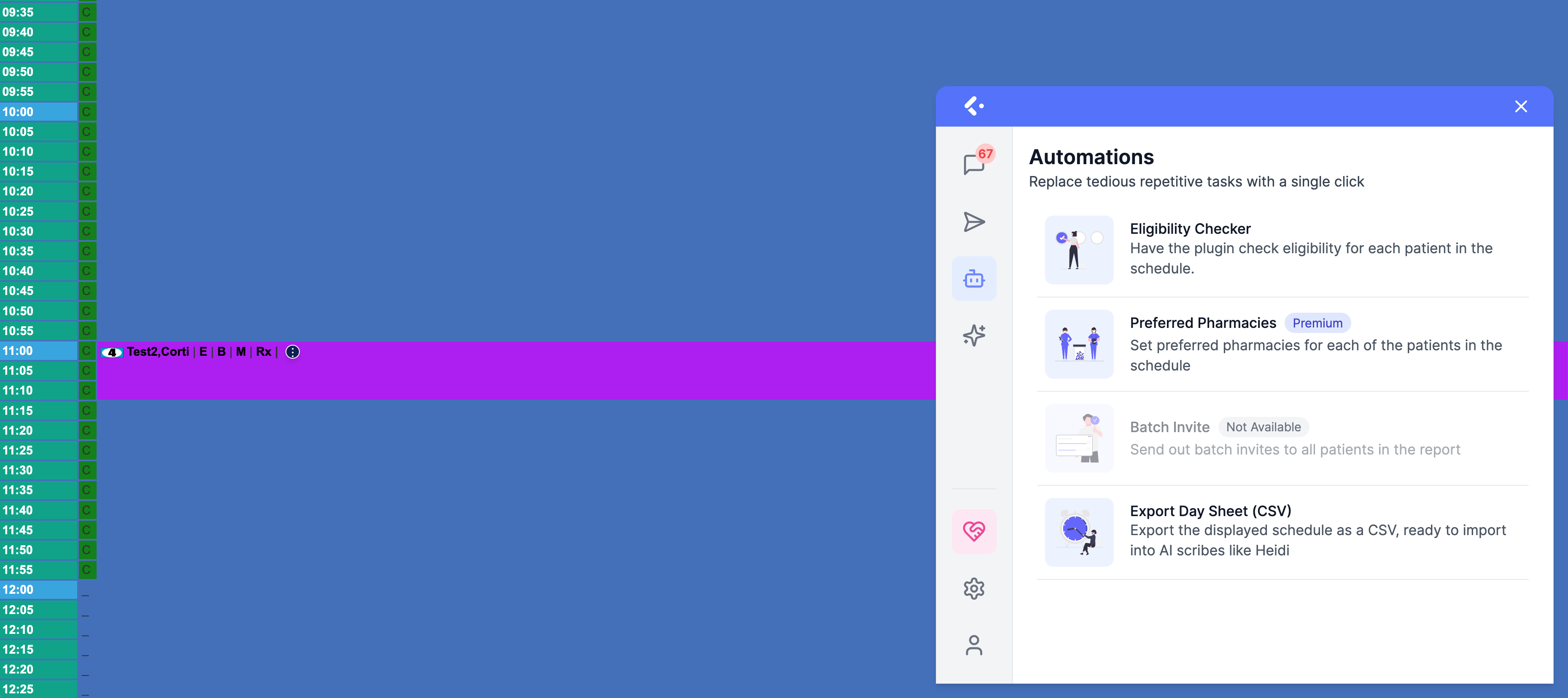
4.2 - Providers can now download their schedule as a CSV, for use in external tools ("export to day sheet" button)
5. UI/UX Improvements
5.1 - Unavailable features now indicate where they can be used instead of simply showing "Not Available", making them easier to discover and access.
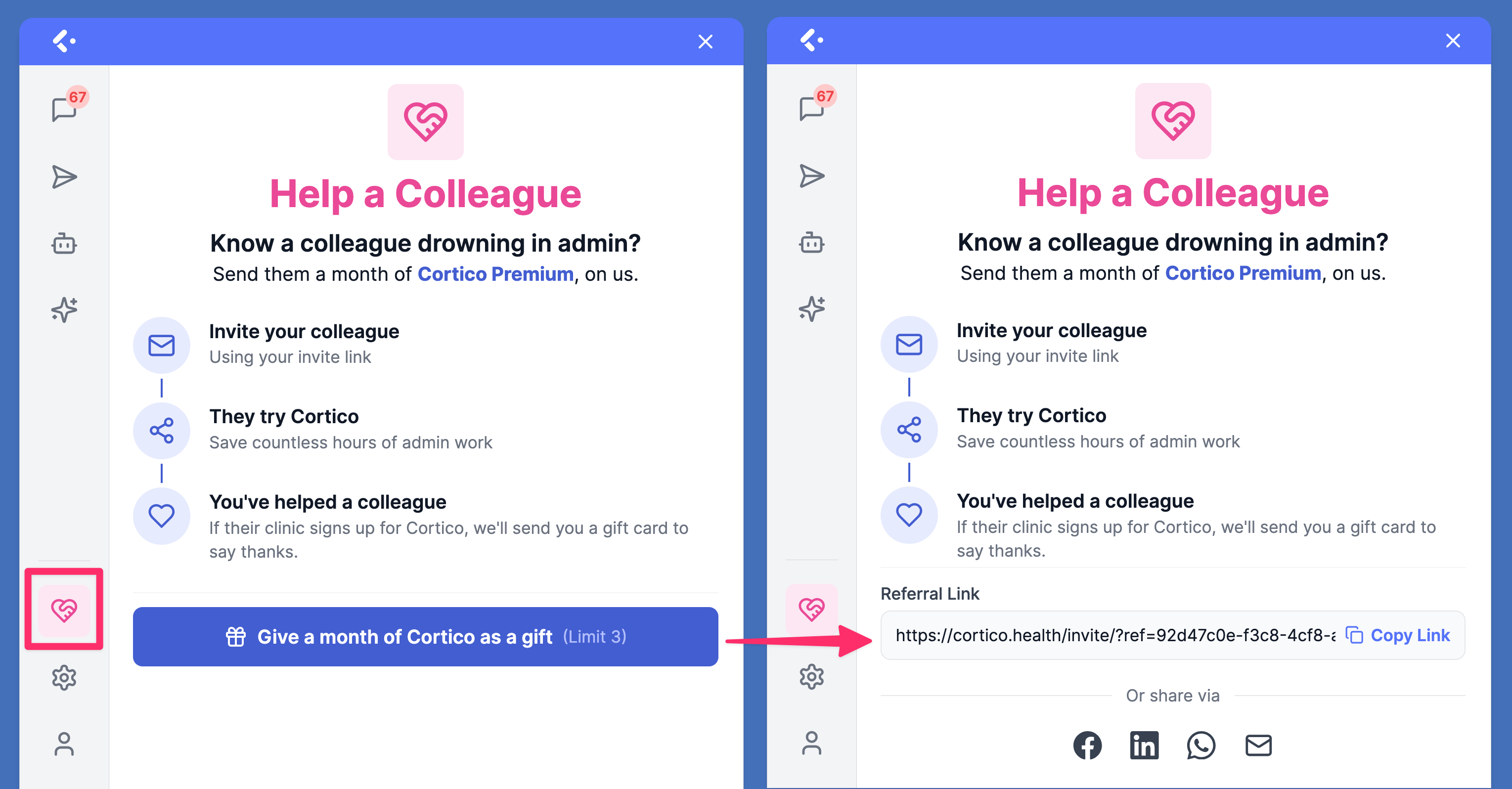
5.2 - UI update to the "Earn $50" referral page.
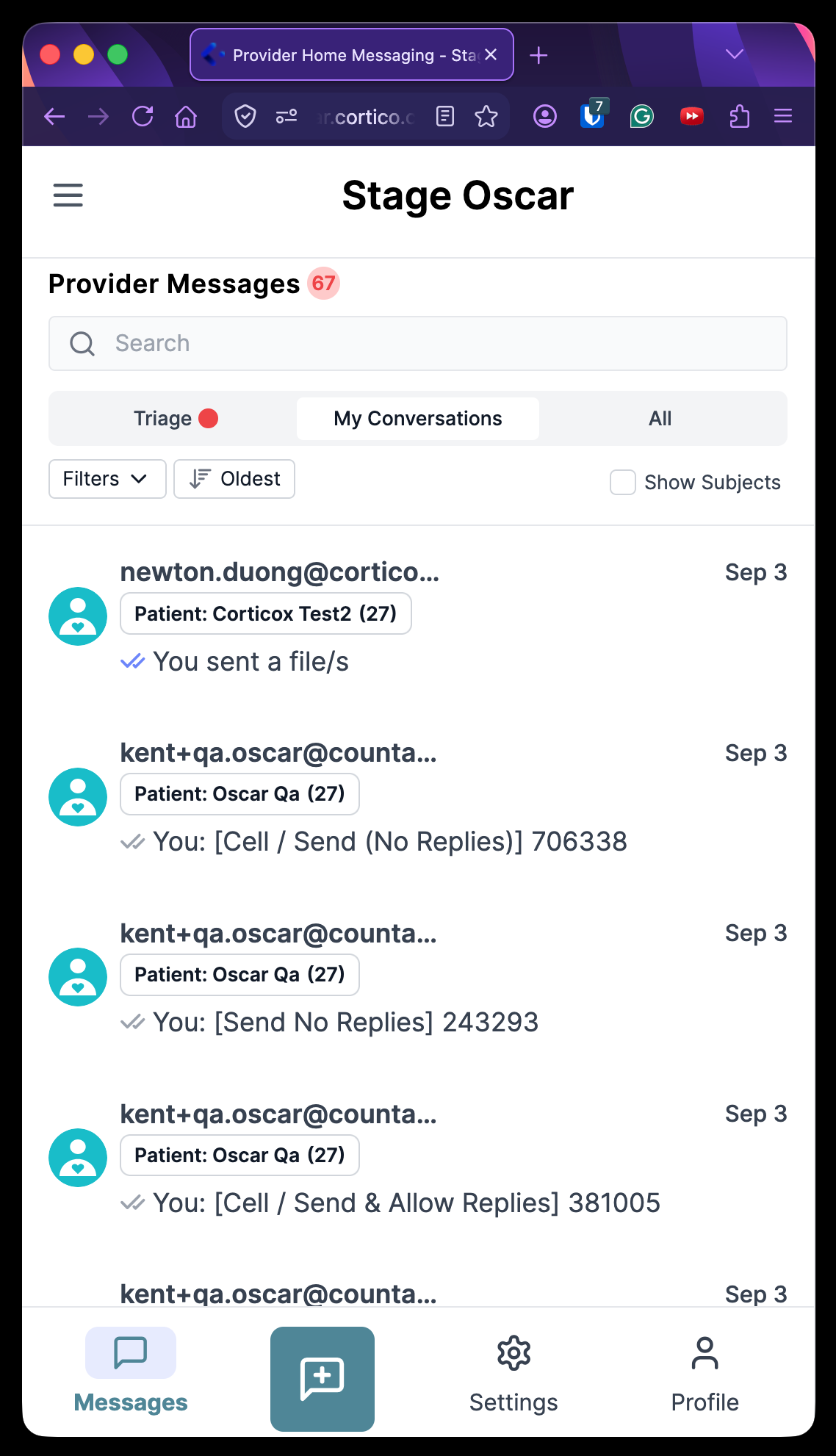
5.3 - Added a mobile view for Provider Home messaging, so providers can read and send messages from their phone.
6. Metrics & Tracking
6.1 - Consolidated the end-of-funnel referral workflow events into a single event with the sharing mode captured as metadata, simplifying event tracking while preserving sharing-mode detail (internal instrumentation, no user-visible change).
7. Stability & Error Handling
7.1 - Security improvements.
8. Code Quality & Infrastructure
8.1 - Removed @ts-nocheck from several shared UI components and added proper types, so TypeScript checks them instead of ignoring them (internal code quality, no user-visible change).
8.2 - Fixed conditional hook calls in hooks.jsx and SetupBilling.jsx to comply with the rules of hooks (internal fix, no user-visible change).
8.3 - Fixed immutables lint errors (internal code quality, no user-visible change).
8.4 - Unit and integration tests now use .test hosts instead of hardcoded cortico.ca URLs, so tests no longer depend on production domains (internal test improvement, no user-visible change).