

Cortico Web Release
1. Updates to appointment booking
1.1 - Added support for hyperlinks in the video call join instructions field.
1.2 - Made the Health Card Expiry Date field optional for Ontario newborn patients (under 1 year old) in the patient form. Version Code was already optional.
1.3 - Added a Book page that shows available workflows filtered by provider. Clinics with a custom booking process or instructions can link to it from their own website.
1.4 - Added separate error handling for Cortico errors and EMR errors during the patient lookup step.
2. Updates to terminal kiosks
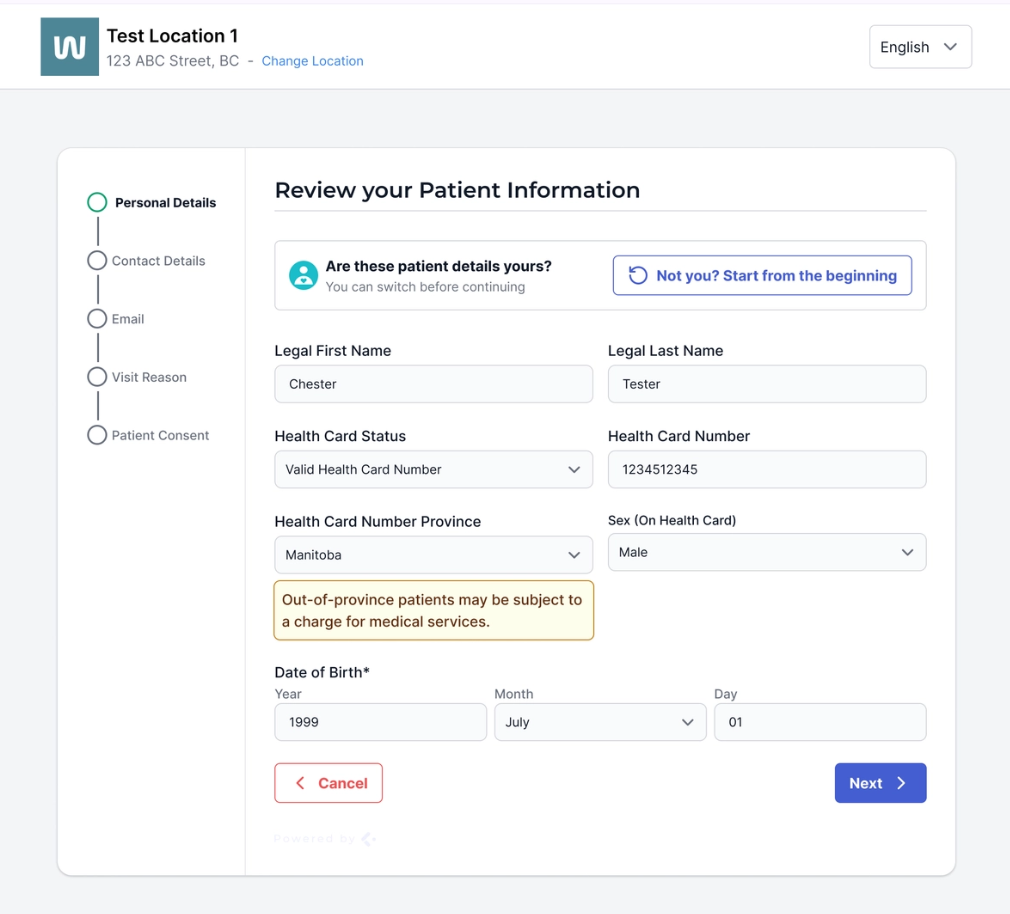
2.1 - Added a "Not you?" check when a patient tries to change the name of the currently loaded patient while checking in at the kiosk. This helps prevent a patient from accidentally editing another patient's profile if the previous patient walks away before the inactivity timer runs out.
3. Updates to patient forms
3.1 - Staff can now search and favourite forms in the form list when sending form tasks to patients.
3.2 - Added a new form mode so staff can fill out forms together with patients in person.
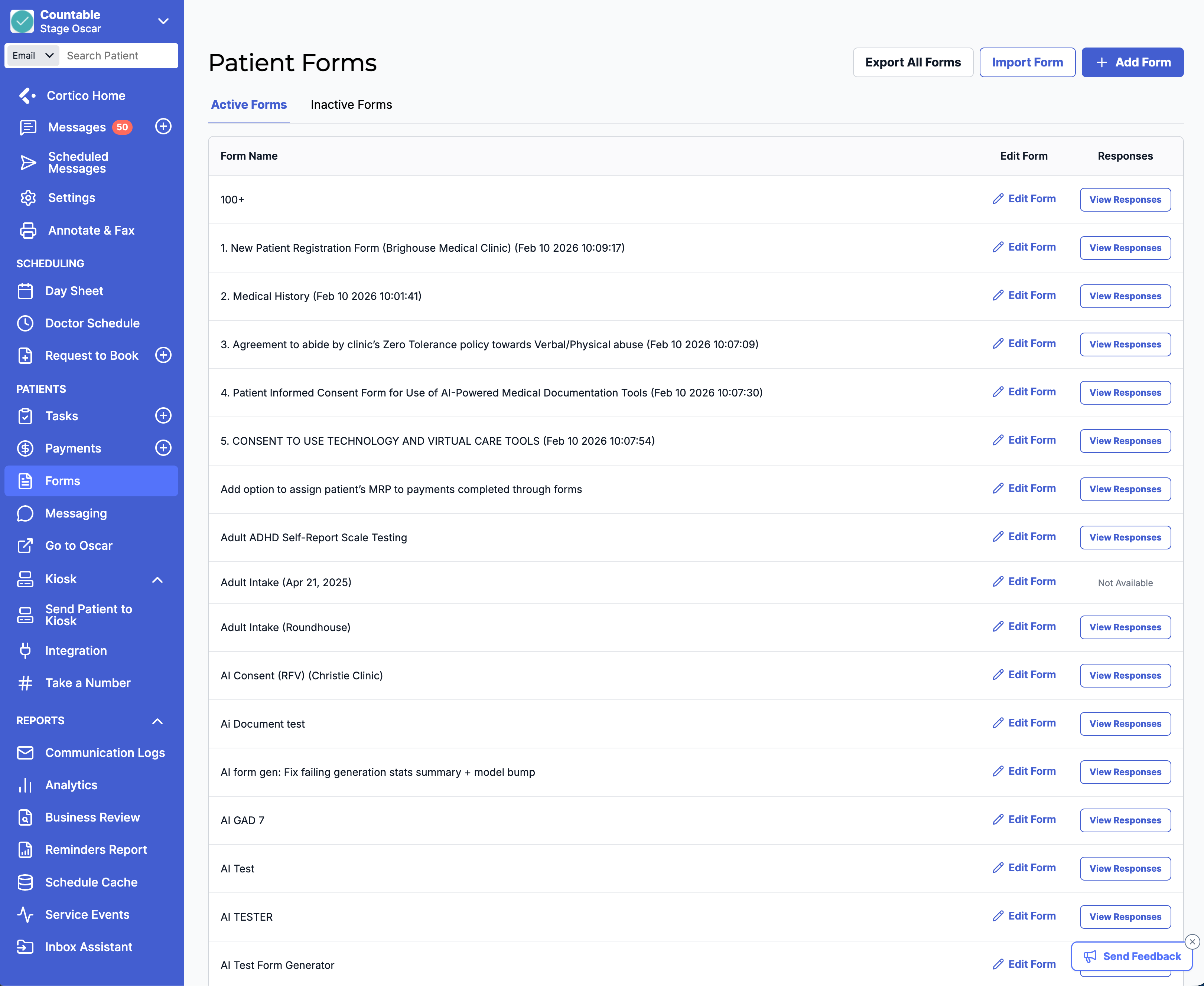
3.3 - Updated the design of the patient forms list page.
3.4 - Replaced a legacy forms or notes setting with a Patient Form.
3.5 - [Accuro] Added a configuration option to save form responses as a Clinical Note.
4. Updates to Request to Book (UI)
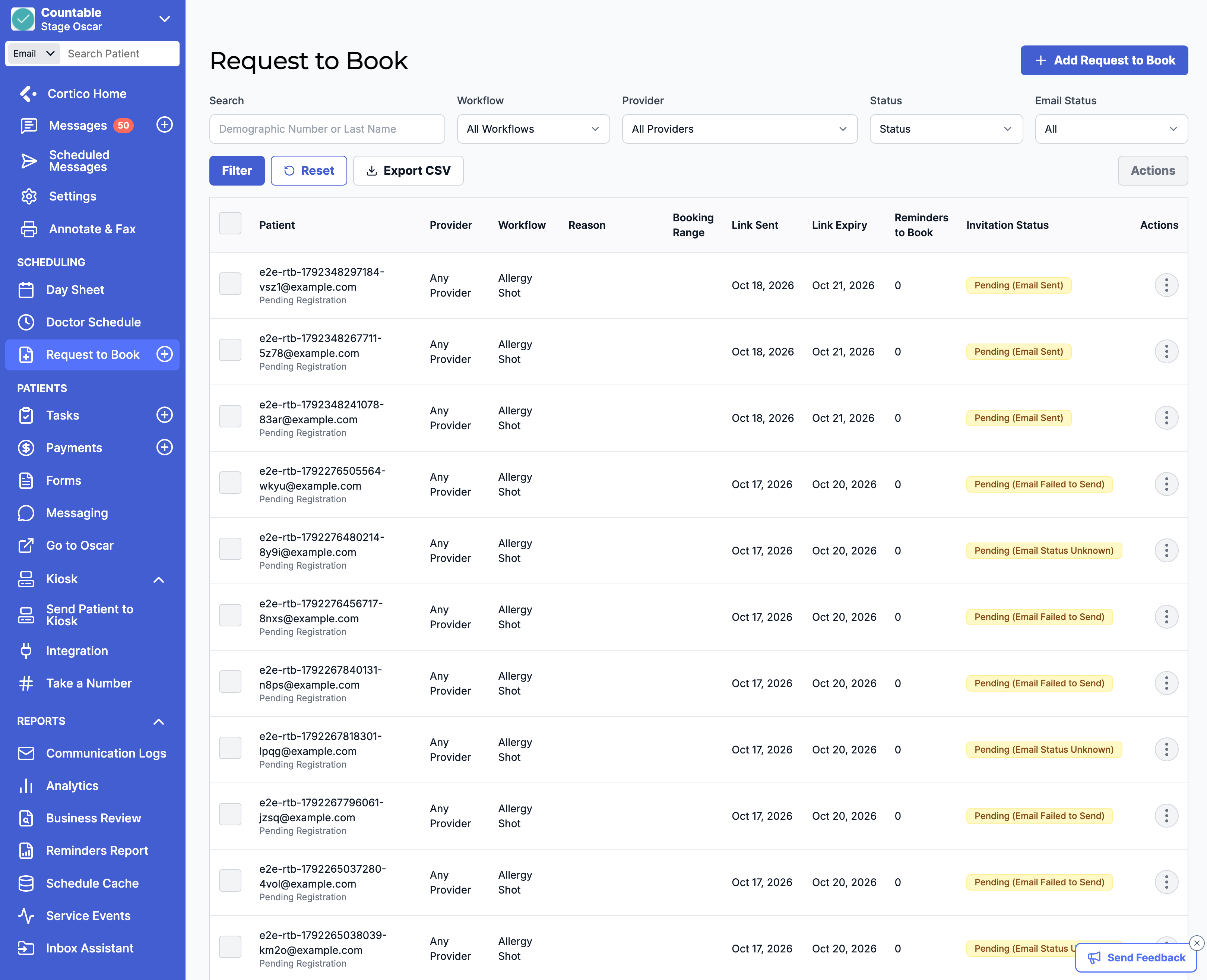
4.1 - Updated the design of the Request to Book table page.
5. Updates to patient tasks
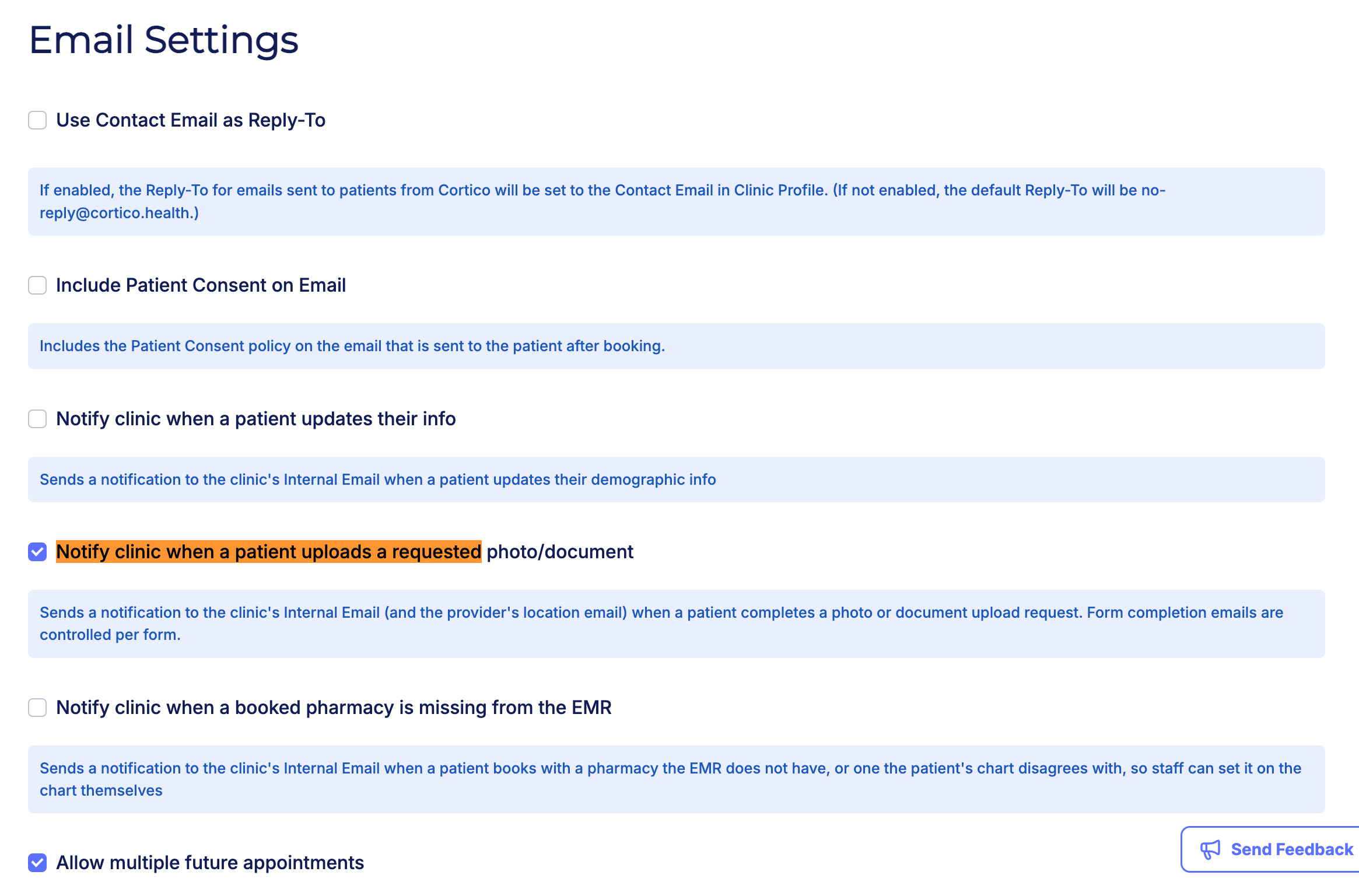
5.1 - Added a setting to turn patient file upload task notification emails on or off.
6. Updates to payments
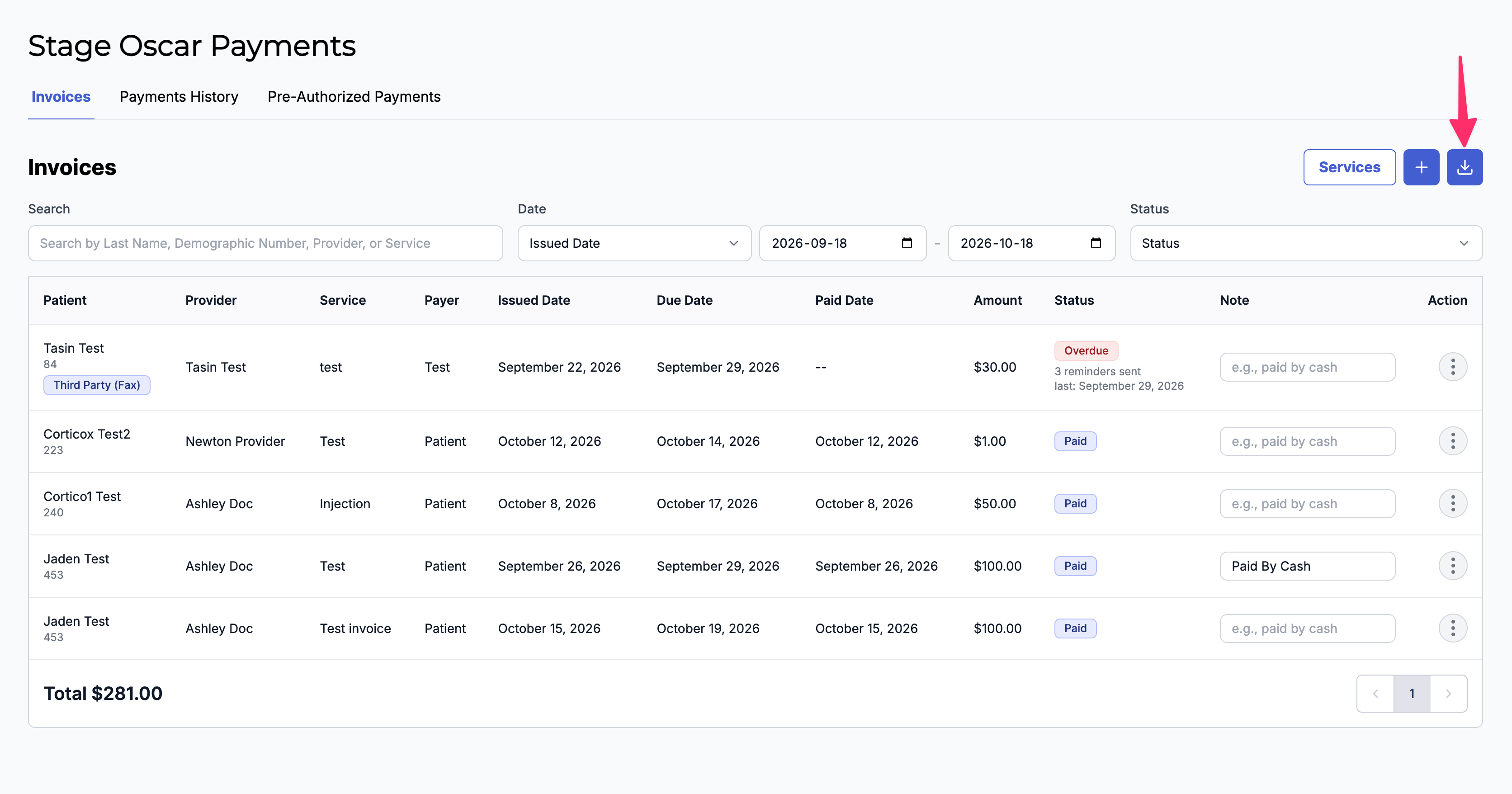
6.1 - Added an Export option for Overdue and Pending invoices.
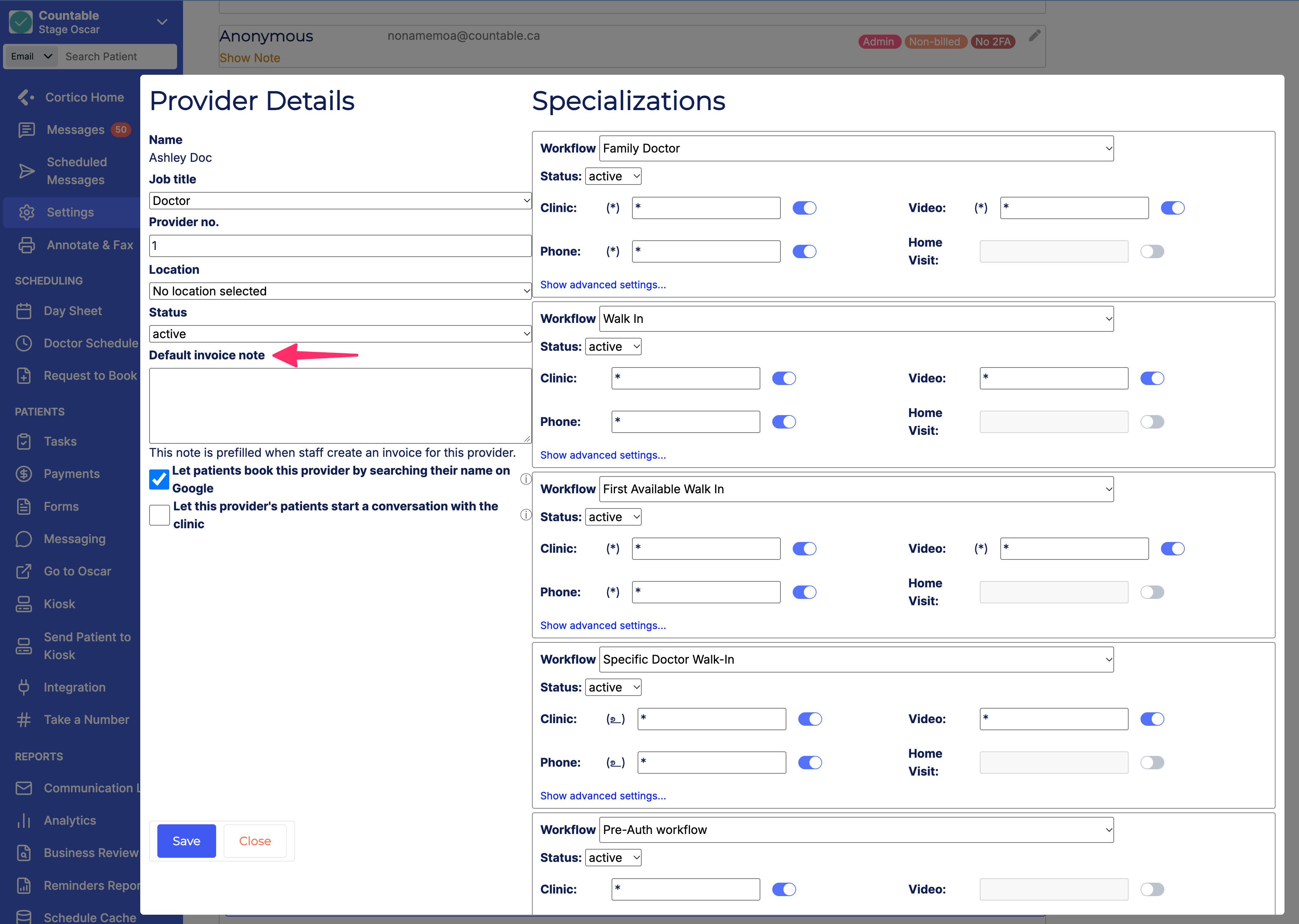
6.2 - Added a configurable default note per provider when creating invoices.
7. Updates to Request to Book (General)
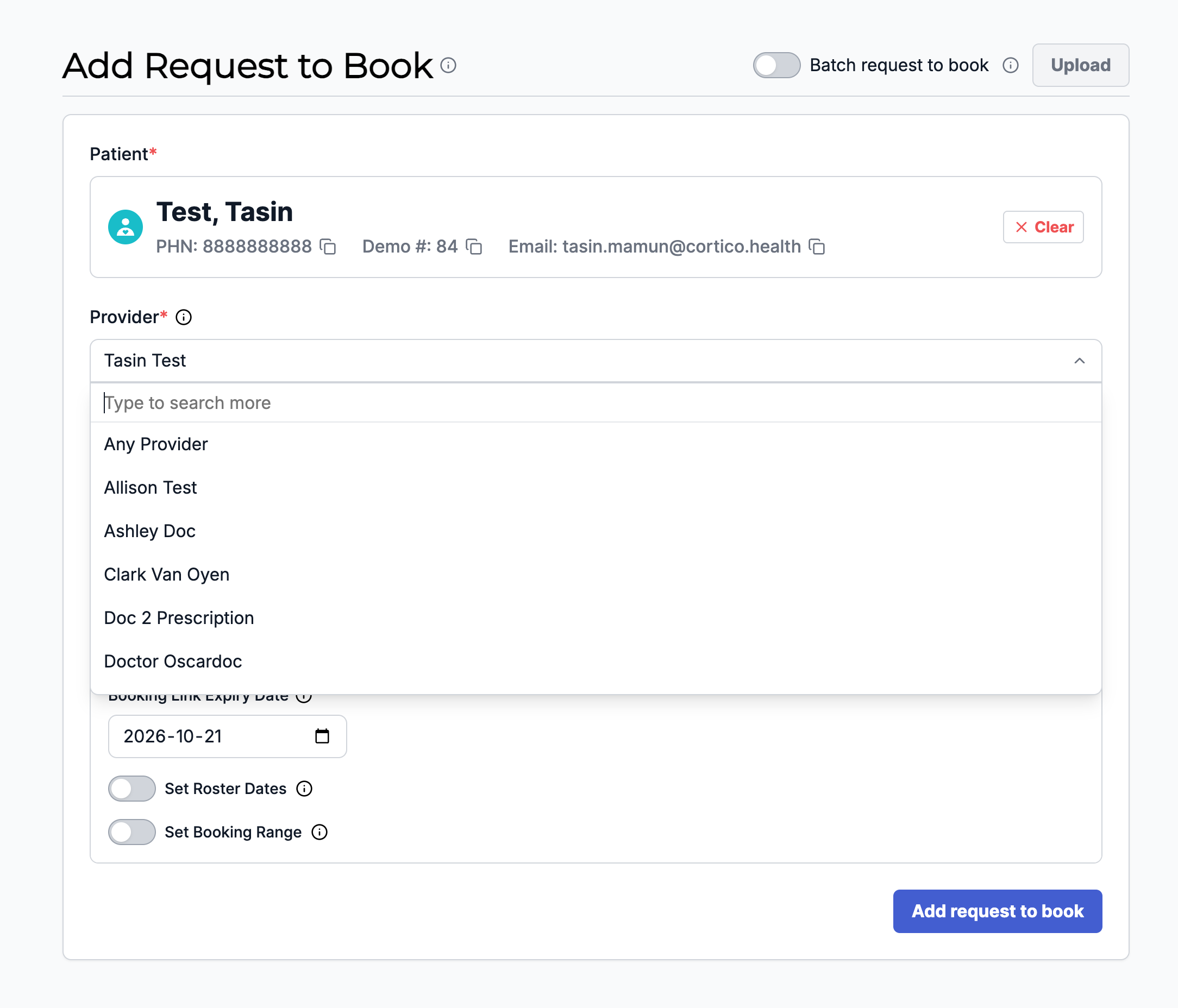
7.1 - Removed the provider number from the Provider dropdown.
8. Updates to EMR integrations
8.1 - [Accuro] Added a configurable Document Type field for Clinical Notes created in the patient's chart, such as messages and forms copied to an encounter.
8.2 - [All EMRs] Added support for setting default appointment locations for providers.
8.3 - [MedAccess] Fixed an issue where an incorrect error message was shown when an invalid PHN was used during patient signup.
8.4 - [MedAccess] Added an explanatory tooltip to the "Resync from EMR" button.
8.5 - [MedAccess] Fixed an issue where patients could double-book an appointment slot when the provider has a location set.
9. Updates to messaging
9.1 - Added messaging access in the patient home for secondary users in a patient's circle of care, such as a second parent or caregiver.
9.2 - Added support for multiple users, such as more than one parent, to log in to the patient portal.
9.3 - Updated permissions to limit which patient portal pages secondary users can access.
9.4 - Updated some URL paths for patient and provider messaging.
9.5 - [Sans EMR] An error message now shows when staff try to message a patient who has no email address.
9.6 - Fixed an issue where clinicians were categorized as "personal" shared access contacts.
9.7 - Fixed an issue where conversation history was lost when a patient's PHN was added or changed in the chart.
10. Other updates
10.1 - Updated some copy and links in patient emails.
10.2 - Fixed issues with the staff Feedback button.
10.3 - Freemium clinics can now access Fax settings and the annotator feature.
10.4 - Fixed an issue where some phone number formats were not displaying in the clinic footer.
Cortico Plug-in
1. Messaging
1.1 - Secure sending is now disabled for patients without an email on record, so providers and MOAs cannot send a message the patient cannot access.
1.2 - Fixed an issue where the plug-in showed "Subscribed" for an opted-out email address when the letter casing differed.
1.3 - Internal messaging is now enabled by default, so providers and MOAs can message their clinic team without manual setup.
1.4 - [Accuro] Provider home messaging is now enabled by default at Accuro clinics, so providers can use it without manual setup.
1.5 - Fixed an issue in external provider messaging where MOAs at the receiving clinic had to refresh or switch tabs to see an updated notification count.
1.6 - Triage conversations are now removed from the Triage and My Conversations tabs once a provider is assigned, so MOAs only see conversations that still need action.
1.7 - [MedAccess] Investigated an issue where prescription attachments sent through a patient message were missing the doctor's signature.
2. Referrals
2.1 - Referring providers can now copy a referral excerpt and link to share the referral through WhatsApp.
2.2 - Providers can now open a shared referral to view its information.
2.3 - Patients are now notified when their referral is created, accepted, or rejected.
2.4 - Referring providers can now cancel a referral at any stage, so both parties know it is no longer proceeding.
2.5 - The AI referral assistant now asks for important information based on the referral reason, so referrals include the relevant clinical details.
2.6 - Providers can now dictate into the AI referral assistant in provider home messaging instead of typing.
2.7 - The referral status bar now appears on the shared referral details page.
2.8 - The AI referral assistant's system prompt can now be edited in the development environment for testing (internal testing, no user-visible change).
2.9 - GARH is now preselected as the recipient for new referrals.
3. Appointment Actions
3.1 - Fixed an issue where the plug-in showed an inaccurate appointment end time.
3.2 - Fixed an issue where manual phone appointments inserted the wrong phone number into the Reason field.
4. Cortico AI & Inbox Assistant
4.1 - [MedAccess] Providers and MOAs can now filter Inbox Assistant documents by provider.
4.2 - Added a setting to control which providers have access to the Inbox Assistant.
4.3 - Improved how AI chat limits its tools so the patient chart can be reused from cache instead of being processed again (internal optimization, no user-visible change).
5. UI/UX Improvements
5.1 - Inbox Assistant scan results now show while loading, and access rules are available on demand.
5.2 - Renamed "Quick Actions" in AI chat to "Quick prompts".
5.3 - Fixed an incorrect font on the Messenger header and card on the Scheduling page when the plug-in user is logged out.
5.4 - Fixed an issue affecting plug-in users with a password manager when switching between tabs.
6. Testing & Reliability
6.1 - Fixed a session-expired error shown when the user is logged out.
6.2 - Fixed a failing end-to-end test (internal testing, no user-visible change).
6.3 - Fixed failing AI tests related to PDF reading and AI chat event order (internal testing, no user-visible change).
6.4 - Enabled stricter lint rules to catch unsafe TypeScript usage before merging (internal code quality, no user-visible change).
6.5 - Fixed newly reported errors from error monitoring (internal, no user-visible change).
7. Metrics & Tracking
7.1 - Corrected eligibility check events so run success and daily active users are measured accurately (internal tracking, no user-visible change).
7.2 - Corrected pharmacy sync events so sync success is measured accurately (internal tracking, no user-visible change).