

Cortico Web Release:
1. Updates to the homepage
1.1 - Usability improvements to the clinic locations map displayed on the clinic homepage.
1.2 - Improved the fallback booking options shown on the homepage when locations are disabled for multi-location clinics.
2. Updates to Appointment Booking
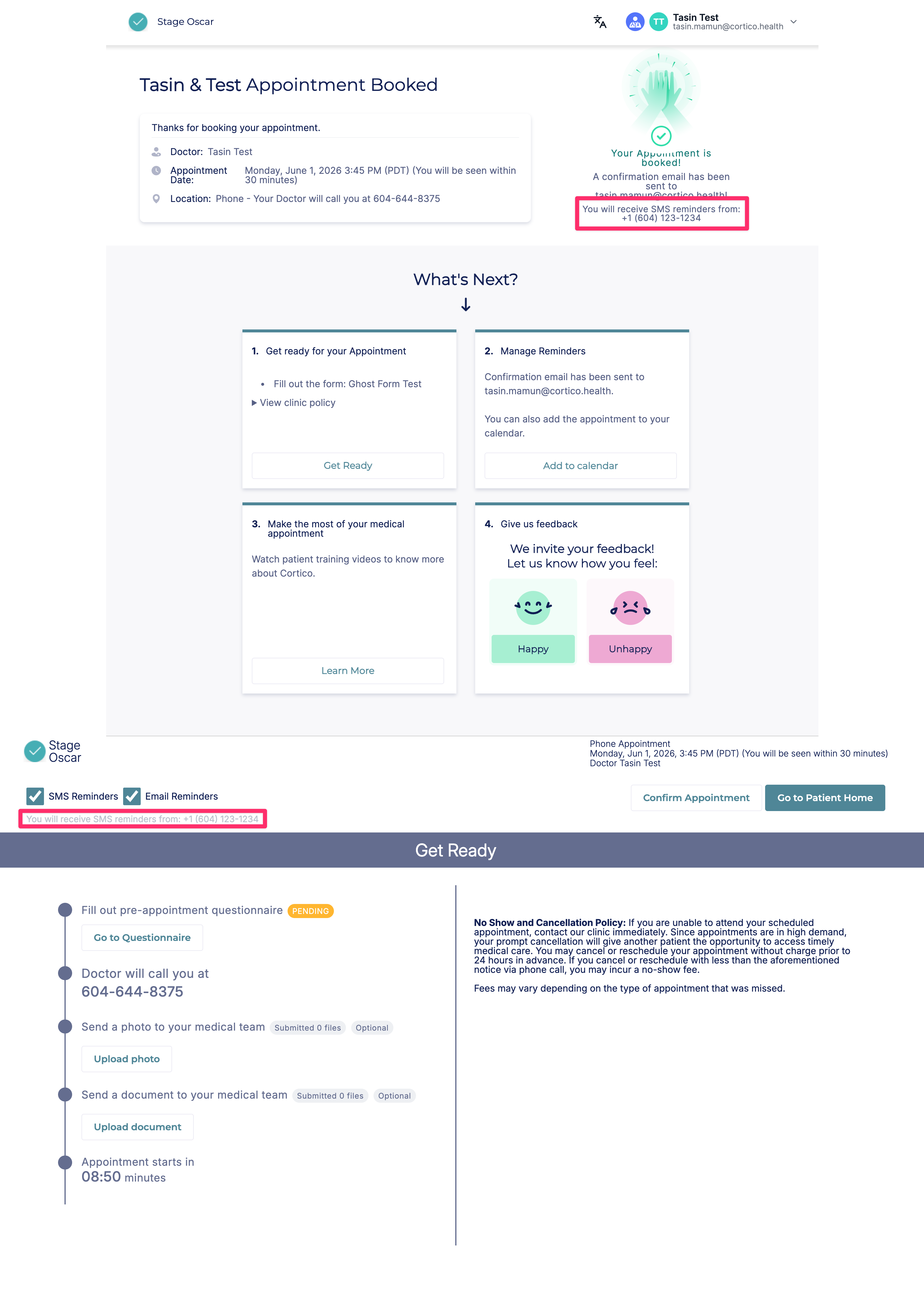
2.1 - The clinic's assigned phone number (the number patients receive SMS reminders from) is now displayed on the booking confirmation page and in the patient portal, when the clinic has a single assigned phone number.
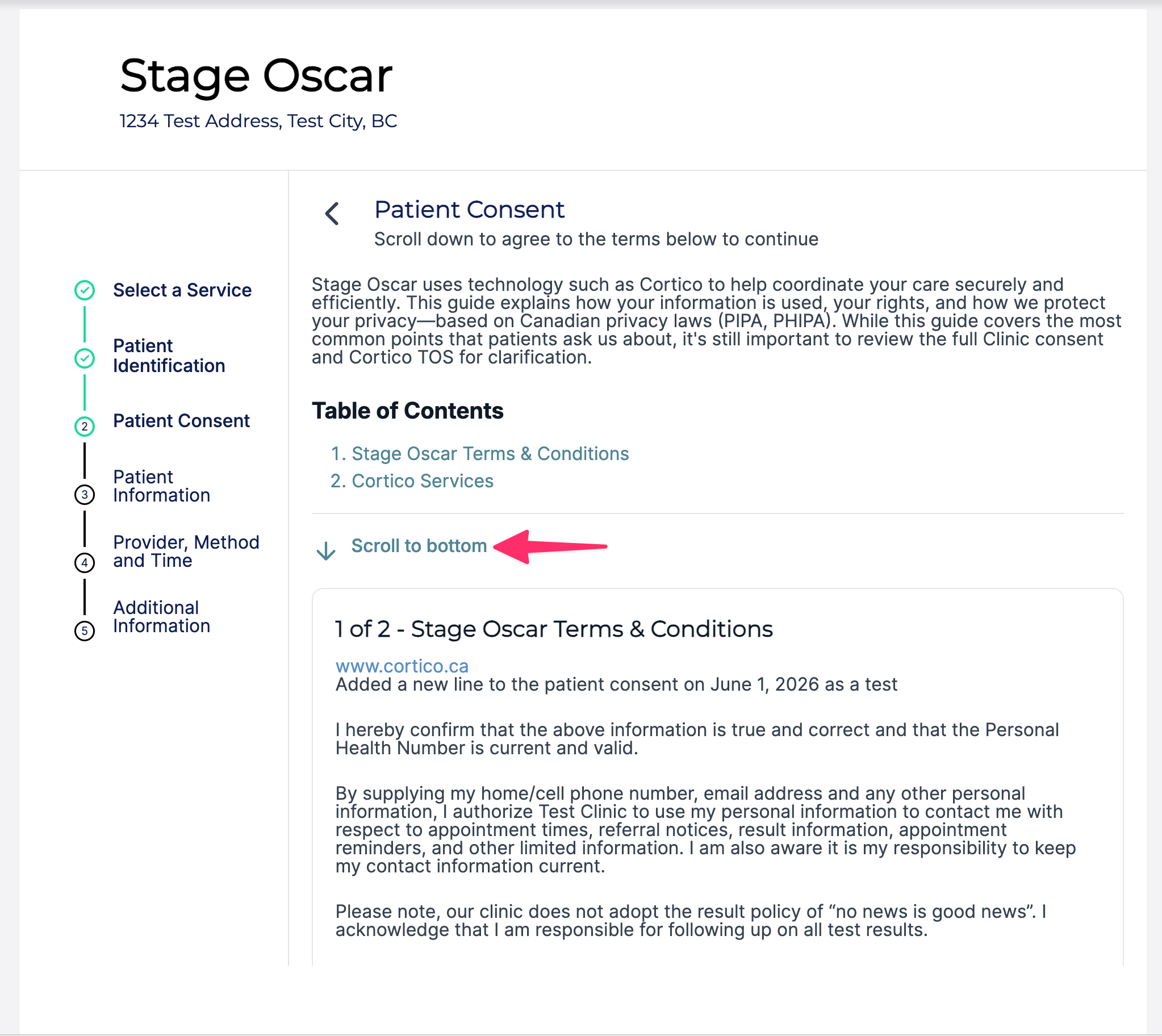
2.2 - Added back the "Scroll to bottom" button on the patient consent page.
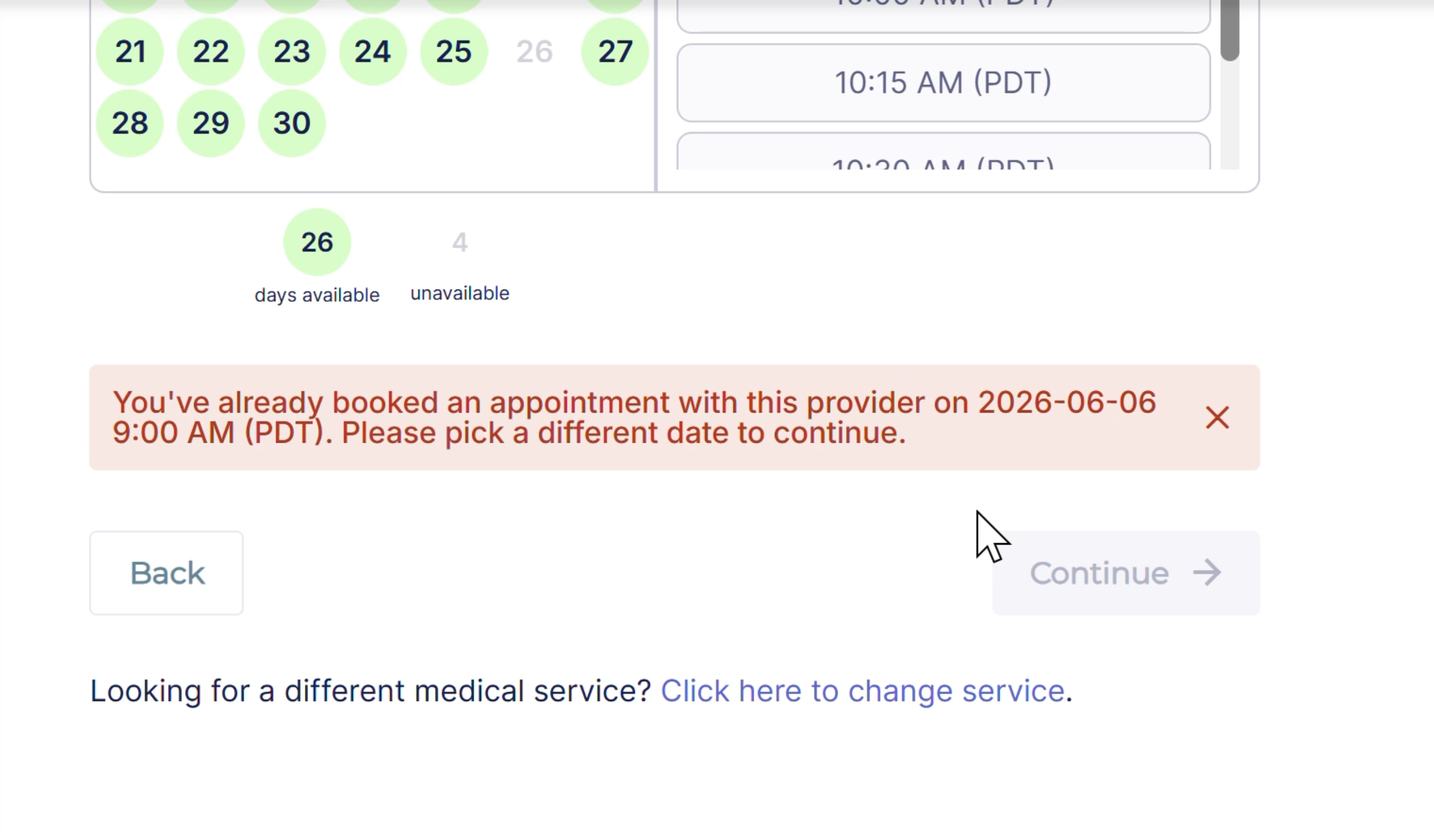
2.3 - Updated the call-to-action wording shown when no timeslots are available.
3. Updates to appointment reminders
3.1 - Added a configuration option to use either the 90-minute SMS reminder or a single custom SMS reminder time.
3.2 - For clinics with a custom phone number, the SMS auto-responder message now links to the clinic's Cortico homepage instead of cortico.health.
3.3 - Updated the "Confirm appointment" call-to-action wording in email reminders for appointments that cannot be cancelled.
3.4 - Added more detailed failure reason information for "config" and "external" failures on the Reminders Report page.
4. Updates to new patient signup
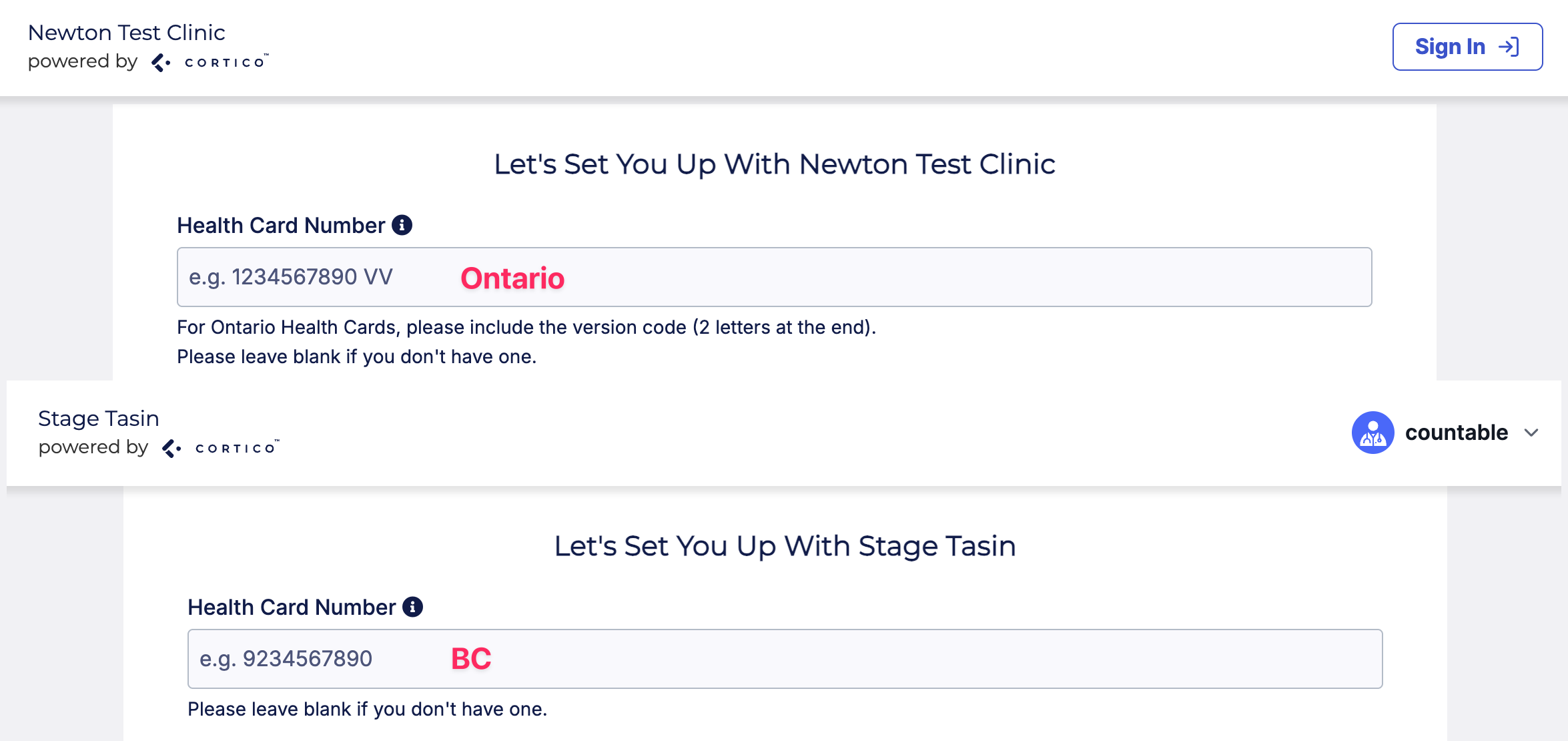
4.1 - Improved the health card number placeholder by showing a province-specific prompt based on the clinic's province.
4.2 - Updated the "Book a walk-in appointment" call-to-action at the end of the new patient flow to the more generic "Book an appointment".
4.3 - The Health Card Province field is now auto-populated based on the clinic or location's province during new patient signup.
5. Updates to terminal kiosks
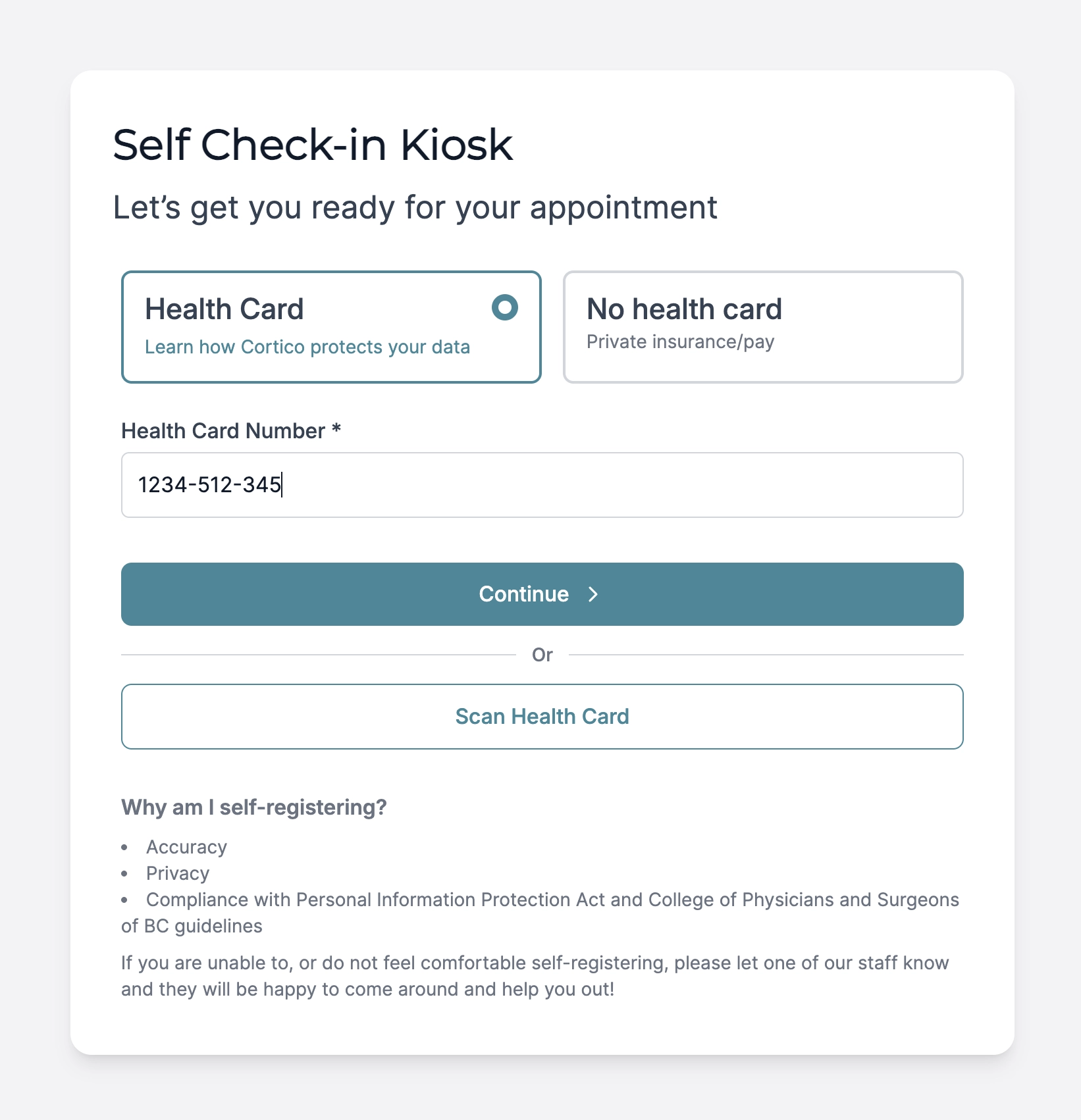
5.1 - Fixed an issue where hyphens in health card numbers were not being stripped during the patient lookup step, causing the health card number to not be identified.
6. Updates to payments
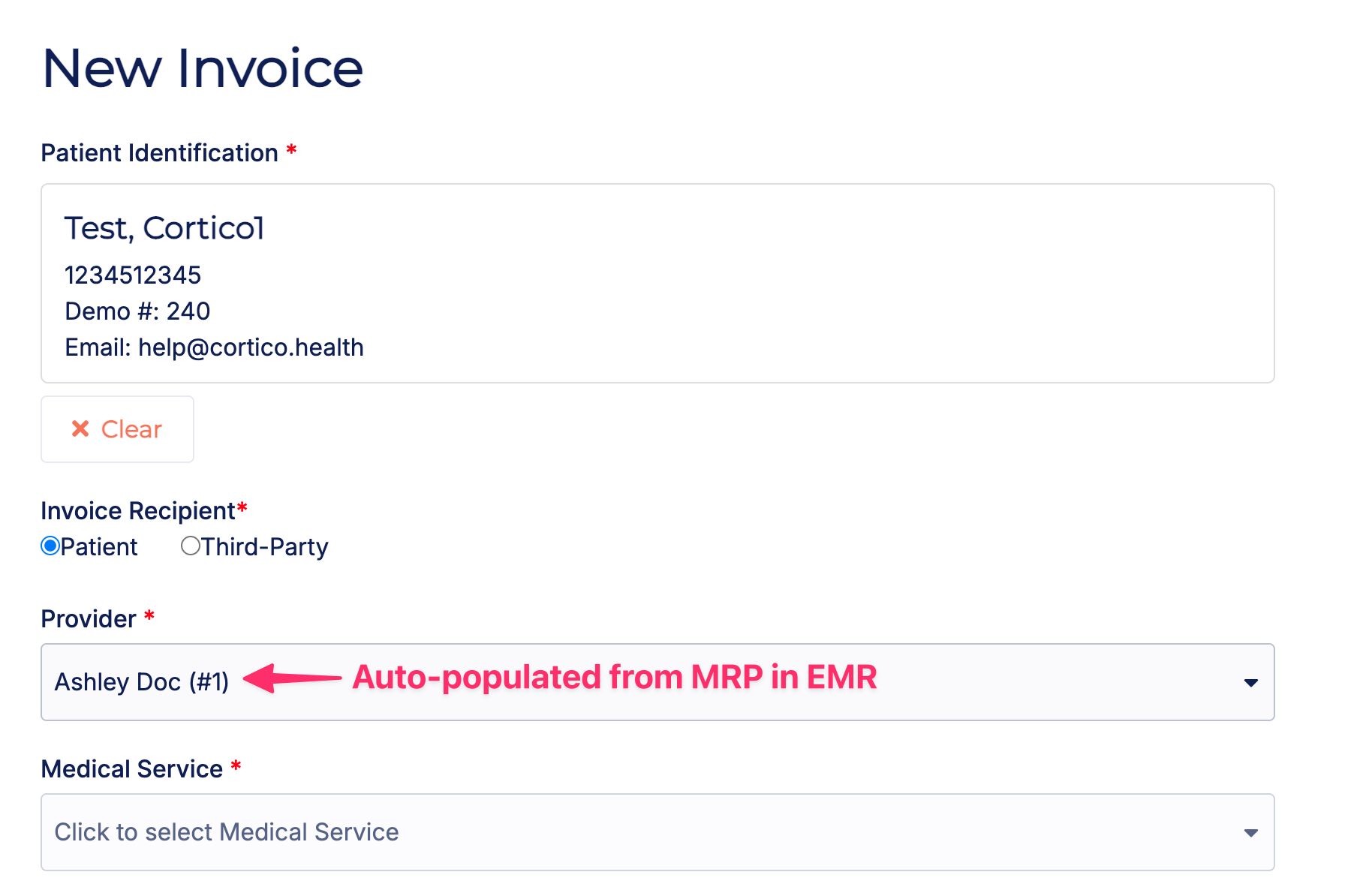
6.1 - When creating a new invoice, the patient's MRP is now auto-populated into the Provider field.
7. Updates to Request to Book
7.1 - The clinic name is now included in Request to Book invitation SMS messages to reduce the likelihood of being flagged as spam.

8. Updates to Clinic Settings
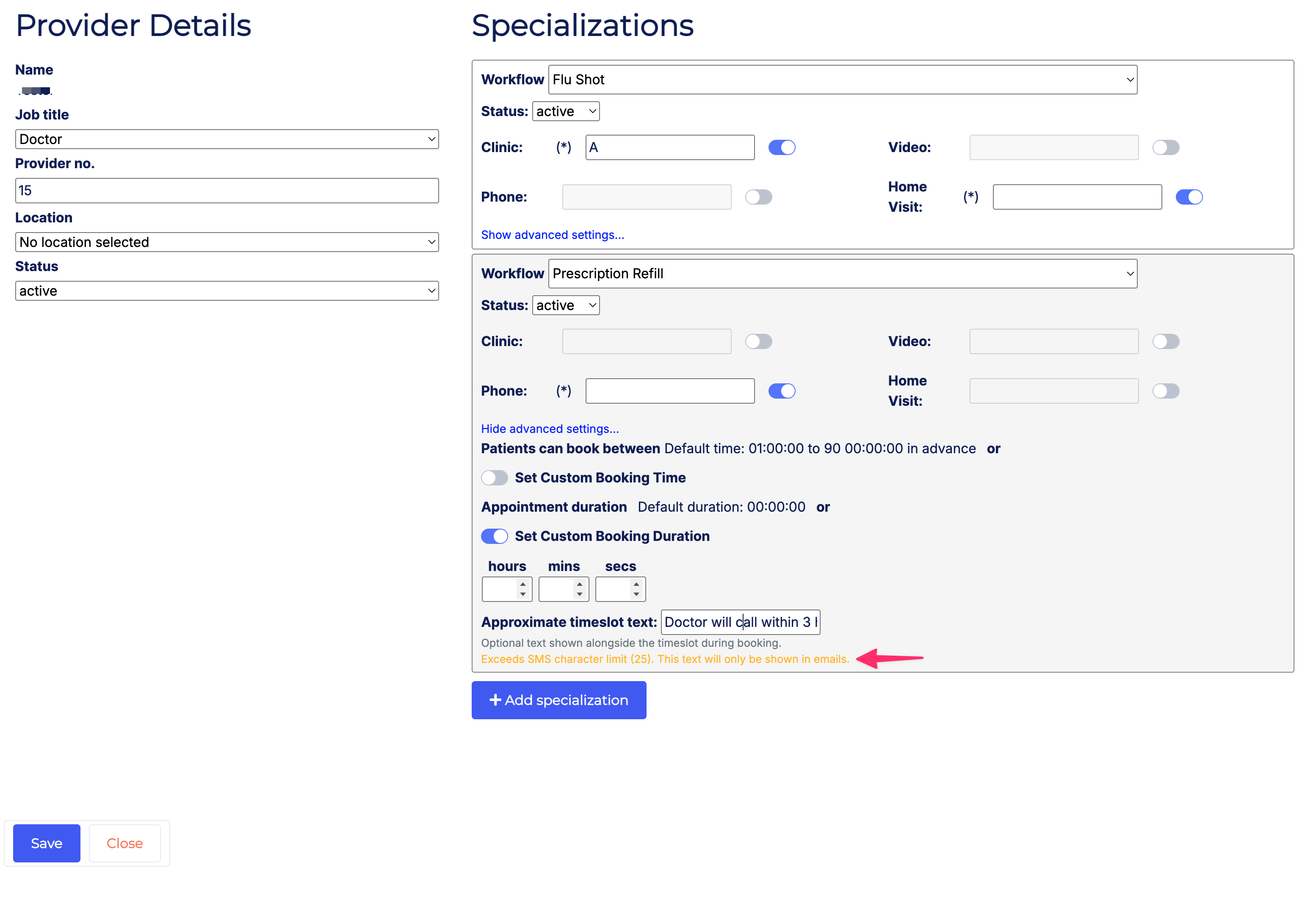
8.1 - Added a warning on the Clinic Settings page when the approximate timeslot text exceeds 25 characters.
9. Updates to EMR integrations
9.1 - [Accuro] Fixed an issue where the day sheet was not displaying appointments when the clinic did not have an Appointment Cancelled status set under General settings.
9.2 - [Profile] Fixed an issue with confirming appointments.
10. Other updates
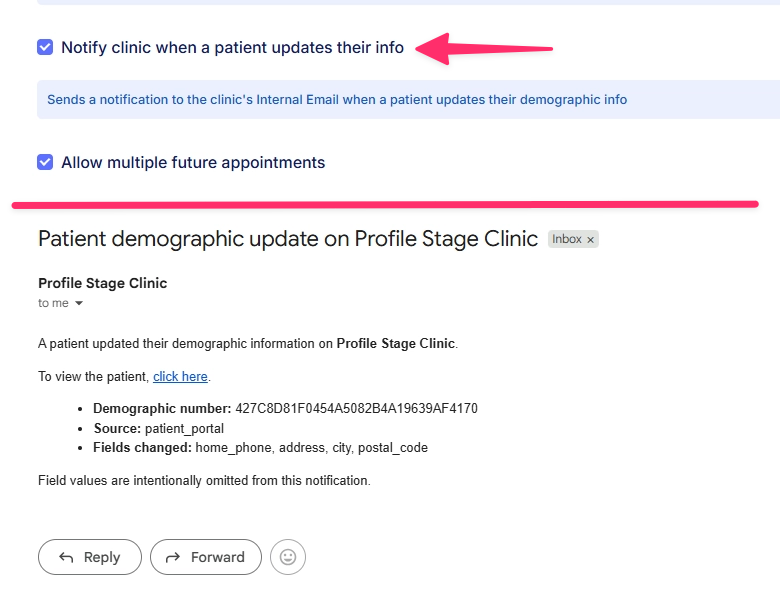
10.1 - Added an option for clinics to receive an email notification when a patient updates their profile.
10.2 - Added support for more email failure types (e.g. suppressed, bounced) and now retain failed email events for 180 days. Added guidance in the UI for patients who cannot receive 2FA verification codes due to being unsubscribed.
10.3 - When a clinic's province is set to "OT" (Other), "OT" will no longer be displayed in the clinic's address.
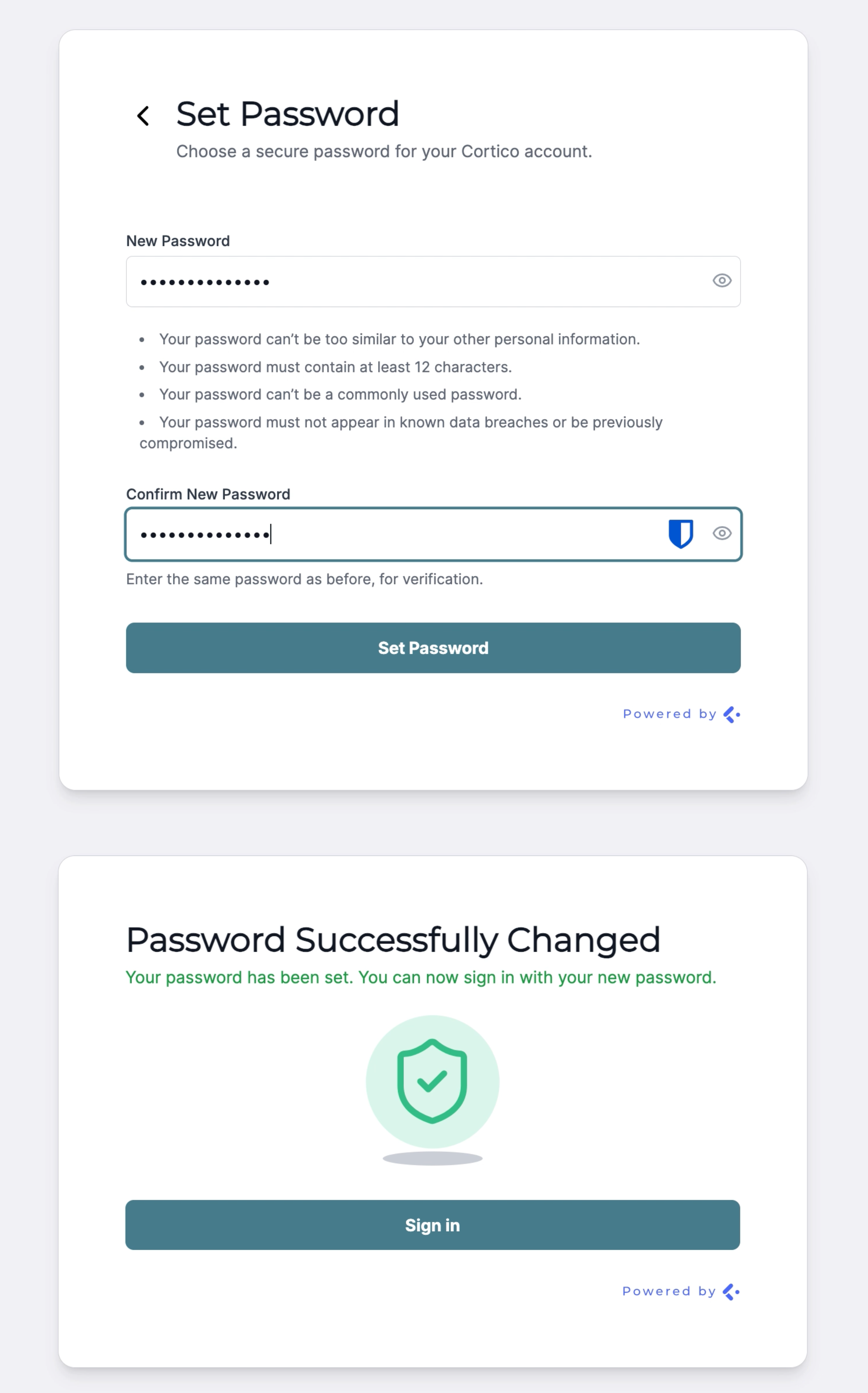
10.4 - Usability and UI improvements to the Reset Password screen for staff login.
10.5 - Added historical version tracking and consent dates for clinics' patient agreements.
Cortico Plug-in:
1. Messaging
1.1 - Fixed an issue where real-time websocket updates were incorrect due to an empty HIN on patient data in Practice Fusion.
1.2 - Fixed an issue where special provider titles did not map to the correct user type icon in the members list.
1.3 - Added new provider messaging buttons in the updated UI.
1.4 - Providers and MOAs can now use provider messaging directly from the schedule page, without needing to first select a patient.
1.5 - Resolved a set of bugs affecting the "Copy to Encounter" feature in provider messaging.
1.6 - Provider and MOA messaging is now scoped to same-clinic recipients only.
2. Annotator
2.1 - Migrated the Annotator to React for improved versatility and easier future expansion.
2.2 - Various usability updates to the Annotator interface.
2.3 - Added support for annotating lab results, so all documents in the inbox can now be faxed.
3. Plug-in Integration
3.1 - The plug-in now loads correctly within Oscar Pro's new Document Page.
4. UI/UX Improvements
4.1 - The patient sticker is now shown in messaging conversations, making it clear which patient the conversation belongs to.
4.2 - Improved the page range (from/to) controls in the Annotator fax/send dialog so it's easier to select the right pages.
5. Access Control
5.1 - Added the ability to enable or disable certain features based on user access levels.
5.2 - Freemium clinic instances no longer call the Cortico API.