

Cortico Web Release:
1. Updates to Appointment Booking
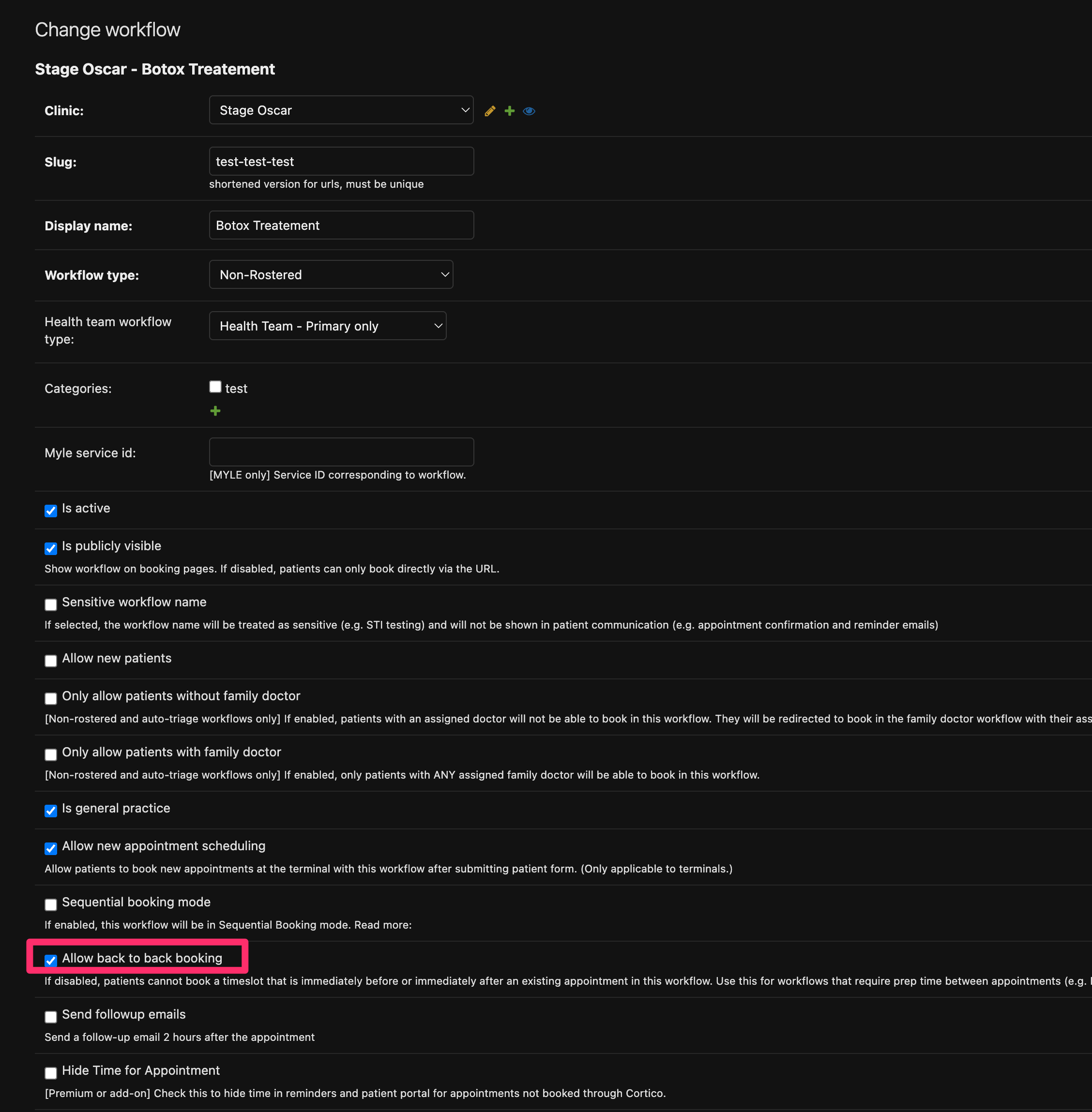
1.1 - Added a configuration option to Workflows to prevent appointments from being booked back-to-back.
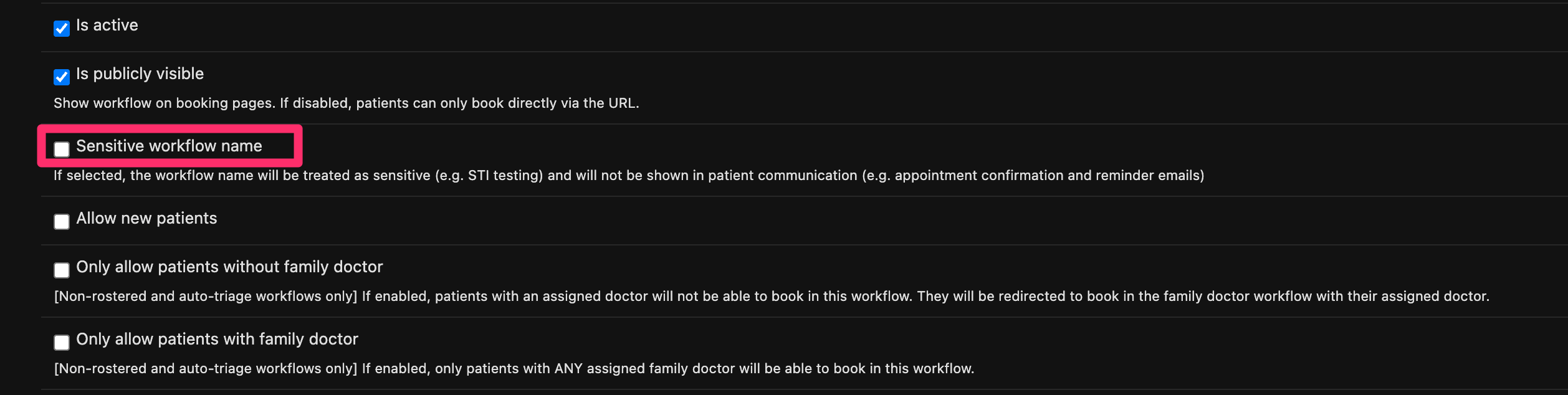
1.2 - Appointment emails now display the workflow name in the subject line, unless the workflow is marked as sensitive.
2. Updates to Patient Forms
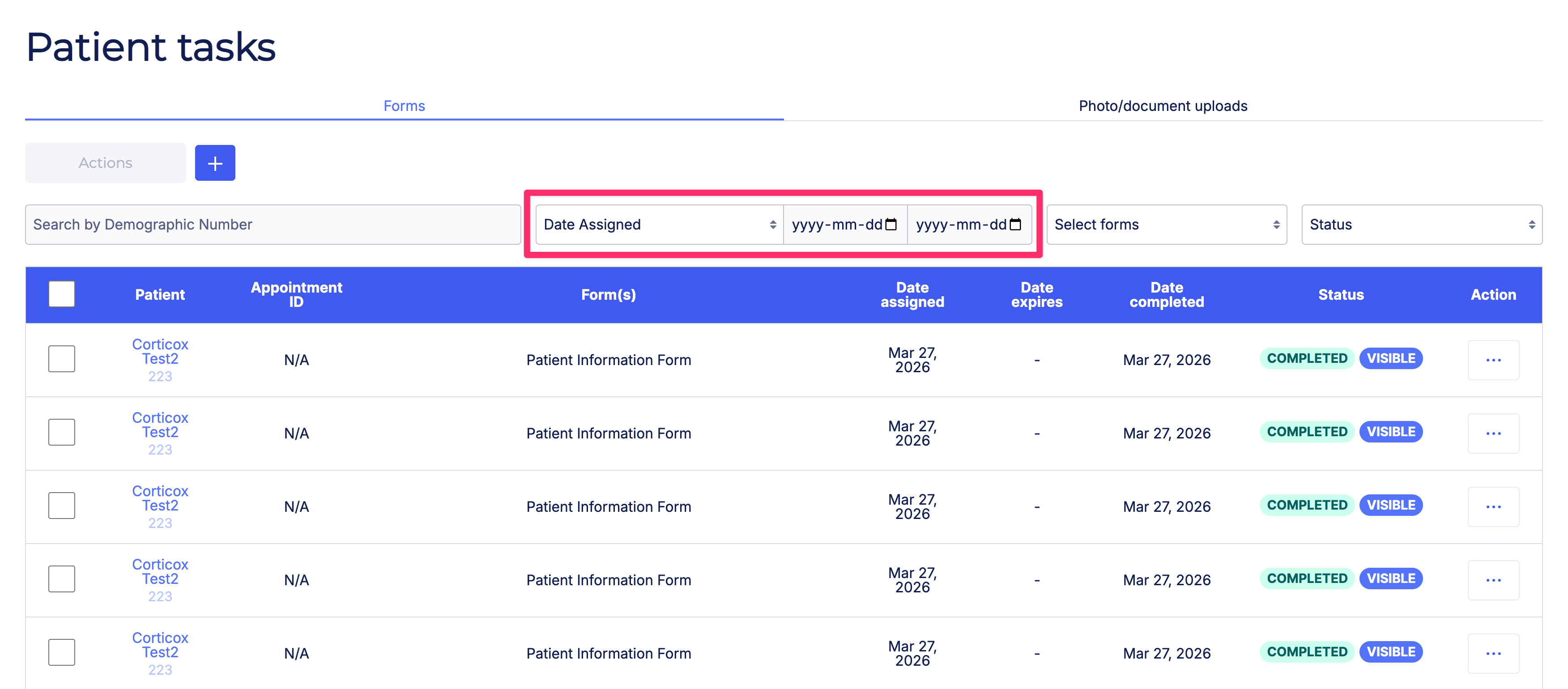
2.1 - Improved the batch form response CSV export with the ability to filter by date range and export all pages of results.
3. Updates to Request to Book
3.1 - Updated the Status filter to separately display "status" and "visibility status" for clearer filtering.
4. Updates to Clinic Settings
4.1 - Fixed an issue where error messages after saving were not displayed correctly.
4.2 - Fixed an issue where billing and invoice-related errors were not displayed correctly when adding new providers.
5. EMR Integration Updates
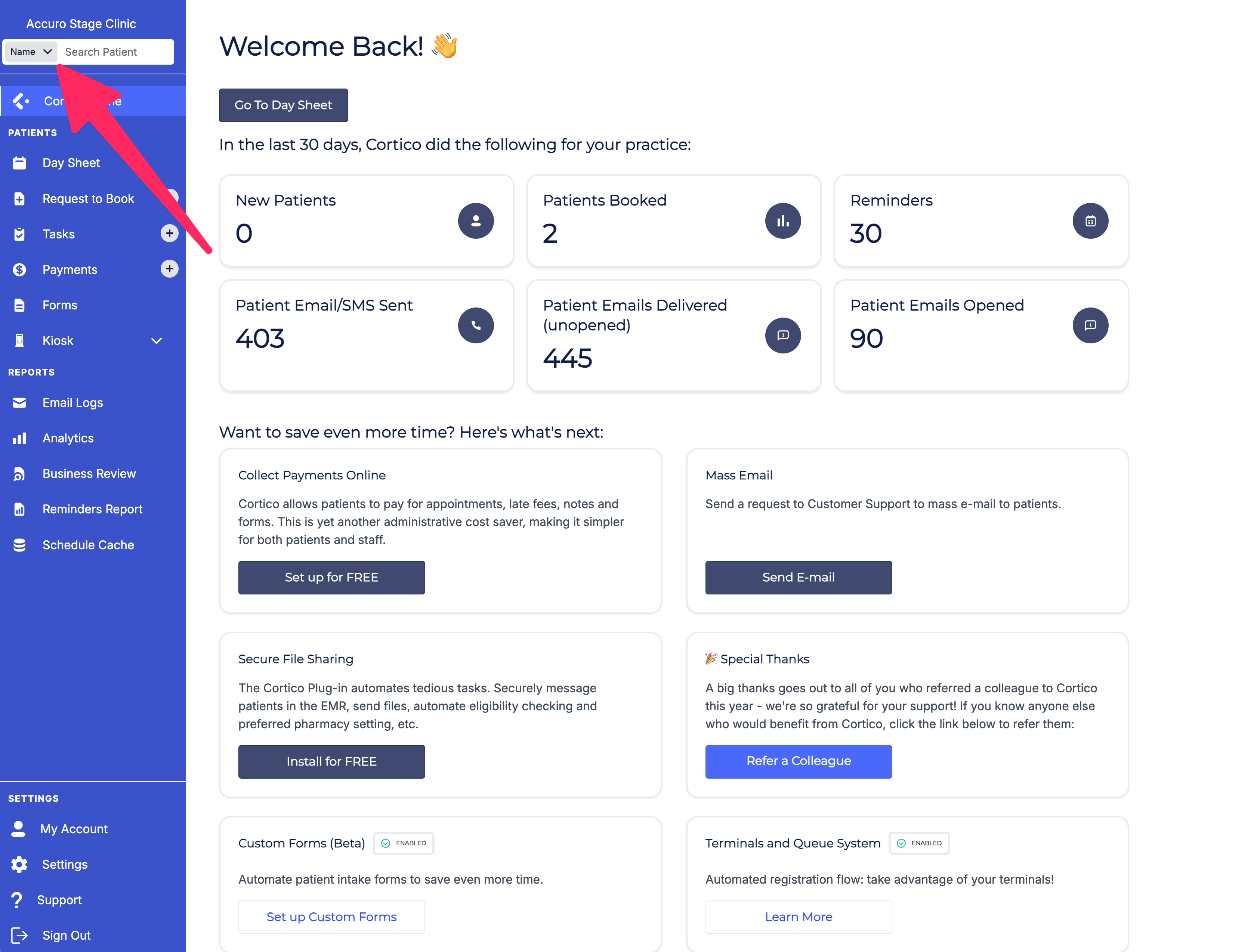
5.1 - [Accuro] The default search field on the provider home page is now set to Patient Name.
5.2 - [Accuro] Fixed an issue where uploading a PNG file to the EMR from a conversation was not supported.
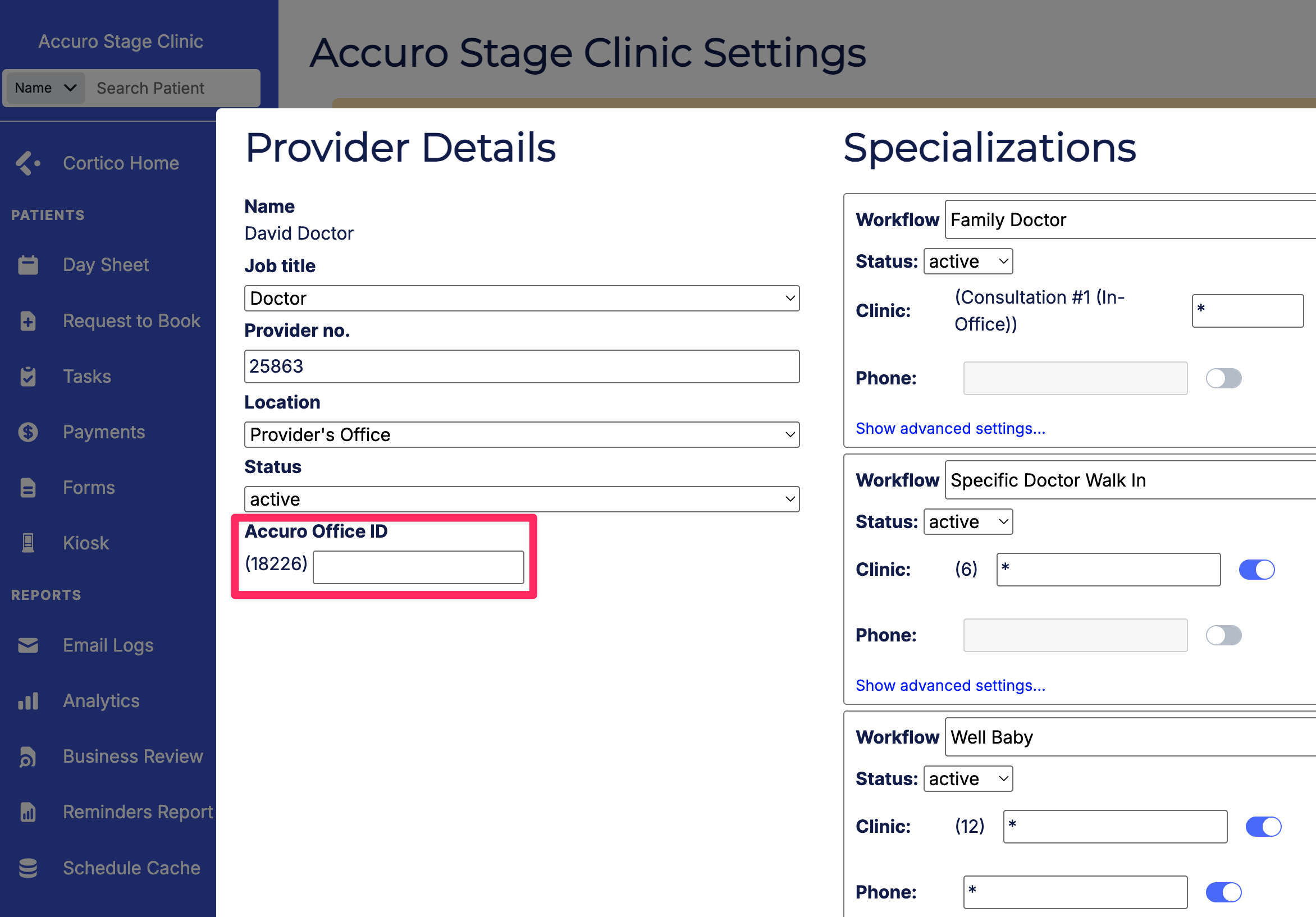
5.3 - [Accuro] Added a configuration option to specify an Office ID for individual providers.
6. Updates to Clinic Reports & Analytics
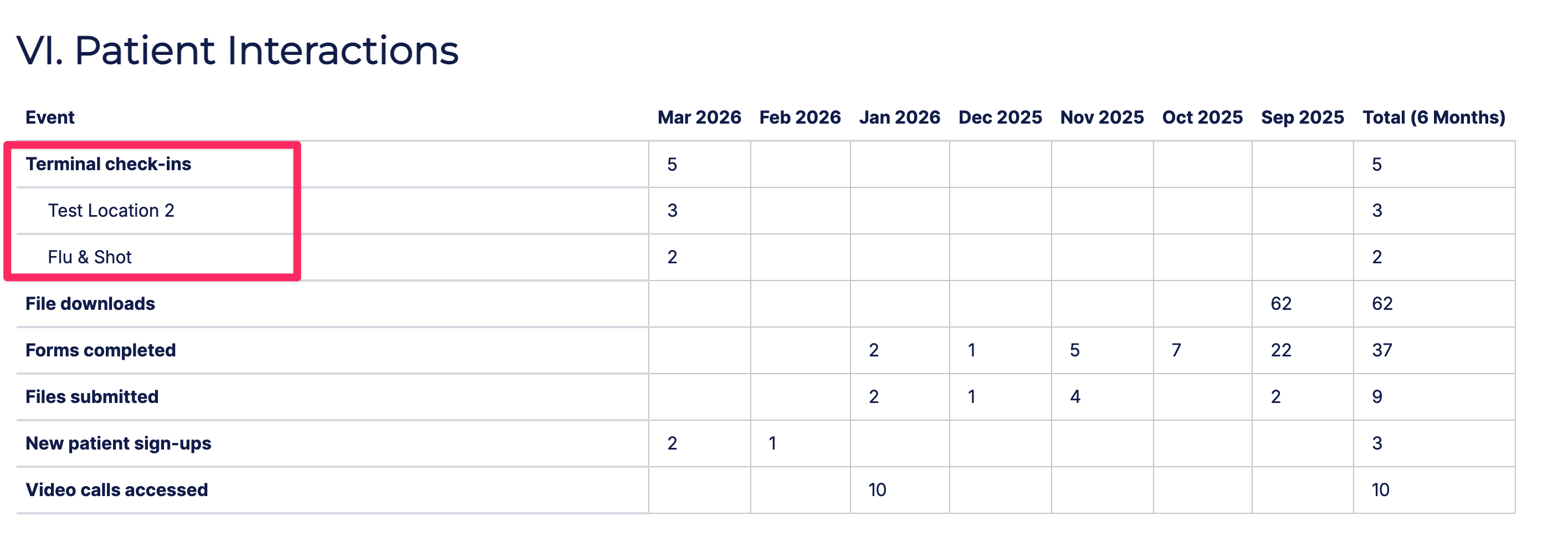
6.1 - Terminal kiosk check-in data is now displayed separately for each clinic location for multi-location clinics.
7. Other Updates
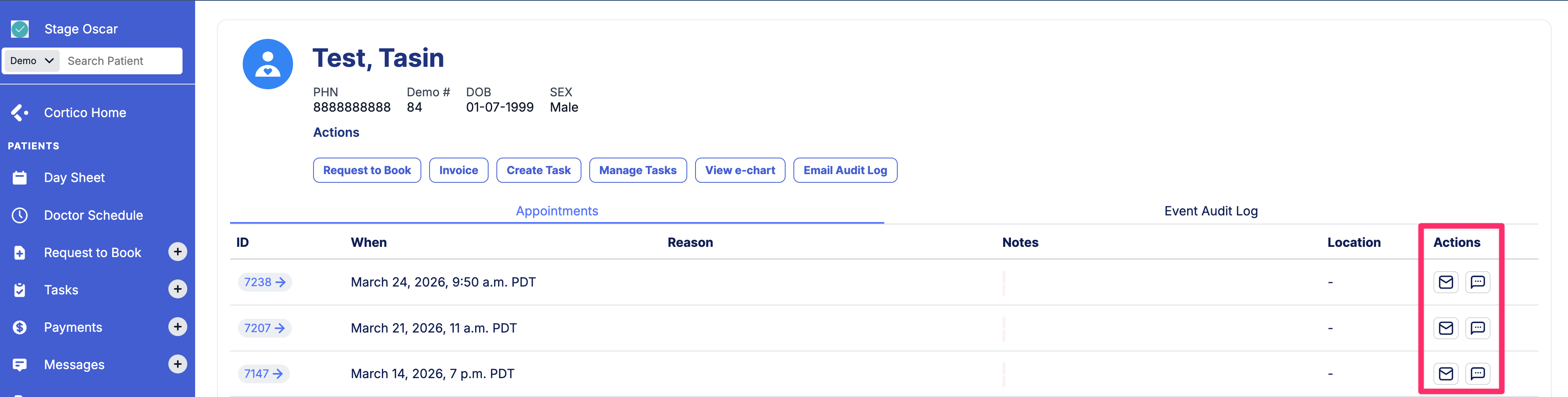
7.1 - Added a button to send appointment details by email or SMS to patients directly from the standalone patient page.
Cortico Plug-in:
1. Messaging
1.1 - Fixed an issue where the auto-generated out-of-office message was not visible to patients when a provider set their status to "Out of Office."
1.2 - Fixed an issue where pressing Enter to send a message was not working correctly.
1.3 - The messaging plugin now automatically restores any in-progress message after an Oscar page refresh, so clinic users don't lose drafts in progress.
1.4 - Added the option to download a sent patient file from the drop-down menu in Accuro.
1.5 - Fixed an issue where an error in the conversations list displayed "[object, Object]" instead of a readable error message.
1.6 - Links in patient messages are now displayed as clickable hyperlinks and open in a new tab.
1.7 - Fixed an issue where a user was not shown as having left a conversation until the page was refreshed or reopened.
1.8 - Fixed an issue where closing a conversation in the Triage tab, re-opening it, and closing it again did not remove it from the tab in real time.
2. Cortico AI
2.1 - Expanded access to the full version of AI Inbox to additional clinics.
2.2 - Resolved several bugs in AI Inbox in preparation for a wider beta release.
4. UI/UX Improvements
4.1 - Removed the ability for providers to change fax settings in the Annotator to prevent accidental changes to clinic fax information.
5. Integrations
5.1 - [Oscar] The plug-in now loads correctly in the inbox and document pages on older versions of Oscar, enabling document attachment and full plug-in functionality.
6. Stability & Error Handling
6.1 - Resolved circular dependency warnings in the codebase.
7. Code Quality & Architecture
7.1 - Defined a standardized set of supported features per EMR so that each integration loads only its relevant functionality.
7.2 - Removed usage of .innerHTML in scripts to ensure compatibility with Firefox's extension verification requirements.