

Cortico Web Release:
1. Updates to Appointment Booking
1.1 - If a patient is already signed in to the patient portal, the booking flow will now automatically skip the patient information step.
1.2 - Added support for voice call appointment reminders for patients who have a landline phone number but no email address or cell phone. (Premium plan or above only.)
2. Updates to Request to Book
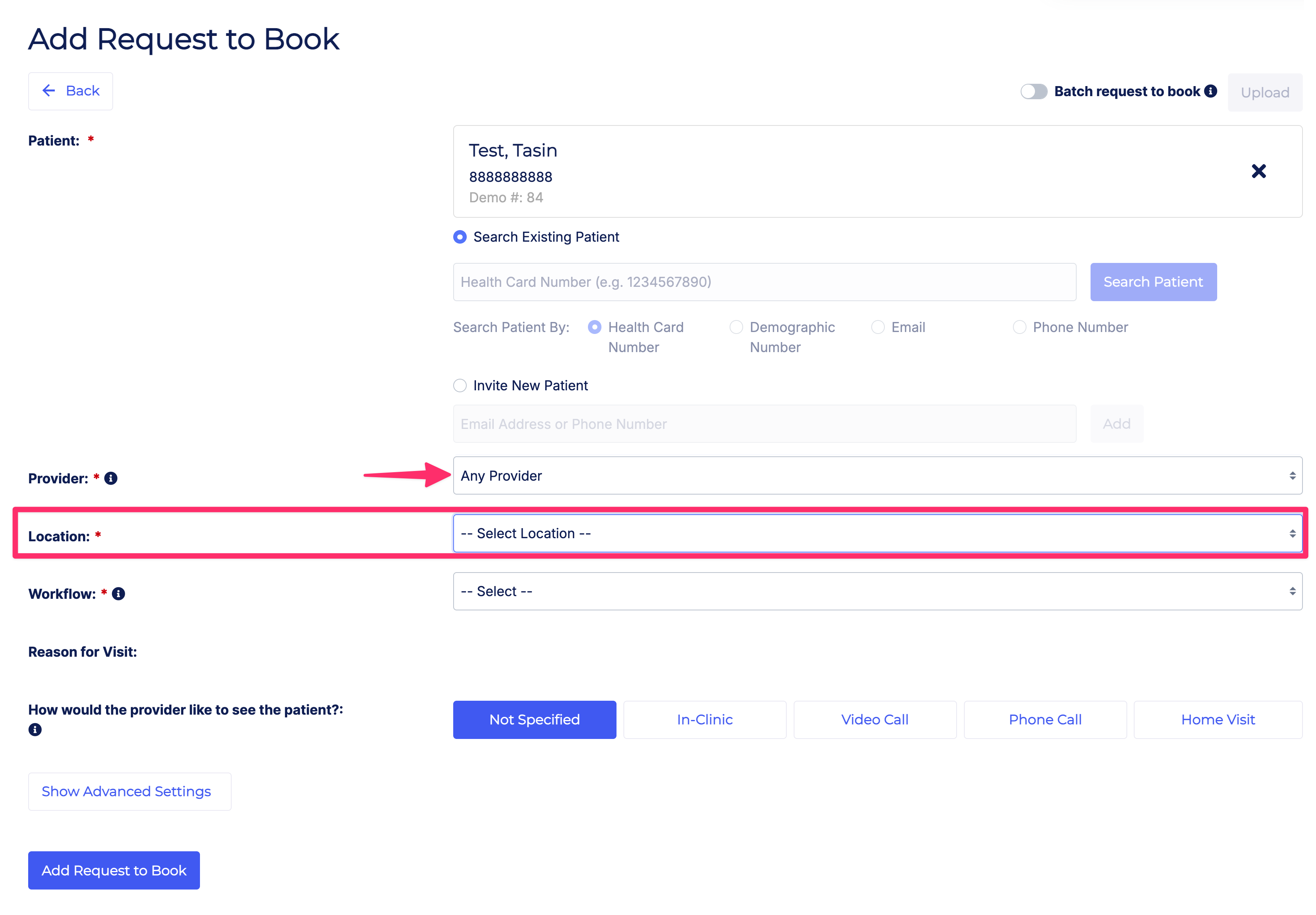
2.1 - In multi-location clinics, selecting "Any Provider" when creating a booking invite now also requires a location to be selected. (Premium plan or above only.)
3. Updates to Patient Forms
3.1 - Updated the AI form generator to use improved models and fixed an issue where form generation stats were failing to generate.
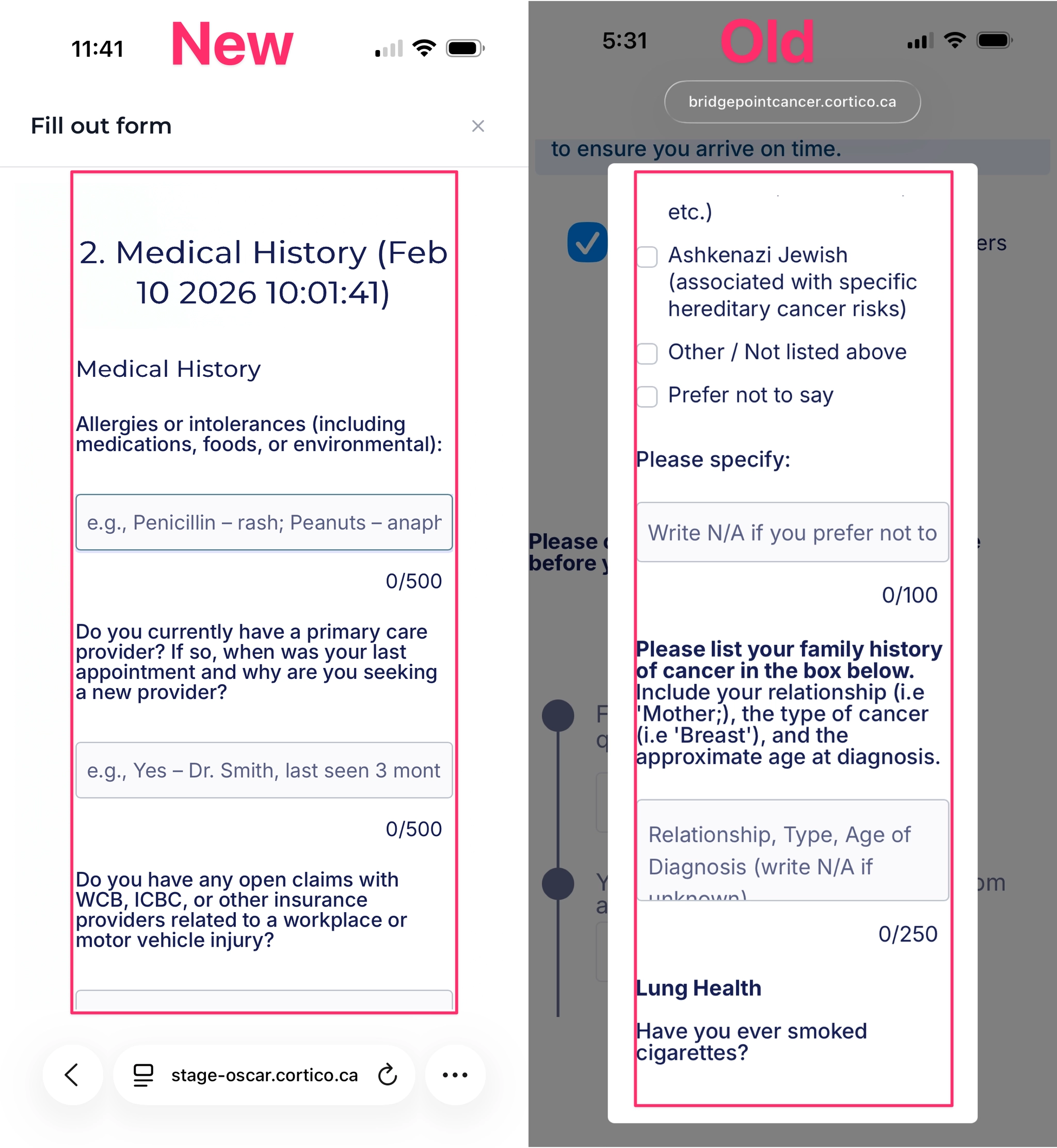
3.2 - Improved the form modal layout on mobile devices to display more comfortably and use the full screen width. (Premium plan or above only.)
4. Updates to Integrations
4.1 - [PSS] If an appointment booking fails to sync with the EMR, both the patient and the clinic will now receive an email notification with a link to retry the booking.
5. Updates to Sign-in
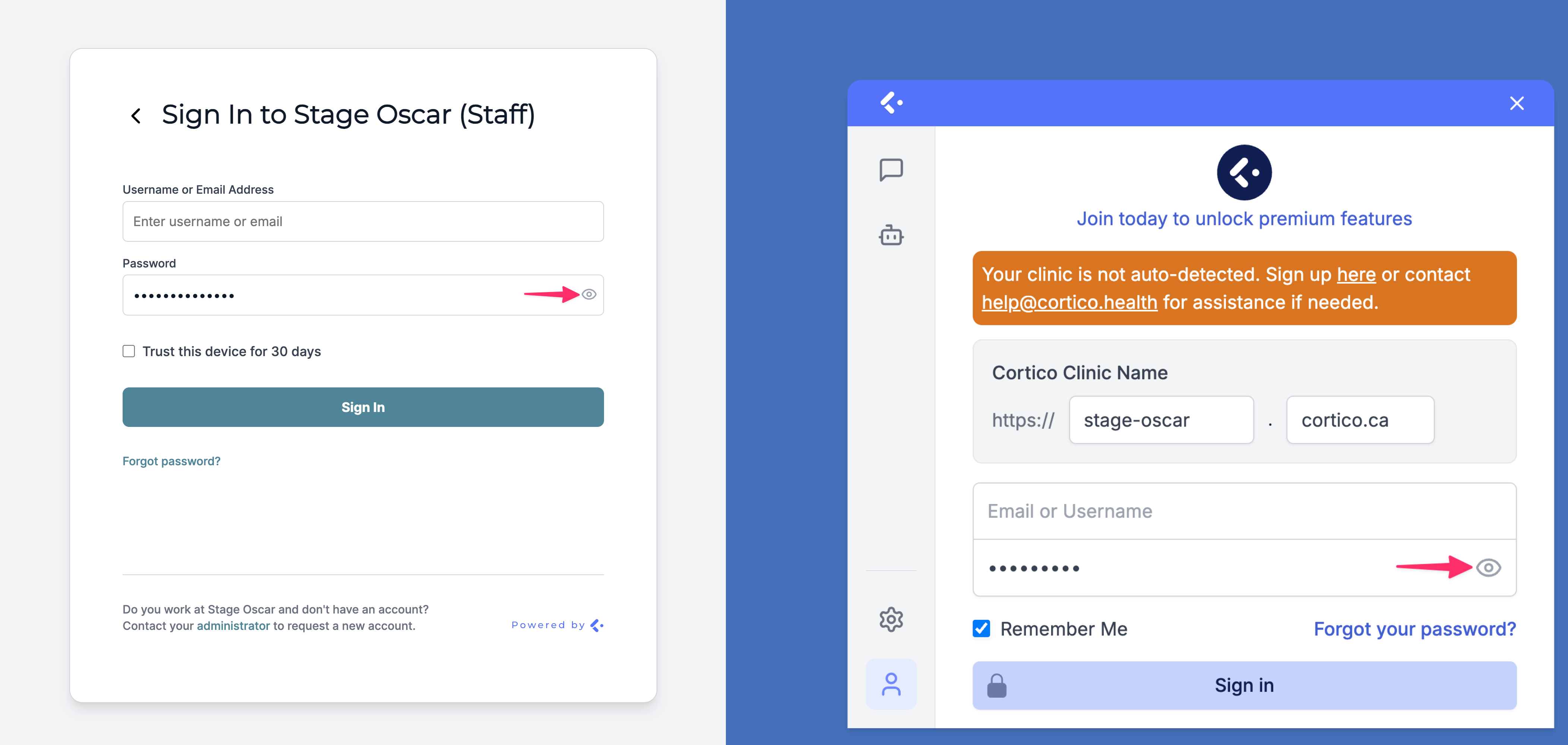
5.1 - Refreshed the design of the staff sign-in page and the third-party invoice payment sign-in page.
5.2 - Added a "Show password" toggle to the staff sign-in page.
6. Updates to Clinic Settings
6.1 - Added a configurable no-show appointment status for clinics, and prevented patients from checking in to appointments marked as no-show at check-in terminals.
6.2 - Added a help note with a link to a support article next to the Clinic Timezone field in clinic settings.
7. Other Updates
7.1 - Added 9-digit PHN validation for patients in Alberta and New Brunswick.
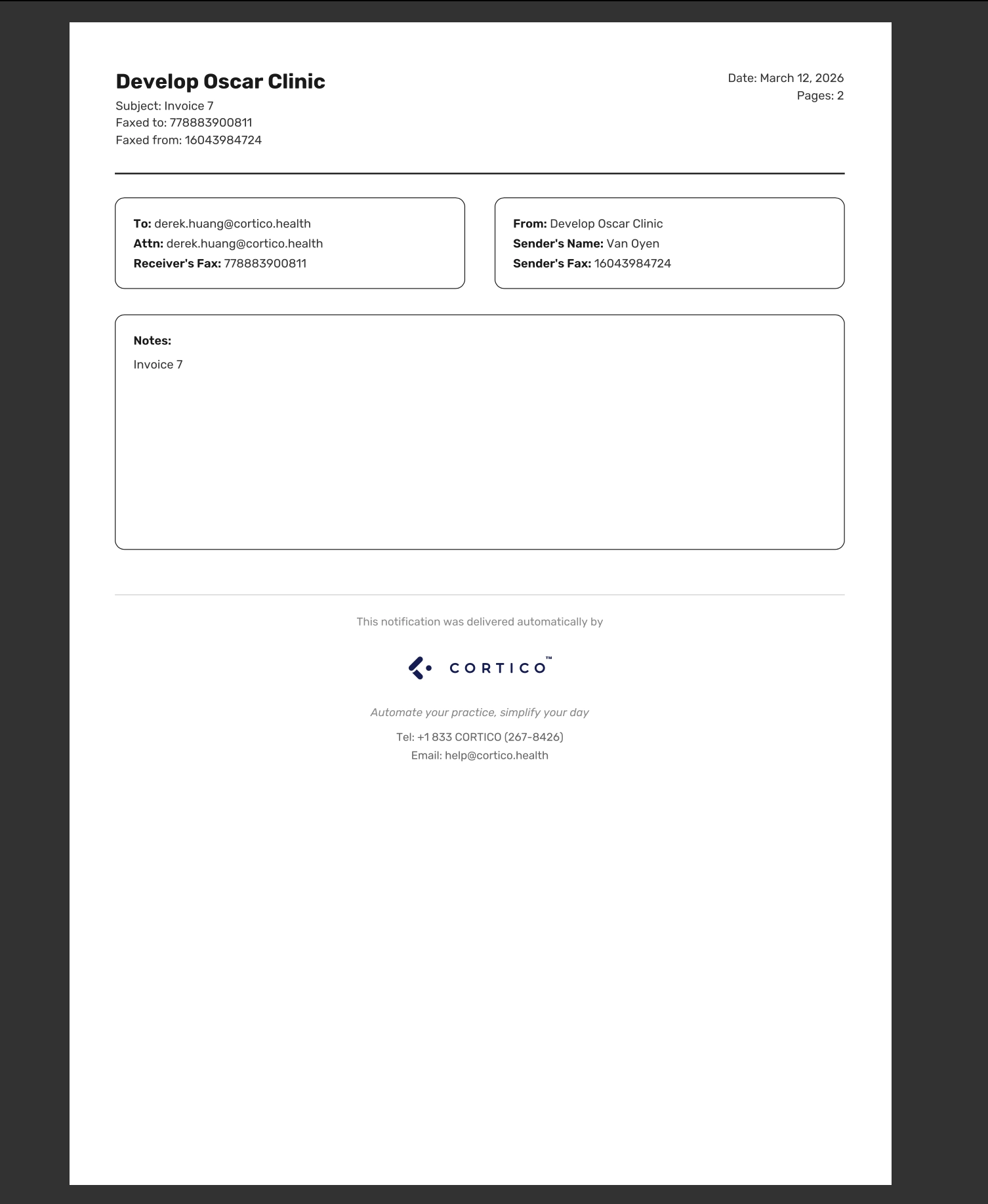
7.2 - Updated the fax cover page for patient invoices sent by fax to use Cortico branding.
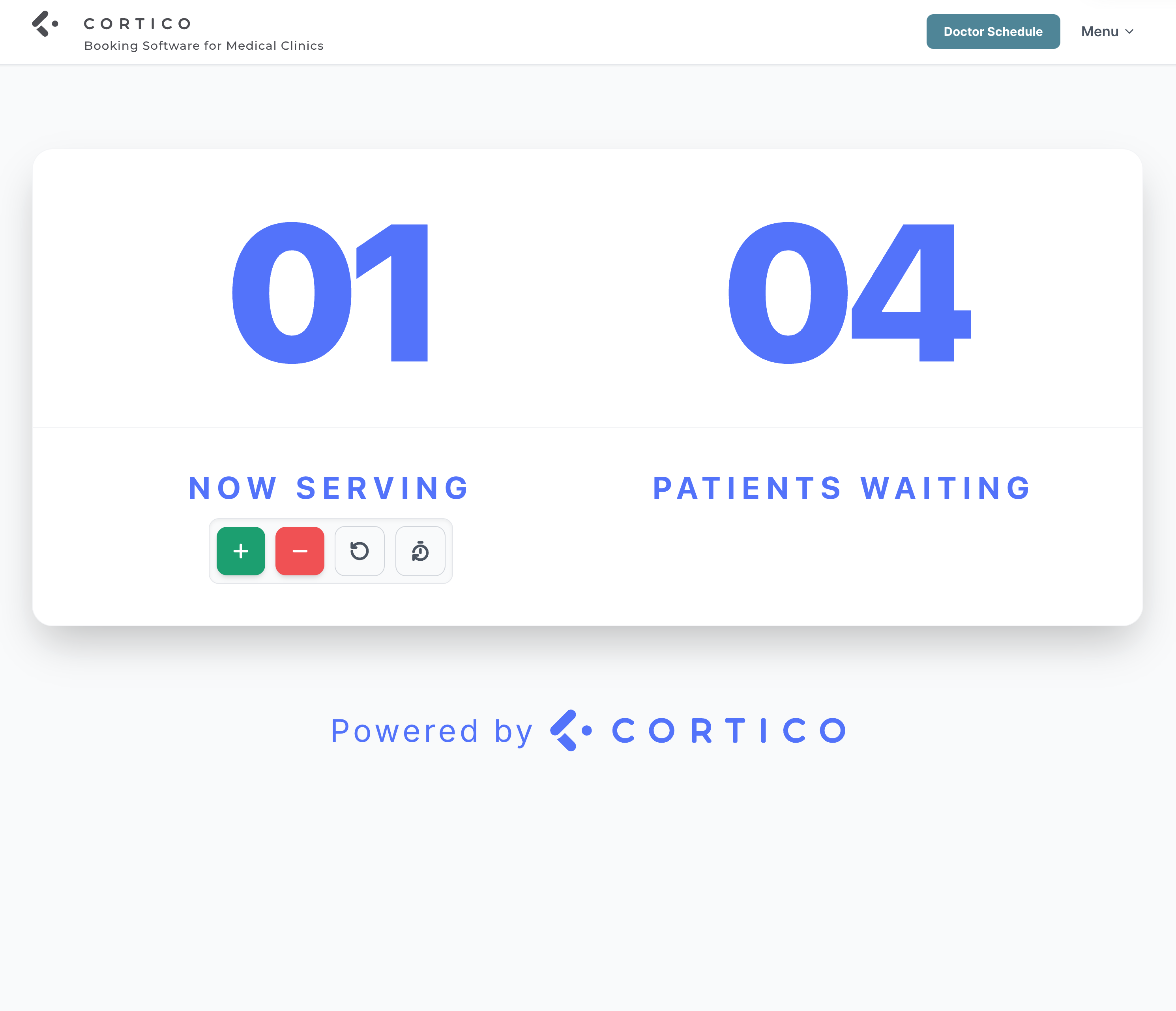
7.3 - Updated the design of the Now Serving page with refreshed Cortico branding.
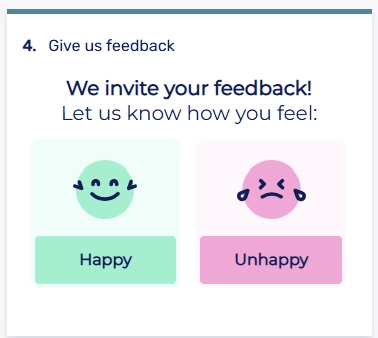
7.4 - Added a configurable auto-reply email that is sent to patients when they submit positive post-booking feedback to the clinic.
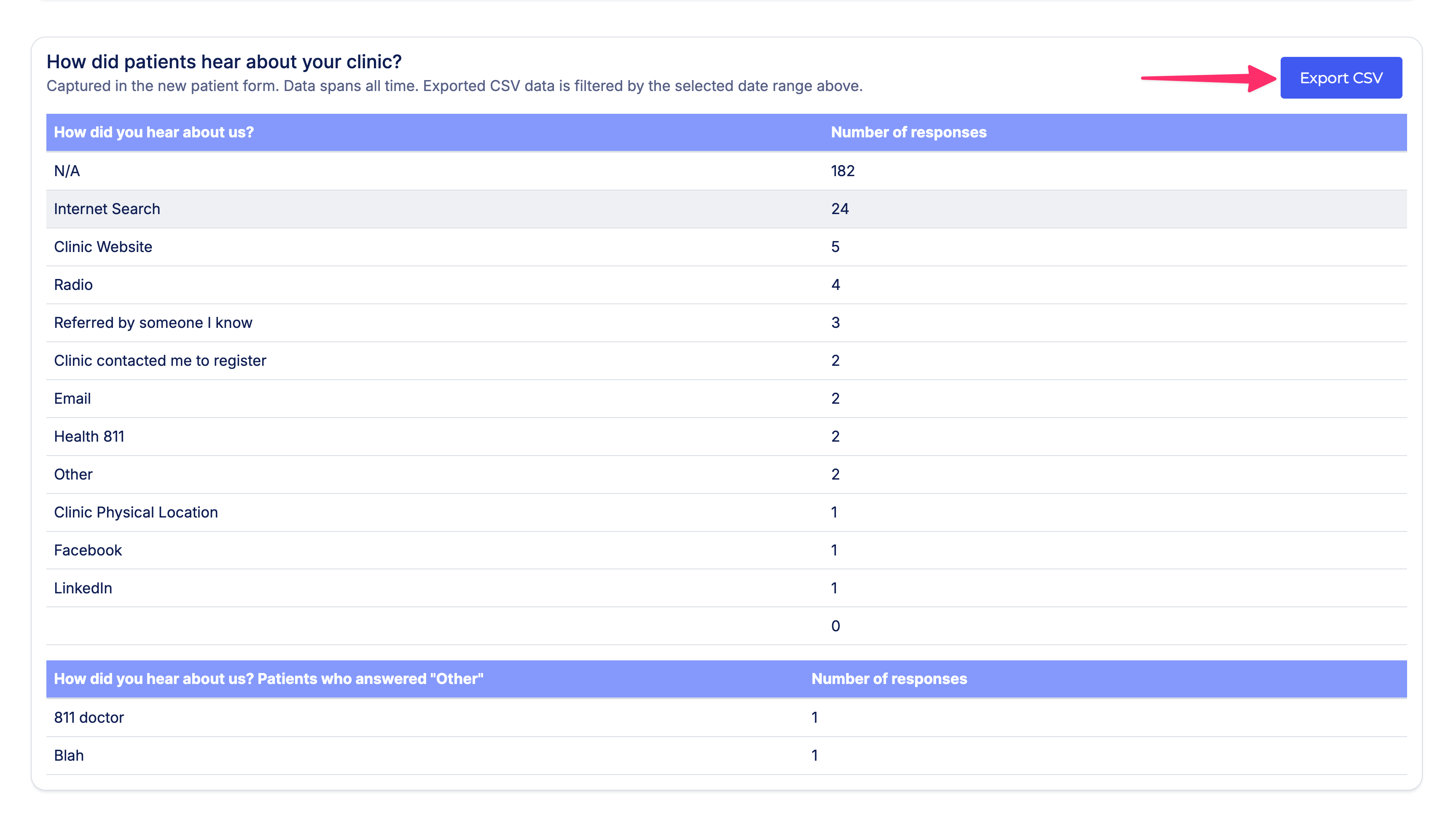
7.5 - Added a CSV export option for the "How did you hear about us?" table on the Analytics page.
7.6 - Cancellation emails are now captured and visible in the email logs page.
Cortico Plug-in:
1. Messaging
1.1 - Fixed an issue where composed messages were not saved when switching tabs in the new Juno UI.
1.2 - Saved replies are now sorted by most recently used, so providers can quickly find the replies they use most often.
1.3 - Fixed an issue where a message could be sent to two email addresses that were effectively equivalent.
1.4 - Fixed an edge case where the "Last read" message indicator appeared multiple times when sending multiple files in a single message.
1.5 - Fixed an issue where assigning a provider to a conversation did not clear the text editor when reopening the same conversation.
1.6 - Fixed an issue where one-way patient messages were still appearing in the inbox when the "Archived" filter was unchecked.
2. Quick Actions
2.1 - Fixed an issue where selecting a saved reply from Quick Actions did not overwrite existing text in the message body.
3. UI/UX Improvements
3.1 - Added a help link for plug-in keyboard bindings.
4. Integrations
4.1 - Providers who switch to the new Pro-Inbox UI in OscarPro can now access and use the Cortico plug-in.
4.2 - Fixed an issue where API requests were being blocked due to CSRF rules on select Medaccess instances.
5. Stability & Error Handling
5.1 - Fixed an issue where faxing a prescription in OscarPro could trigger a fetch error.
6. Testing
6.1 - Various internal test improvements, including updated locators for the new patient login page UI and added support for verifying encounter content in automated tests.
7. Code Quality & Architecture
7.1 - Refactored the eForm uploader checkbox state management to improve stability when selecting eForms in the bulk attach dialog in the new Juno UI.