

Cortico Web Release:
1. Updates to appointment booking
1.1 - Improved and clarified error messages shown when a patient is not permitted to proceed with booking.
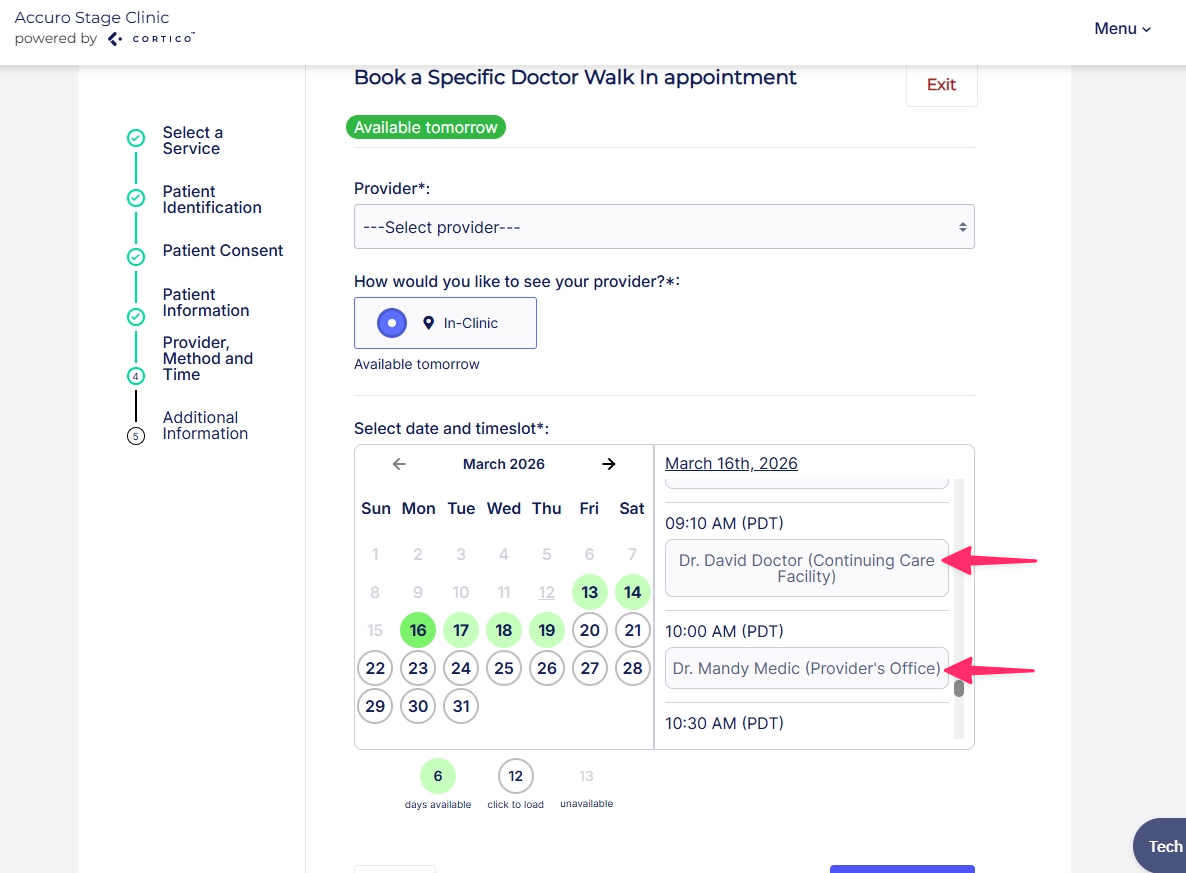
1.2 - Enabled "Any Provider" mode for booking through the /in-clinic shortcut page. The provider's location is now displayed during timeslot selection.
2. Updates to the patient portal
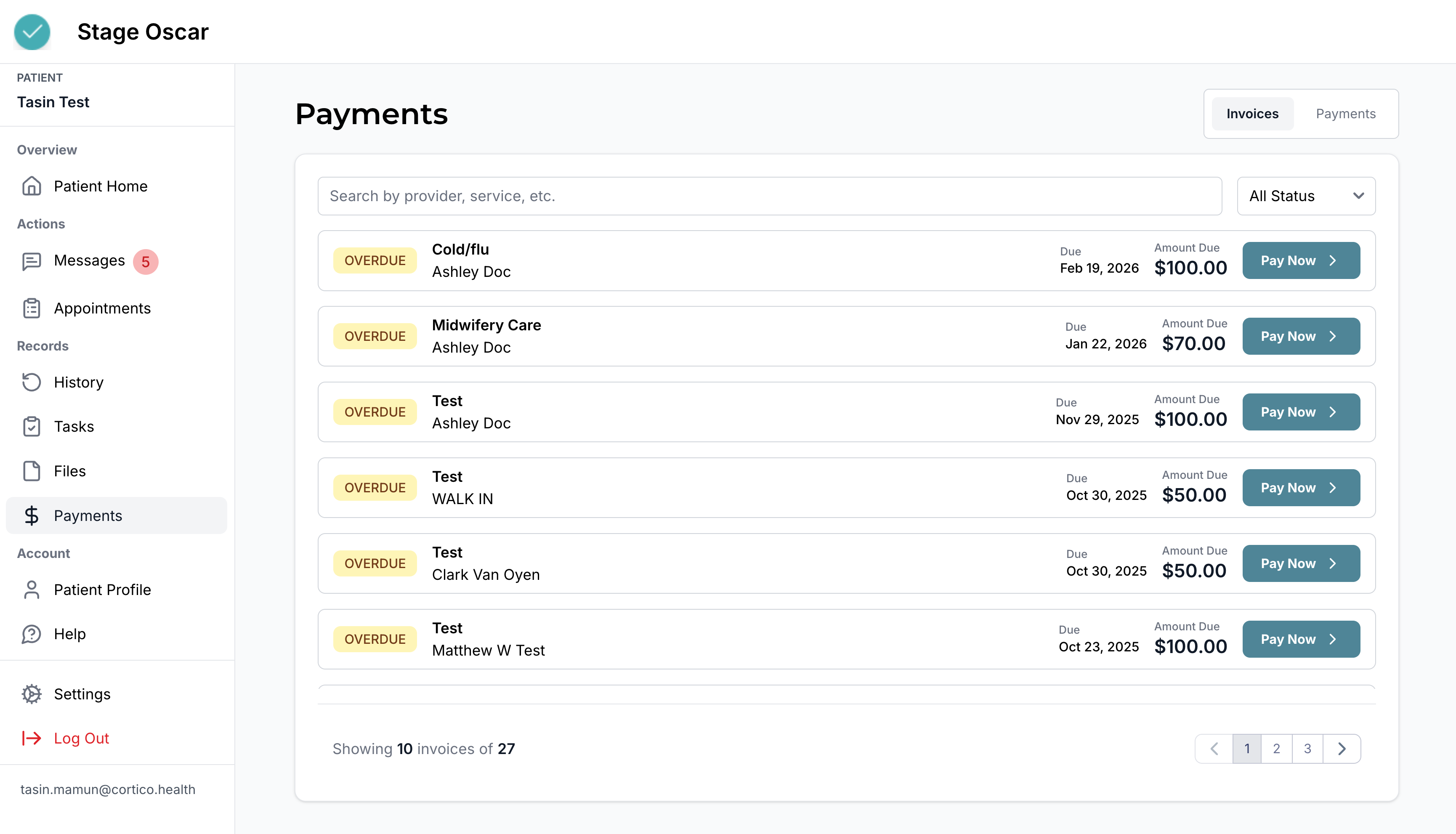
2.1 - Added a Payments page to the patient portal.
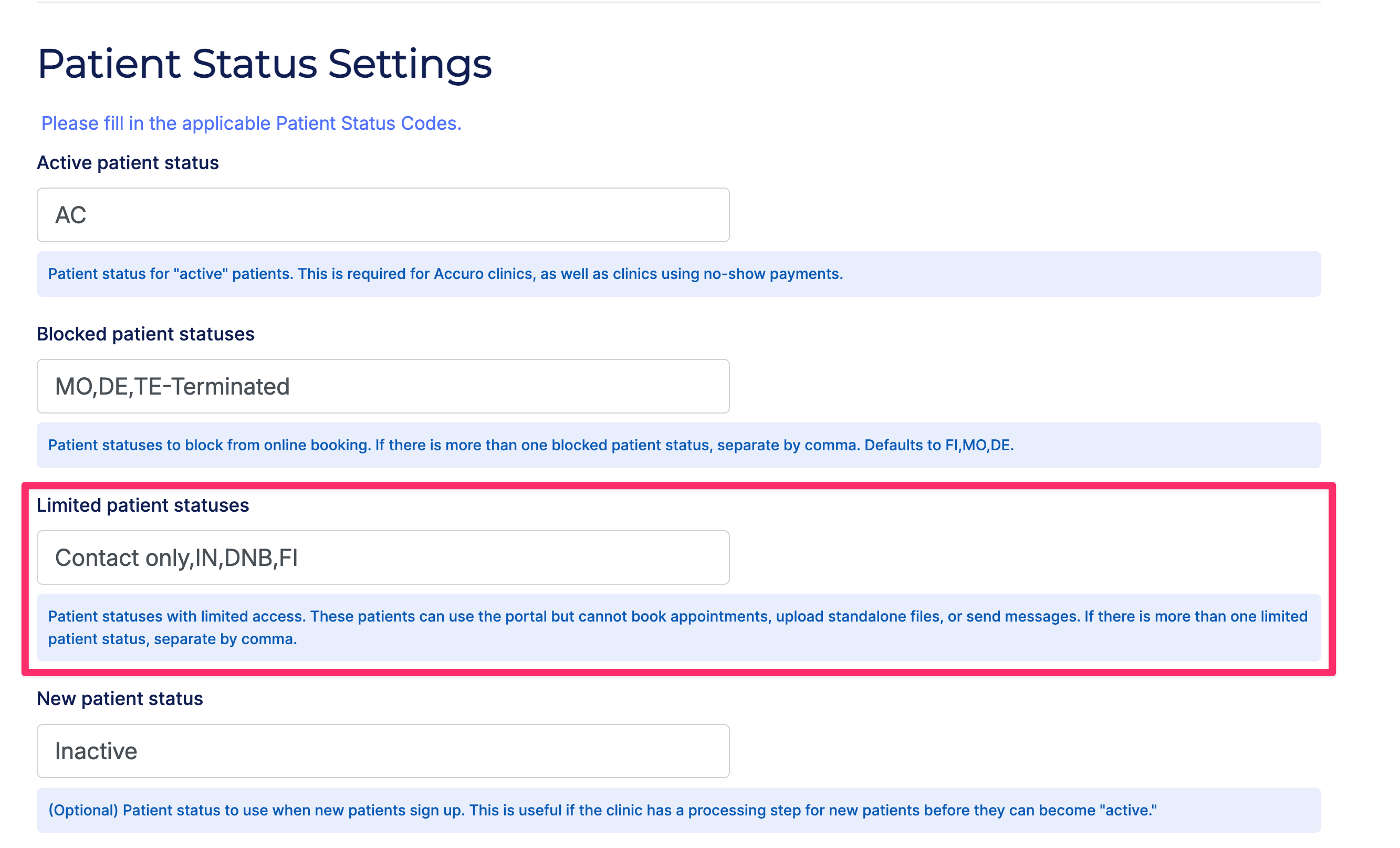
2.2 - Added a "Limited Patient Status" mode for patients whose accounts are suspended. Patients in this mode cannot book appointments or message the clinic, but can still access the portal to complete tasks or pay overdue fees.
2.3 - Design updates to the sidebar.
3. Updates to appointment reminders
3.1 - Clinics can now customize the SMS reminder schedule. Note: only one custom reminder date can be specified at this time.
4. Updates to patient forms
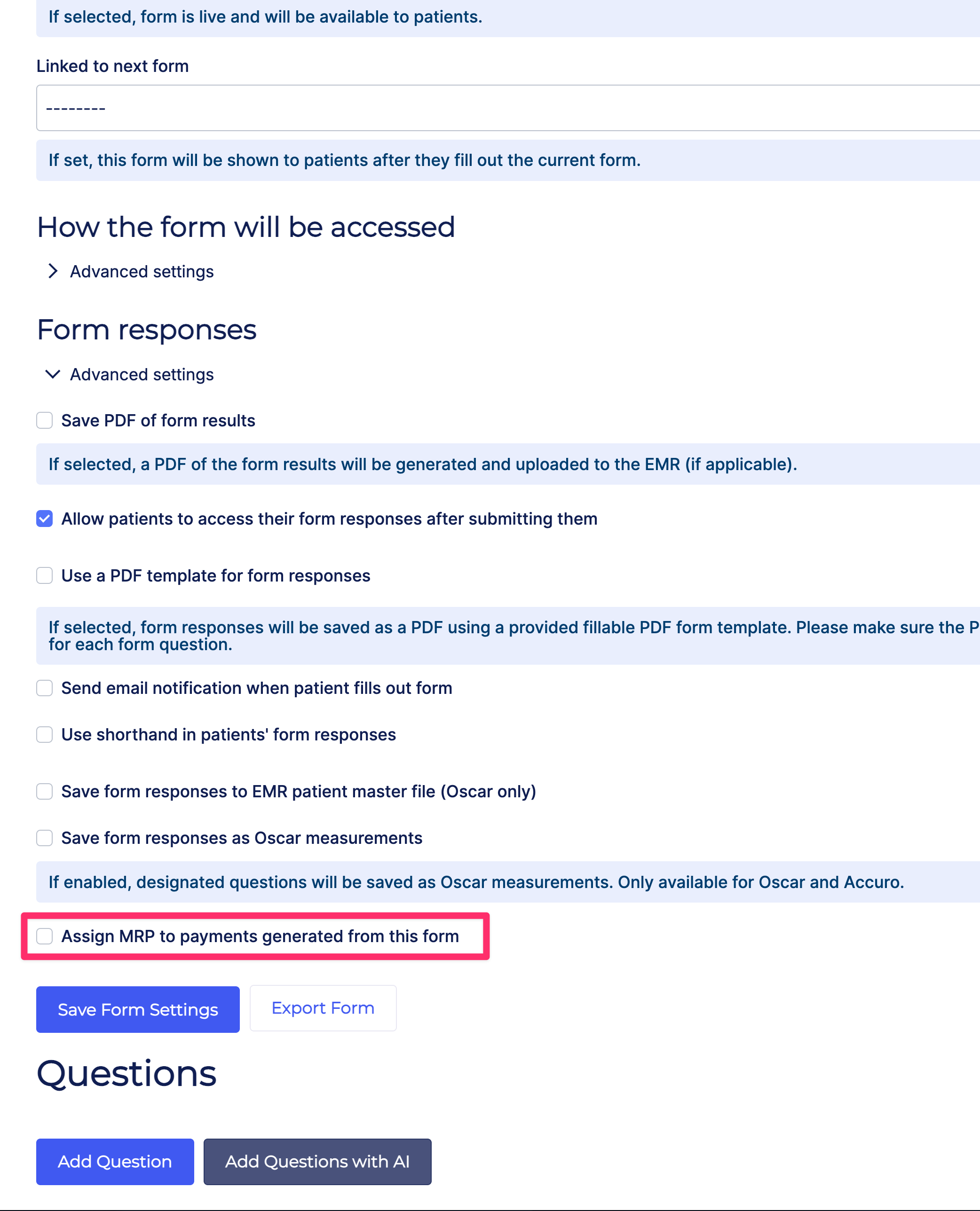
4.1 - Added an option to assign the patient's Most Responsible Provider (MRP) to payments completed through forms.
4.2 - The link to the markdown styling guide in the form editor now opens in a new tab.
4.3 - Visual updates to the "Next" button when patients are filling out a form.
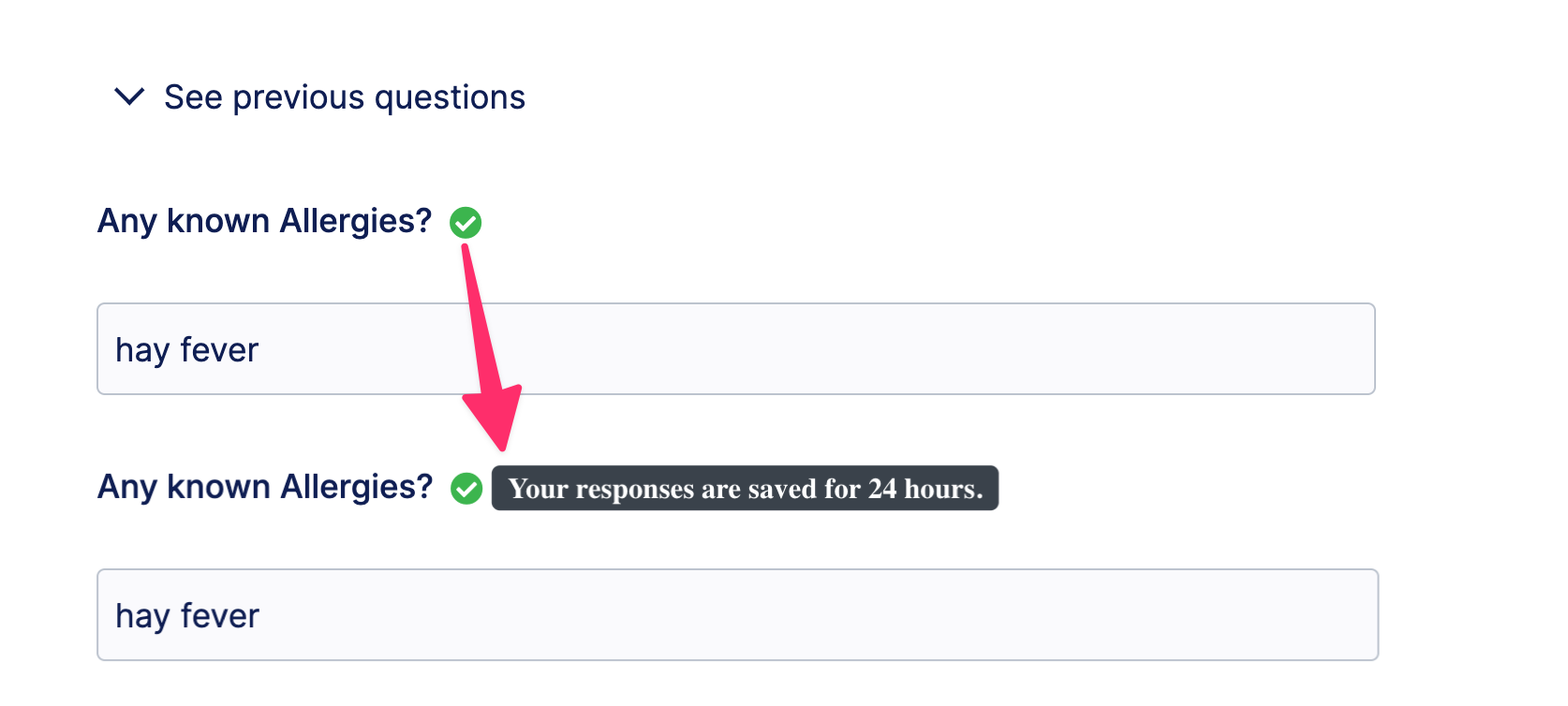
4.4 - Added a "Saved" icon to indicate that form progress has been saved.
5. Updates to Request to Book
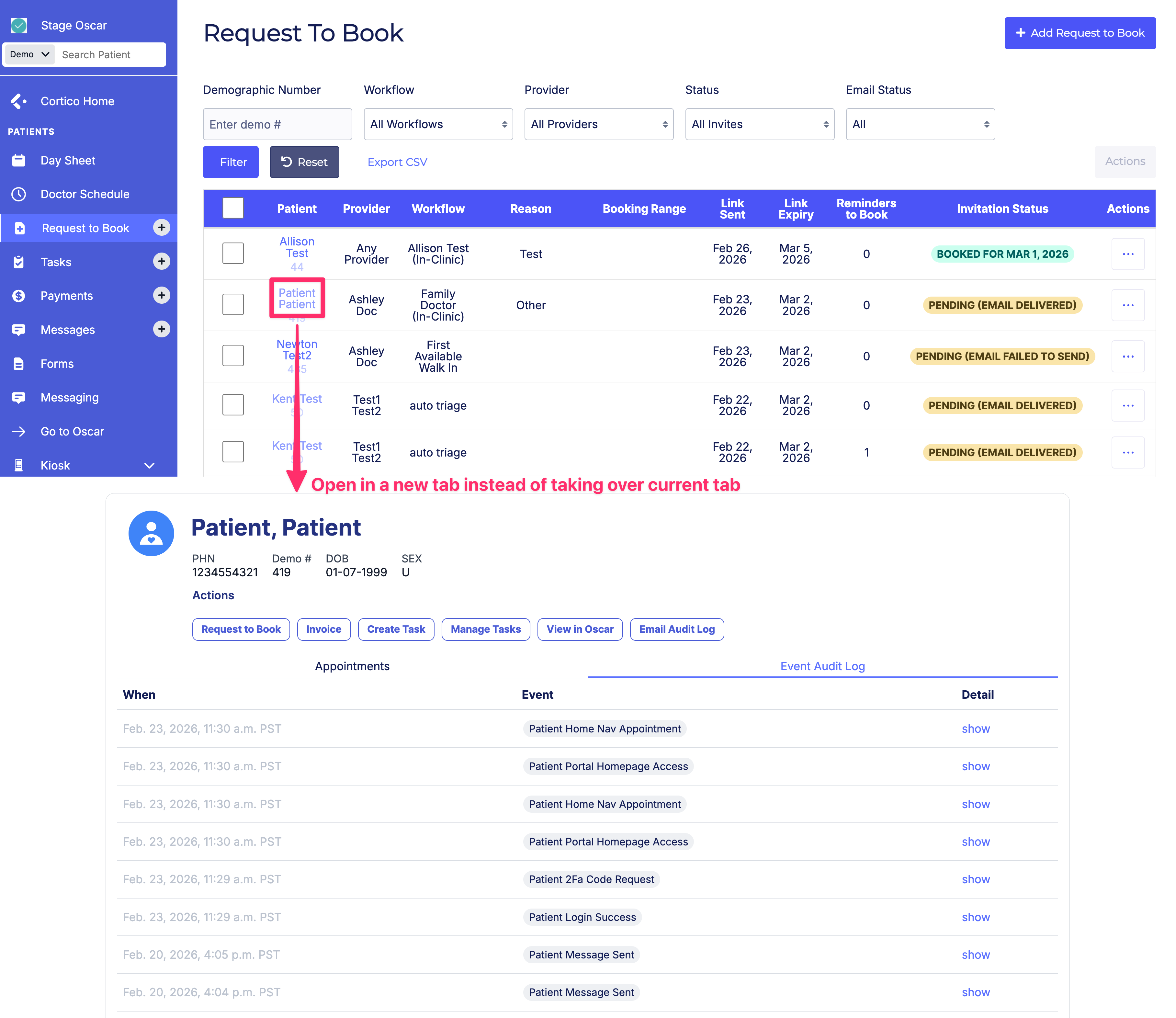
5.1 - Links to the patient page now open in a new tab.
6. Updates to EMR integrations
6.1 - [Profile] Fixed an issue where the Request to Book status was sometimes displayed incorrectly in the RTB table.
7. Other updates
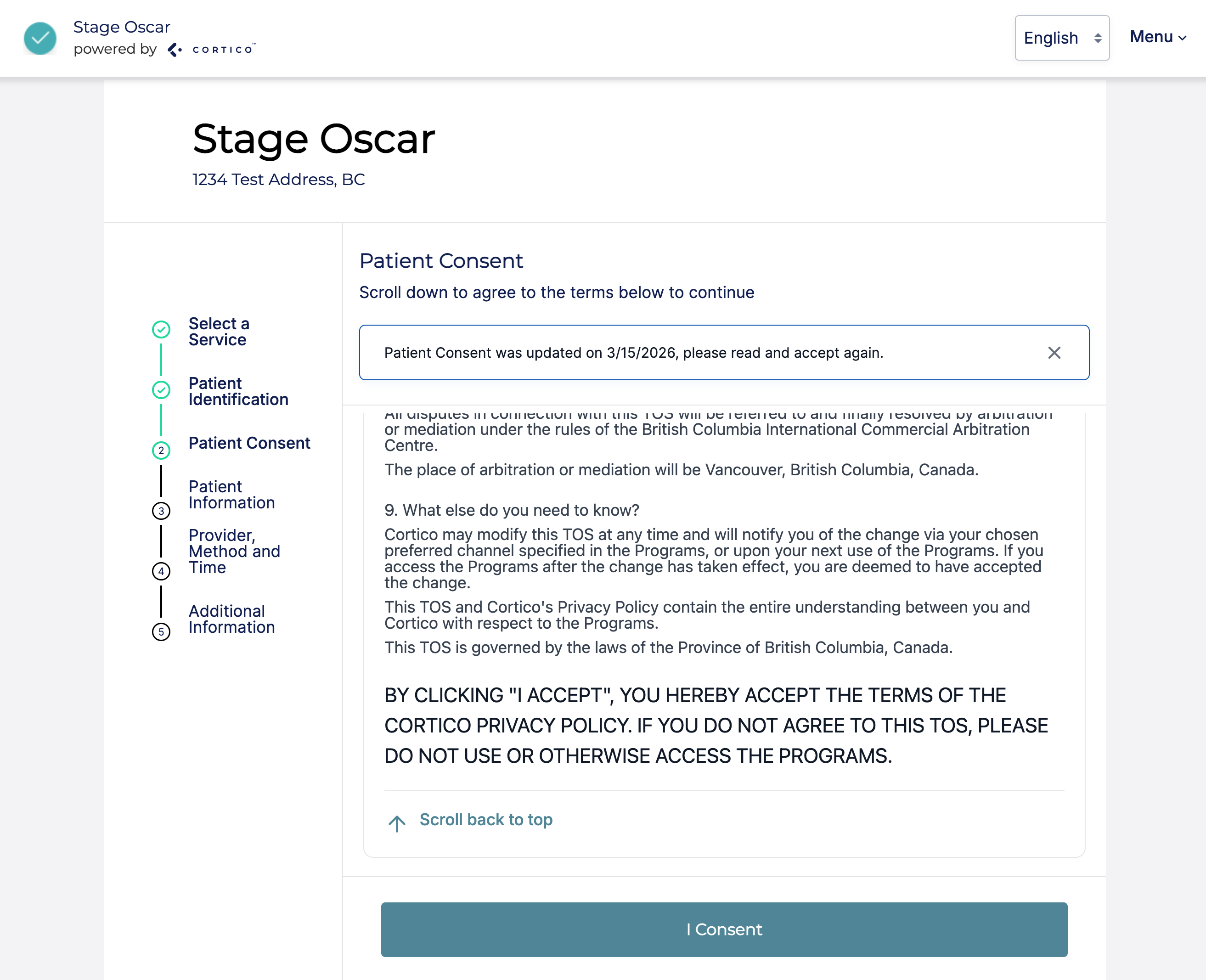
7.1 - Design updates to the patient consent and agreement pages.
7.2 - Design updates to the sign-in pages.
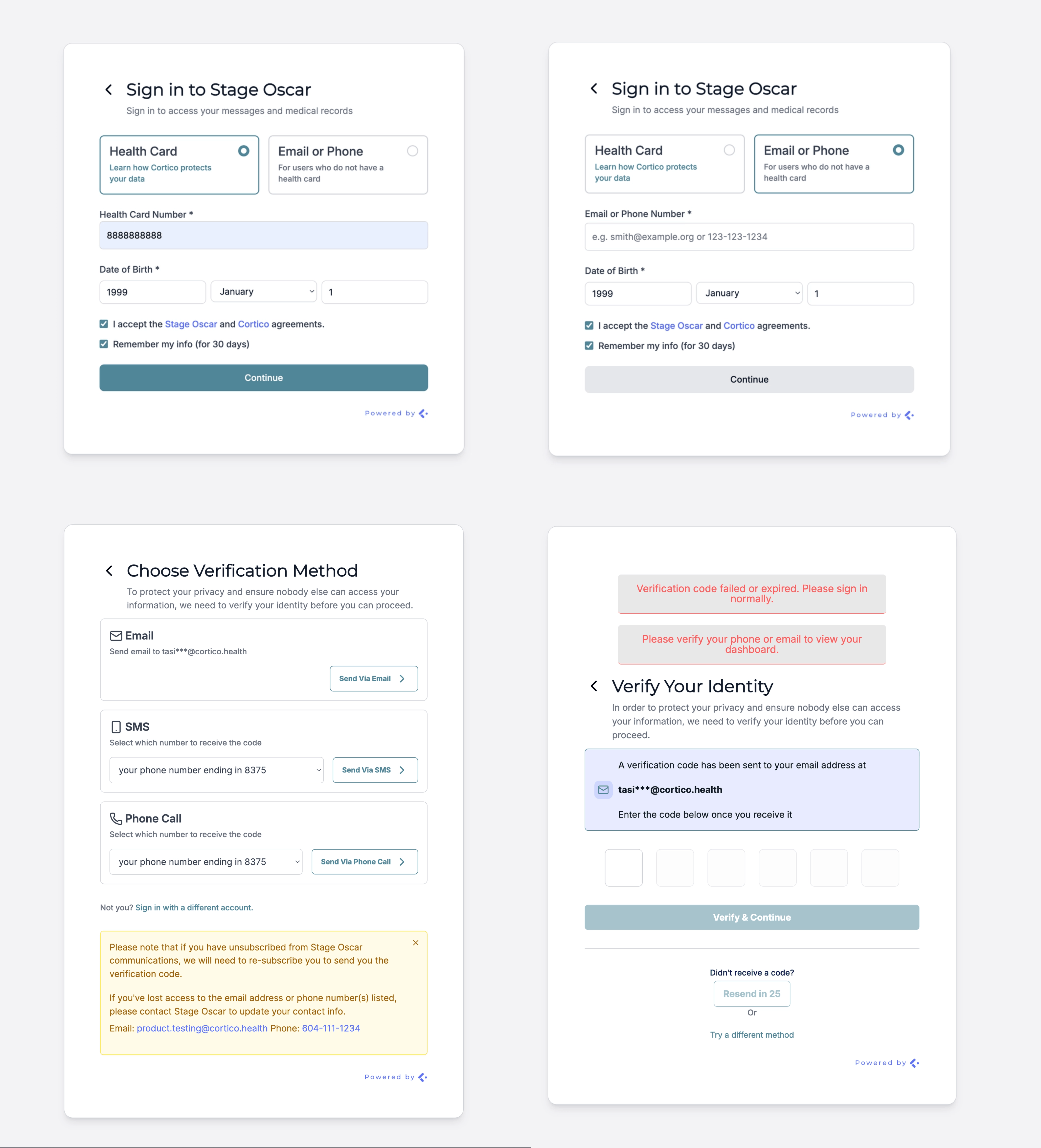
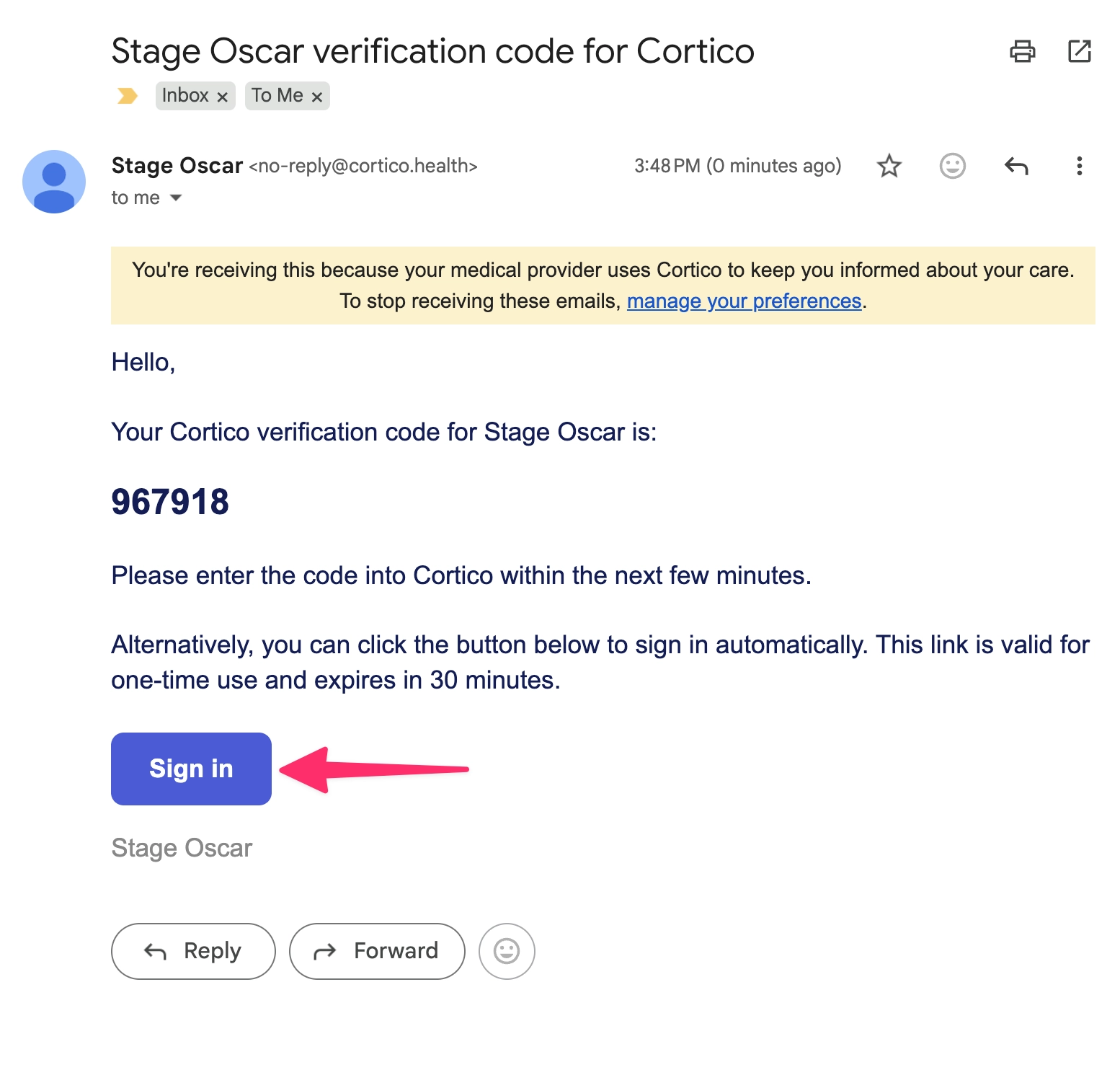
7.3 - Added an option to automatically sign in directly from a 2FA verification email.
7.4 - Updated email logs to display the Date column in the clinic's local timezone.
7.5 - Fixed an issue where assigning a task from the plugin returned an error if the task already existed. The task email will now be re-sent to the patient.
7.6 - Added additional fields to the Specialist workflow list view in Clinic Settings > Workflows.
Cortico Plug-in:
1. Messaging and patient eChart actions
1.1 - Added a PDF annotator integration, allowing PDFs to be annotated directly within Cortico.
1.2 - Added the ability for MOAs and providers to message others within the same clinic through the messaging page, without needing a third-party app.
1.3 - Fixed an issue where clicking "Allow Replies" on a closed conversation did not reopen it.
1.4 - Fixed an issue where attachments were not working from the inbox.
1.5 - Added the ability for providers to view patient form responses directly from the appointment actions button.
1.6 - Improvements to document loading and attachment handling.
1.7 - Fixed an issue where the sent status indicator was not updating to reflect the last message.
1.8 - Line breaks are now preserved when copying messages to Encounter Notes.
2. Cortico AI
2.1 - Added workflow events for Cortico AI features, including AI Chat, Summary, and Summary Shared.
2.2 - Performance improvements to AI chat and summary, including reduced load times and improved responsiveness.
2.3 - Added an AI inbox view for providers, allowing them to organize their inbox and surface key patient details and past results.
3. Prescription receipts
3.1 - Improvements to the "Send Receipt by Fax" UI in the prescription window.
4. Appointments
4.1 - Added the ability to set a default Workflow Type when creating an appointment, similar to the existing default Medium setting.
5. Integrations
5.1 - Added plugin support for PracticeFusion, expanding EMR coverage.
6. Stability & error handling
6.1 - Fixed an issue where Cortico could not find a tab with the patient's eChart open.
7. Testing
7.1 - Added an end-to-end test on oscar-develop to allow current changes to be tested without delay.
7.2 - Added a smoke test for PracticeFusion to support future end-to-end test development.
7.3 - Updated end-to-end test reports to show failing tests divided by subsection for easier diagnosis.
7.4 - Various test fixes including 2FA submission, conversation tests, PracticeFusion smoke test, and broken conversation tests following an API update.
8. Code quality & architecture
8.1 - Simplified loading logic to improve scalability across different EMRs.
8.2 - Migrated app state management from context-based providers to Zustand, covering the app, patient, conversation, and connection stores, as well as the AI chat and patient summary stores.
9. Cortico login
9.1 - Initial batch of updates for centralized Cortico login.