

What is Cortico Switchboard?
Cortico Switchboard routes calls and texts to the provider currently covering a service. It can be used by clinics or hospitals for different services such as Surgeon, Hospitalist, Admissions, or Nocturnist.
Each organization receives a dedicated Switchboard number. A staff member chooses the service they need, and Cortico connects them with the assigned provider. Providers can also activate or hand off coverage by SMS.
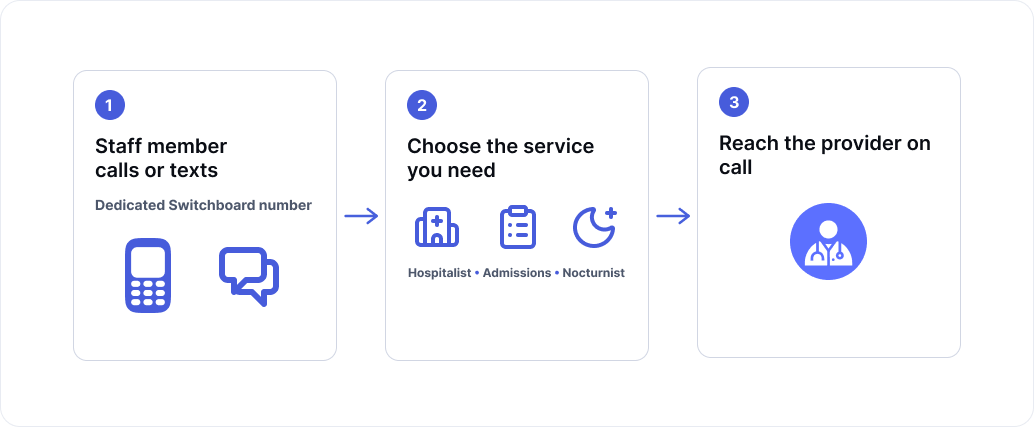
Key features
• One dedicated number for Switchboard calls and texts
• Separate routing for each service
• Staff can text the active provider directly
• Provider activation and handoff by SMS
• Current coverage visible in Cortico
• Recent service history and call activity
Initial setup
Switchboard is not enabled automatically. Contact help@cortico.health to have it configured for your organization.
Set up Switchboard
Visit the dashboard by going to your clinic's cortico.ca/switchboard URL.
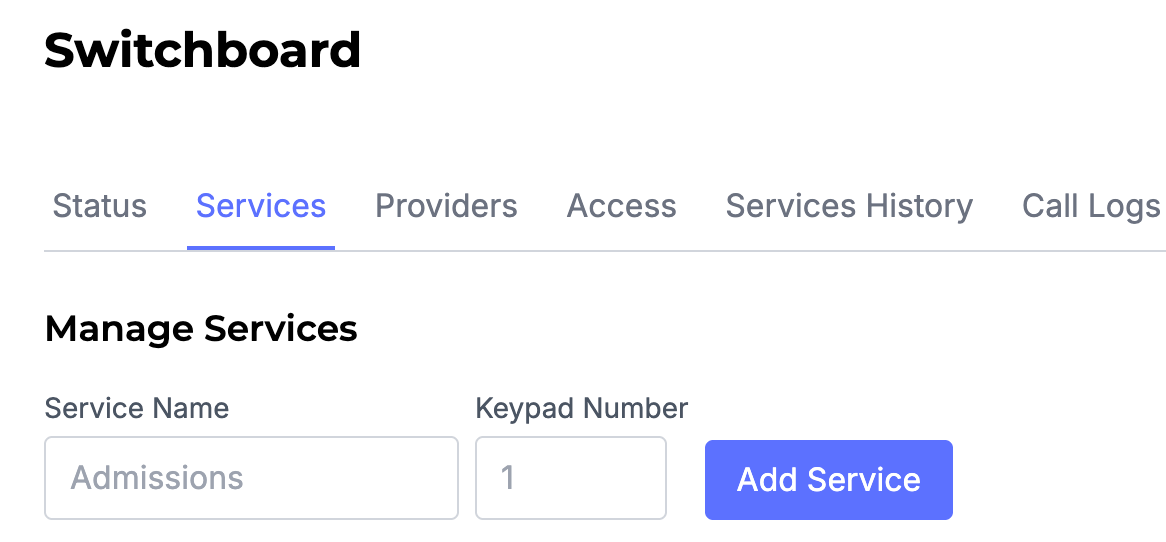
Step 1: Add services
Open Services and add the roles or teams that staff may need to reach. Each service is assigned a keypad number.
Step 2: Add providers
Open Providers to add people who participate in Switchboard coverage.
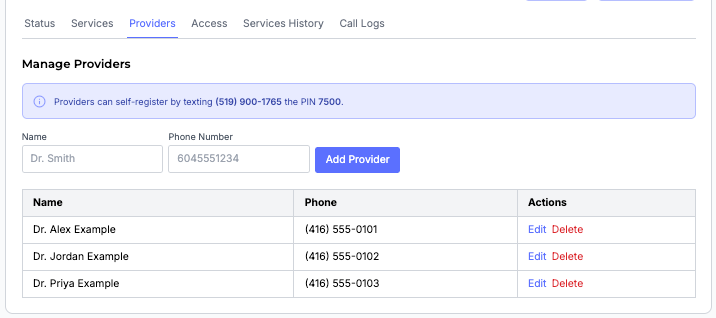
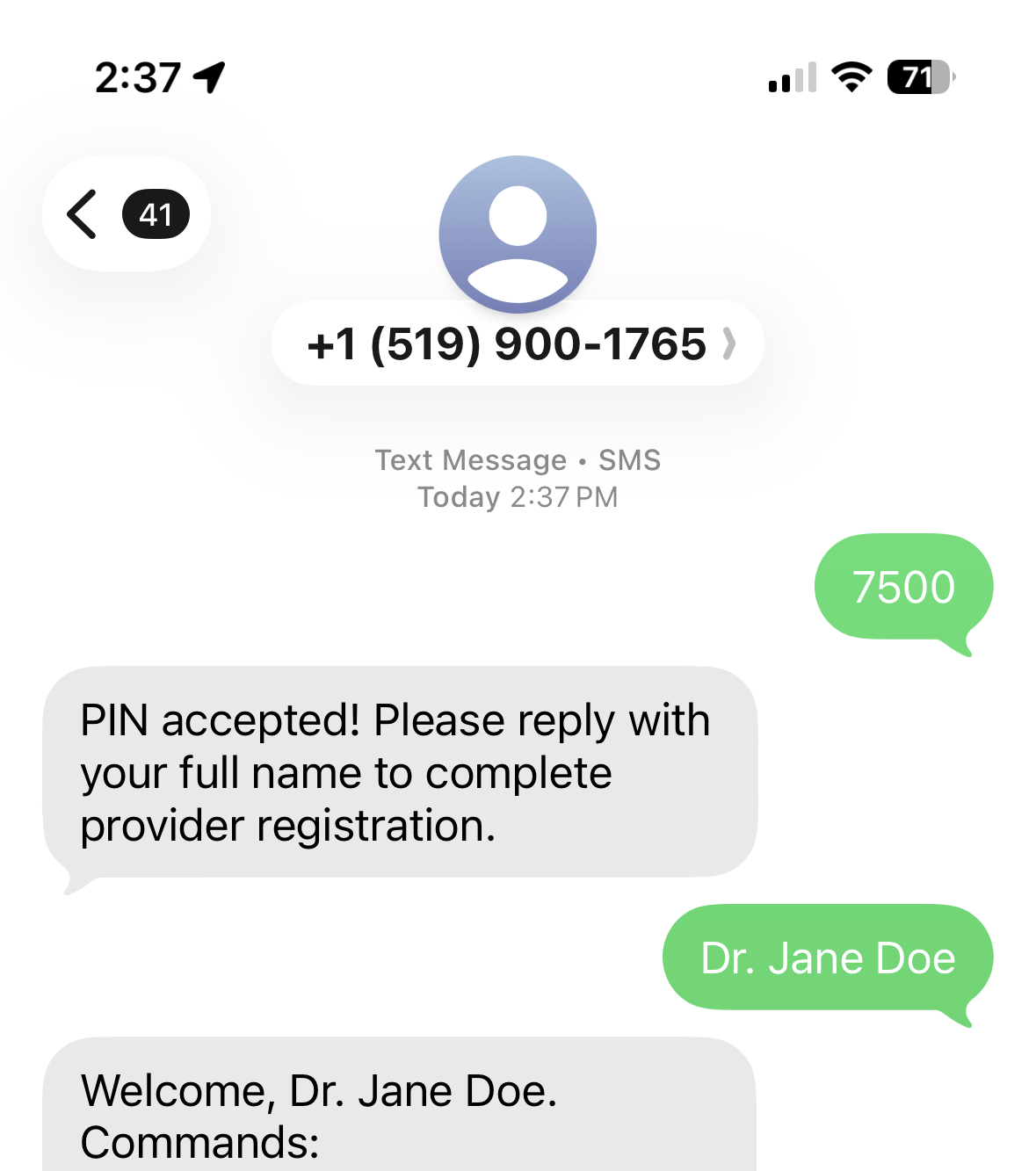
Providers can also register by texting the Provider PIN to the Switchboard number.
Step 3: Assign coverage
Choose the provider covering each service in the Services page.
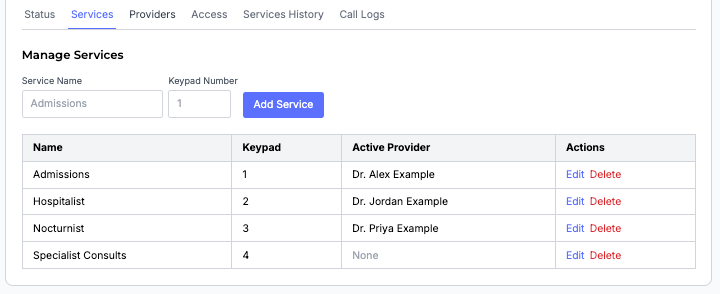
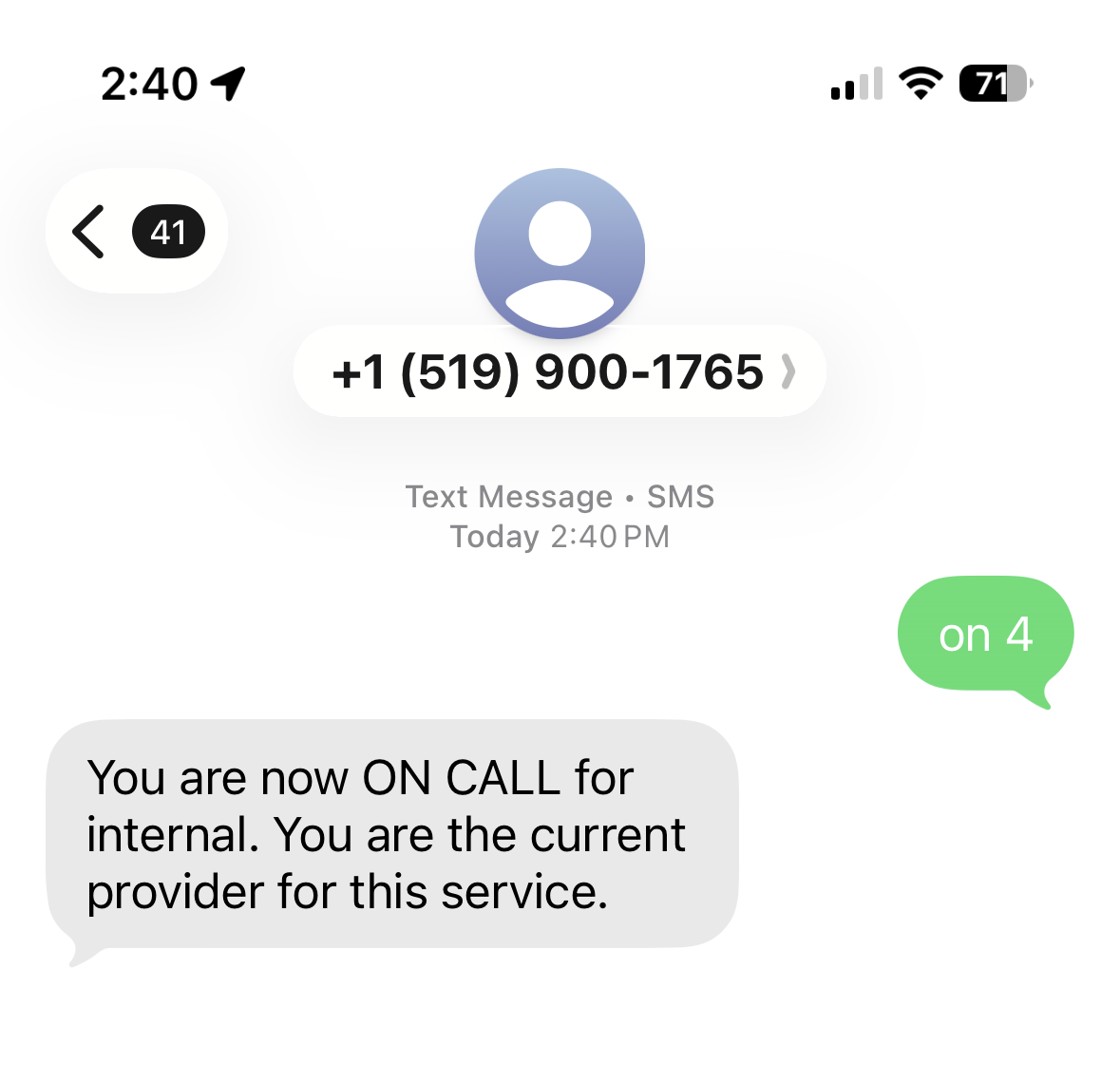
A registered provider can text ON followed by a service number. For example, ON 4 activates the provider for service 1. Cortico replies with a confirmation.
Review service and call history
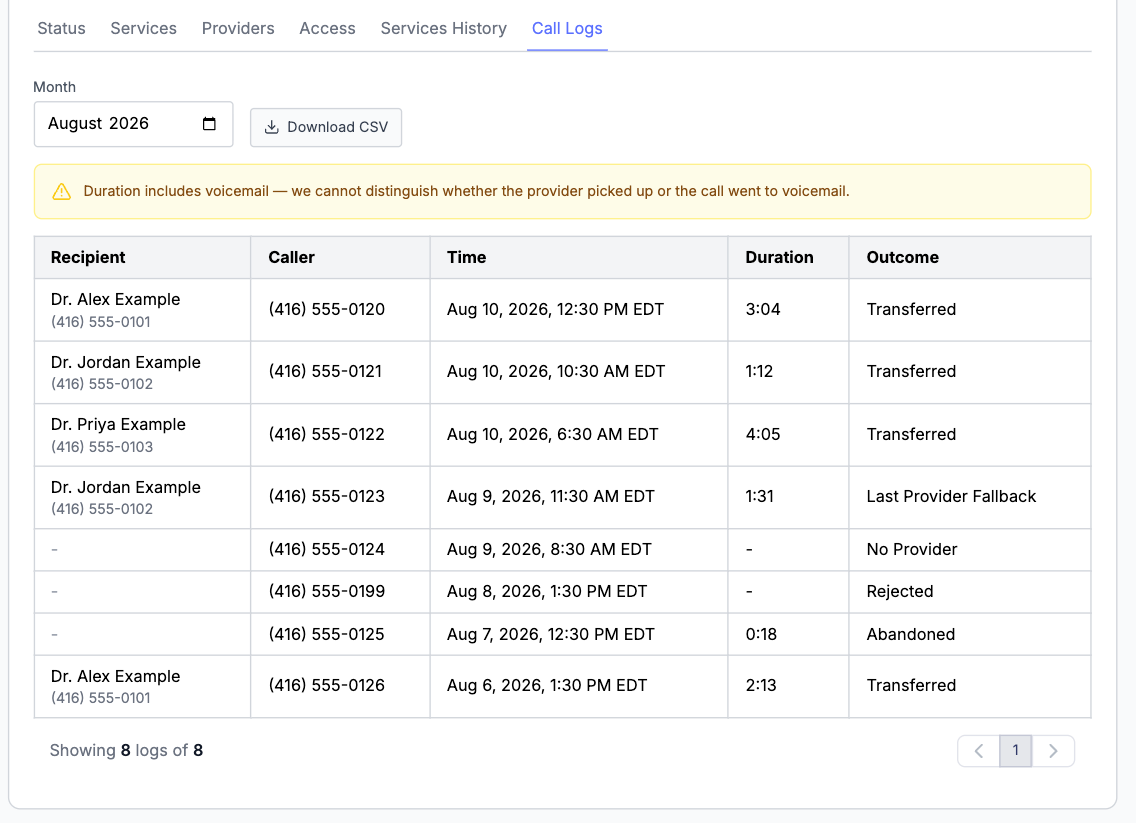
Use Services History to review recent changes to Switchboard coverage, including when a provider was assigned or removed. Call Logs show who called, which provider received the call, when it occurred, its duration, and the outcome. Call logs can also be downloaded as a CSV.
Access
It is highly recommended that you set a whitelist or a blacklist. Without one, anyone who has your Switchboard number can text STATUS (which includes who is covering and their phone number) and TEXT (which messages the provider who is on call).
Use one or the other, not both.
Whitelist: only listed numbers, plus registered providers, can call or text Switchboard. Use this when you want staff phones allowed and everyone else blocked.
Blacklist: listed numbers are blocked. Everyone else can still call and text. Use this only to stop specific numbers.
Registered providers can always text commands, even if their phone is not on the whitelist.
For providers
If Switchboard just texted you, save that number. It is the one you call and text. You do not need a Cortico login.
If you are not registered yet, text the provider PIN secret to your organization's Switchboard number, then reply with your name. Ask your organization for the secret if you do not have it. Your organization can also add you.
Commands are not case-sensitive. Text HELP at any time for a short list.
Go on call
Text ON followed by the service number(s). Incoming Switchboard calls for those services then ring you.
ON 4covers service 4ON 1 2covers services 1 and 2ONcovers every service
Go off call
Same numbering as ON:
OFF 4stops covering service 4OFF 1 2stops covering services 1 and 2OFFstops covering every service
Some services do not allow OFF, to prevent leaving a service without coverage. For those, use SWITCH instead.
Hand off
Pass one service to another registered provider. Use enough of their name to be unique.
SWITCH 4 Jane SmithSWITCH 4 JaneSWITCH 4 Smith
If several providers match, Switchboard lists them and asks you to be more specific. SWITCH only works for one service at a time.
Who is covering
STATUSevery serviceSTATUS 4one serviceSTATUS 1 2those services
Message the on call provider
TEXT 4 Need you at the desk
TEXT only works for one service at a time. The on call provider is told to reply to the sender's own number, not to Switchboard.
Help
Text HELP to get the command list by SMS.
For help setting up Cortico Switchboard, contact help@cortico.health.