

Referral Confirmation Faxes are available now for Premium and Elite users on OpenOSP, OscarPro, Oscar19, Juno, and Accuro EMRs. When enabled, a confirmation fax is generated and sent the moment the booking is made, so referring clinics always know their patient is being cared for.
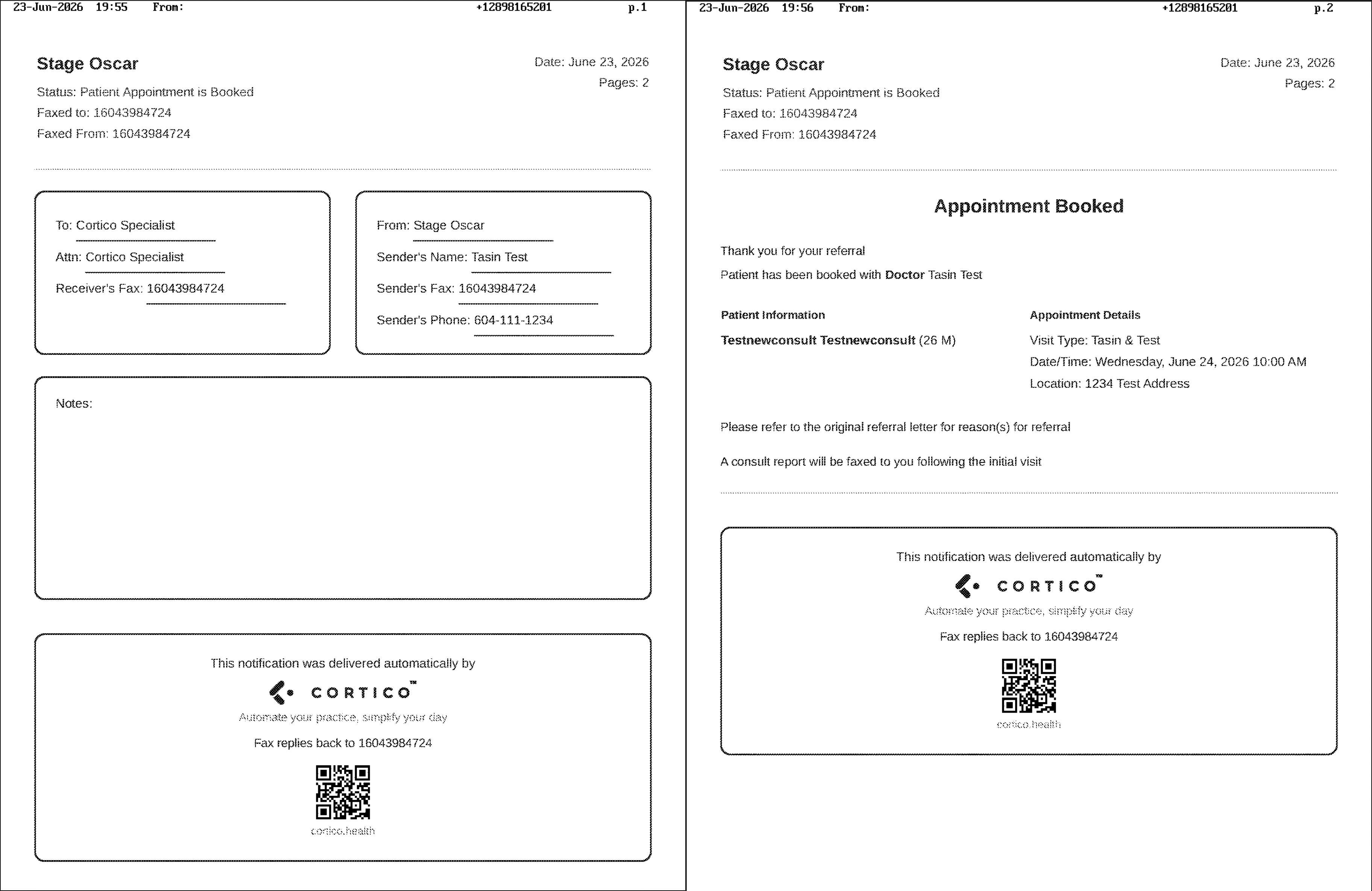
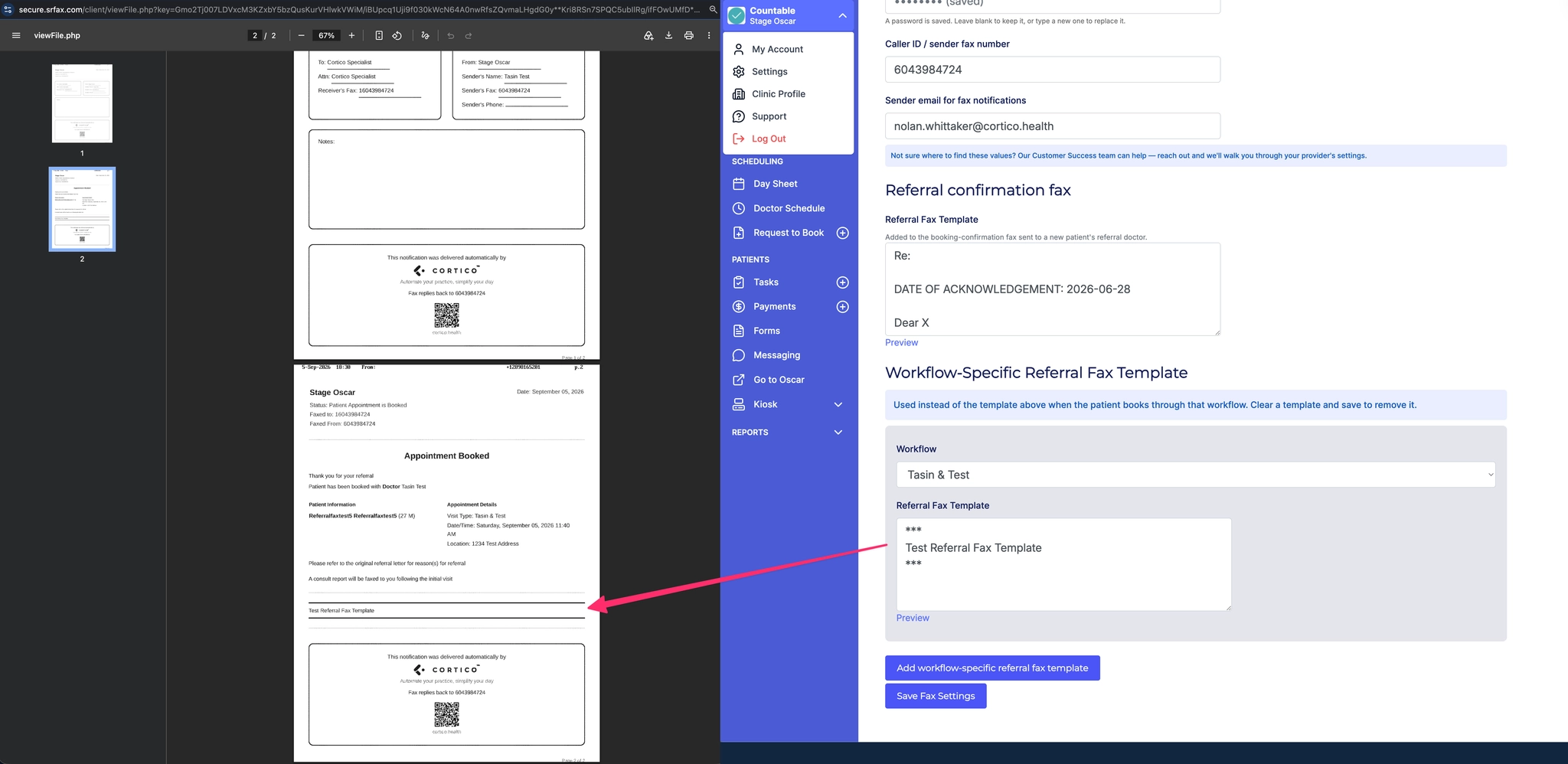
The fax includes everything the GP needs at a glance: patient details, appointment type, and the scheduled date, time, and location. It's a simple way to keep referring providers in the loop and reduce the back-and-forth that usually follows a referral.
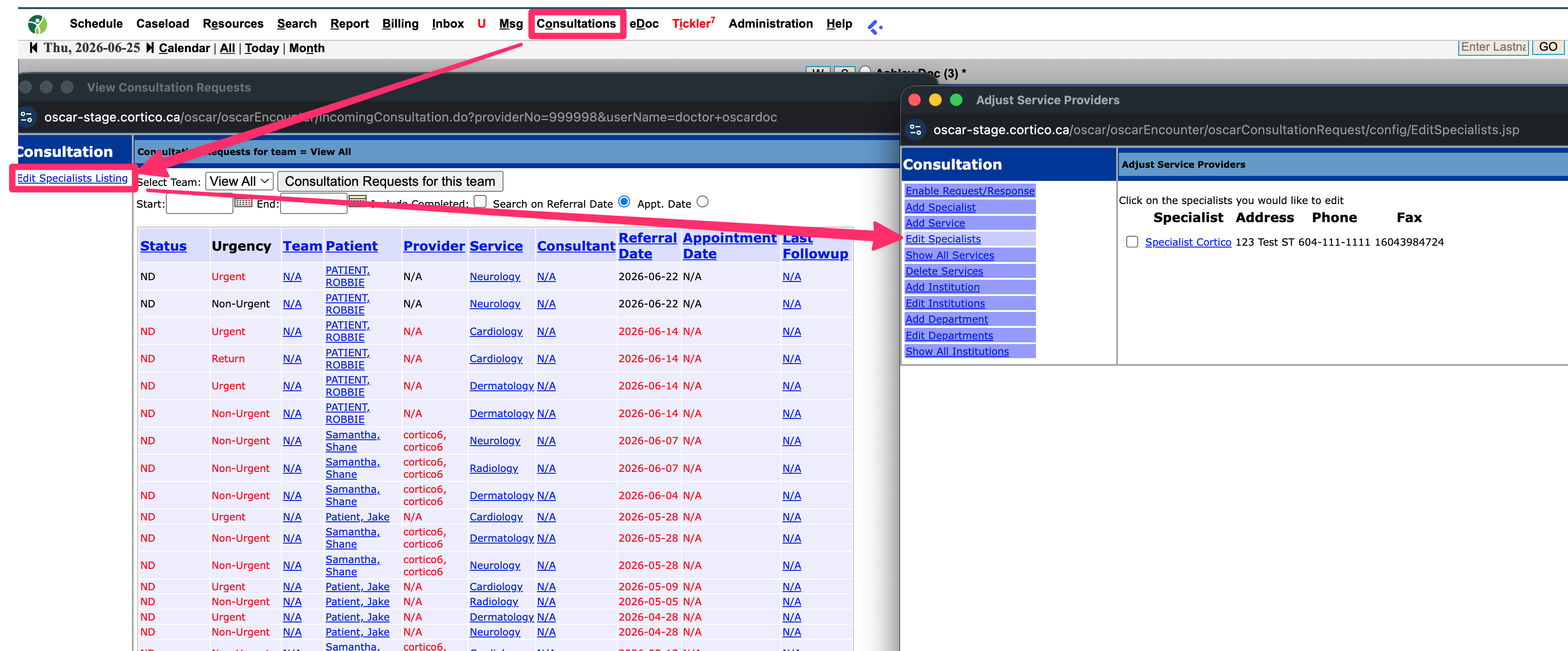
To use this feature, make sure the GP provider is added in the specialist's section of your EMR
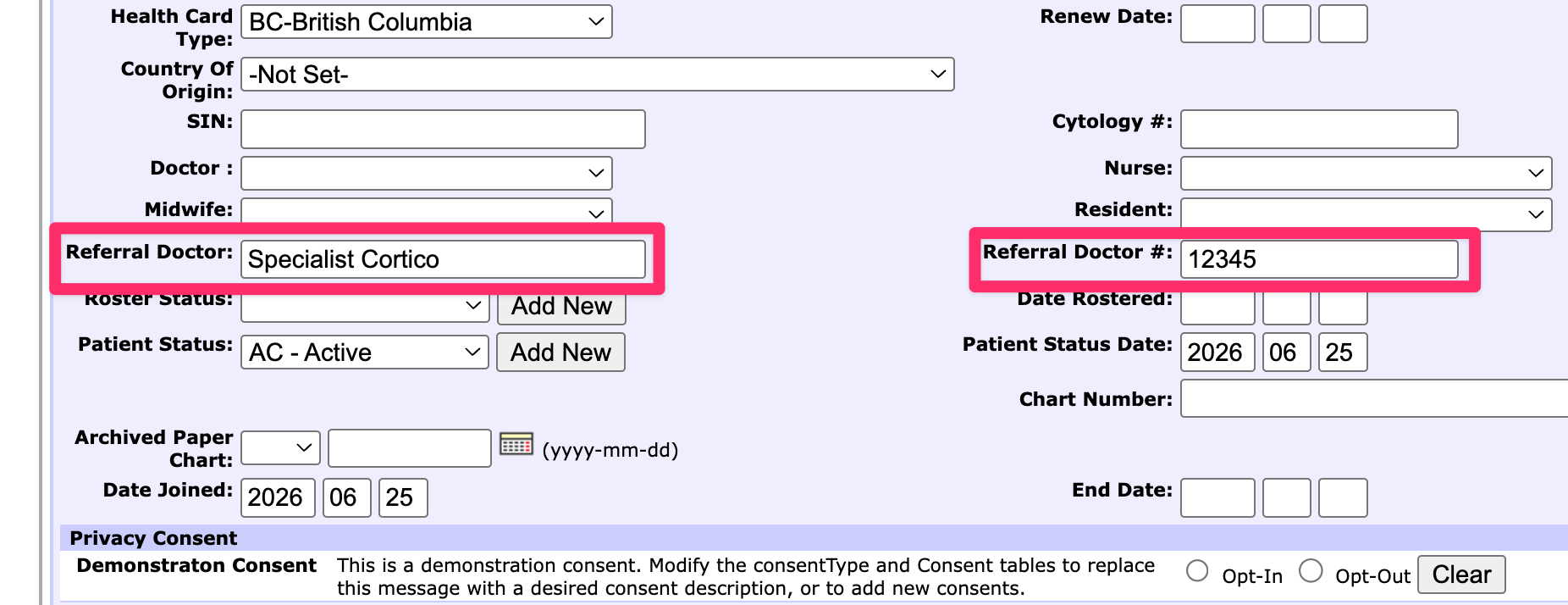
Then, when you create a new patient file in your EMR, make sure to list the referring GP's name and billing number as it appears in the specialist list.
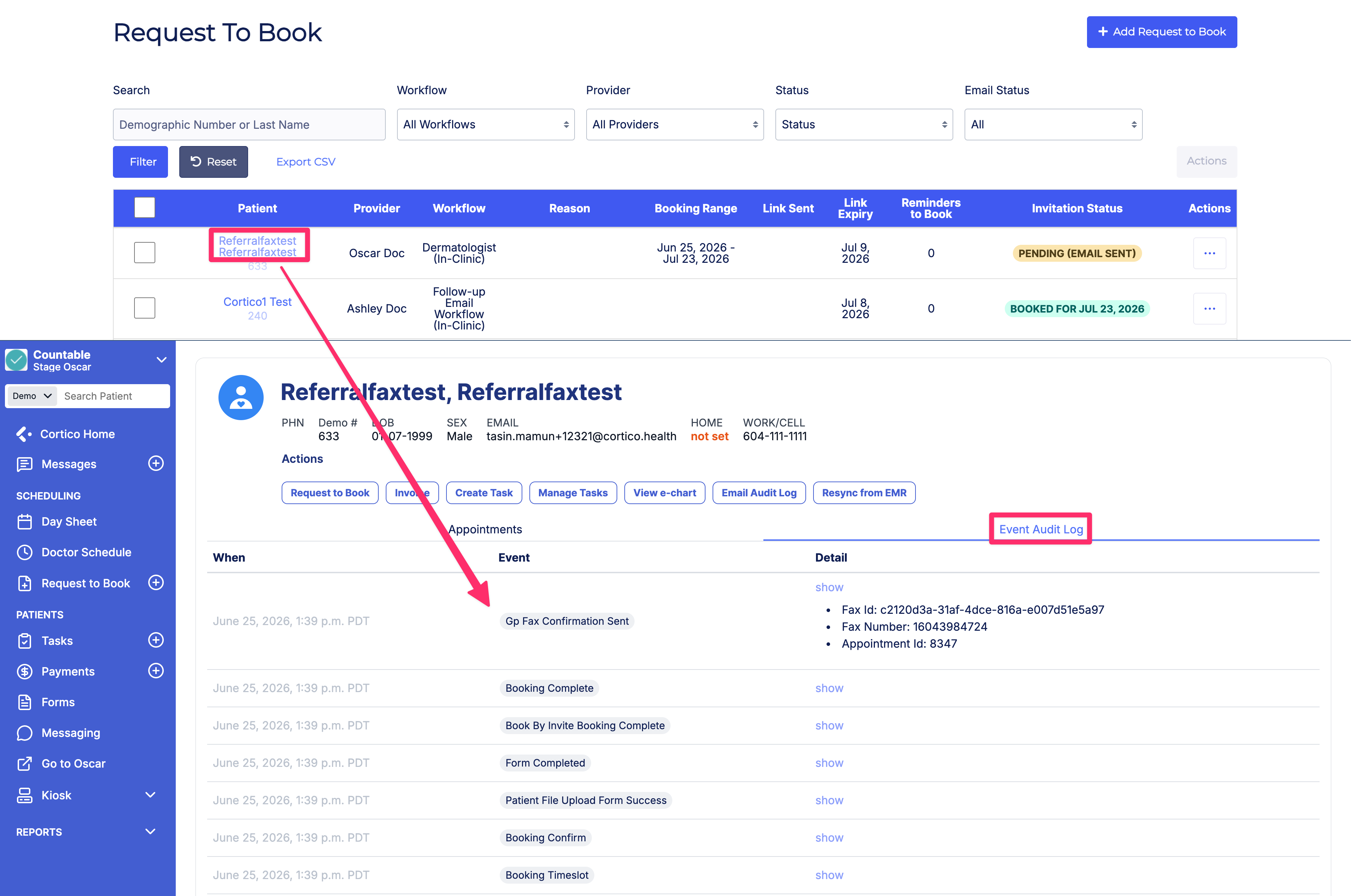
Now, once you create a request to book invite (see article linked below) for this patient, and they successfully book their appointment, a confirmation fax will be sent to the referring GP automatically.
Once the patient has booked their appointment, you can confirm if the fax was sent by clicking on the patient's name and seeing the Event Audit Log.
You can also add additional information to be included at the end of the Referral Confirmation Fax, under the Fax tab of the Cortico Settings page. Here, you will find an option to edit the default template, or workflow-specific templates.
To enable this feature, reach out to us at help@cortico.health.