

Cortico Web Release:
1. Updates to Appointment Booking
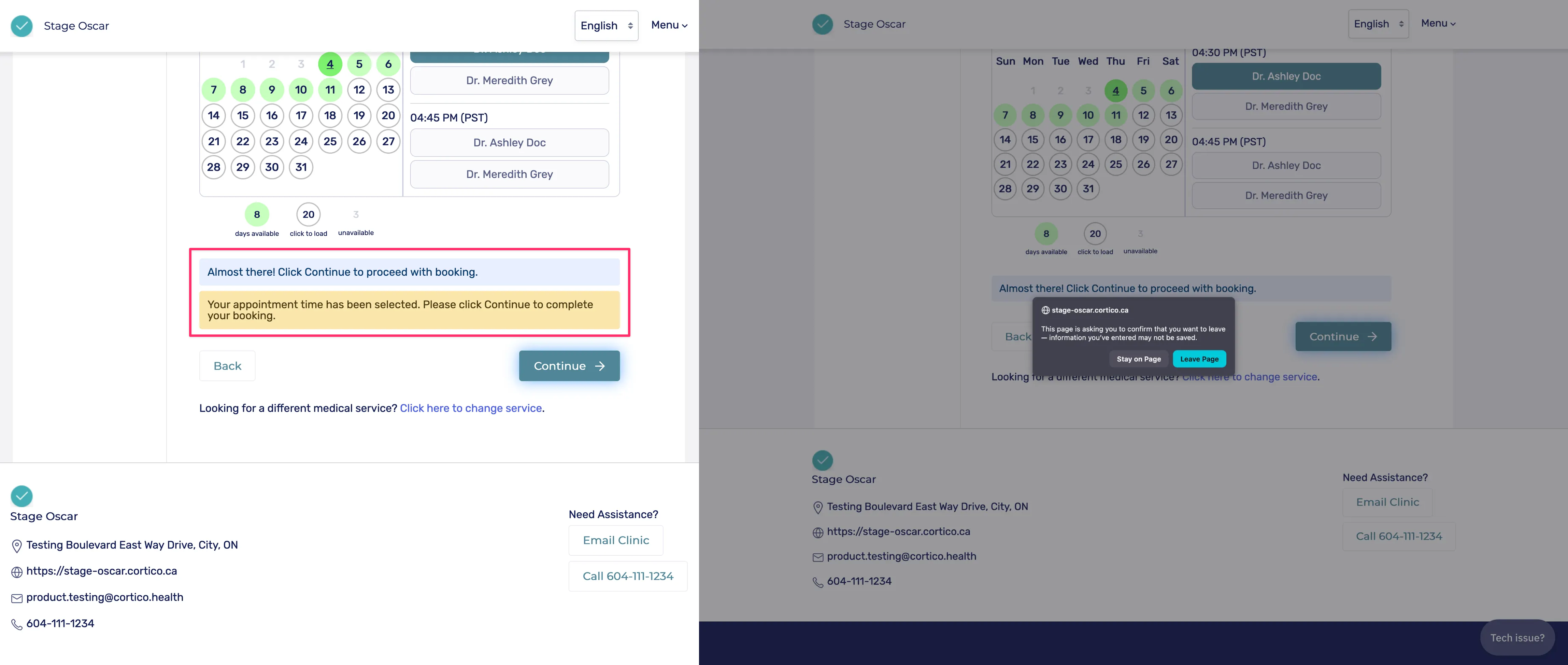
1.1 - Added a message to make it clear when the patient has chosen an appointment time, but not completed booking yet. There is also a warning that appears if the patient tries to close the tab/window before completing the booking after they have chosen an appointment time
1.2 - [Accuro] Fixed an issue where “loading appointment dates/times” messages were not cleared in Any Provider mode. Also reduced the size of the loading spinner section on mobile.
2. Updates to Patient Portal
2.1 - Updated older navigation pathways that incorrectly redirected patients to the old portal after signing in.
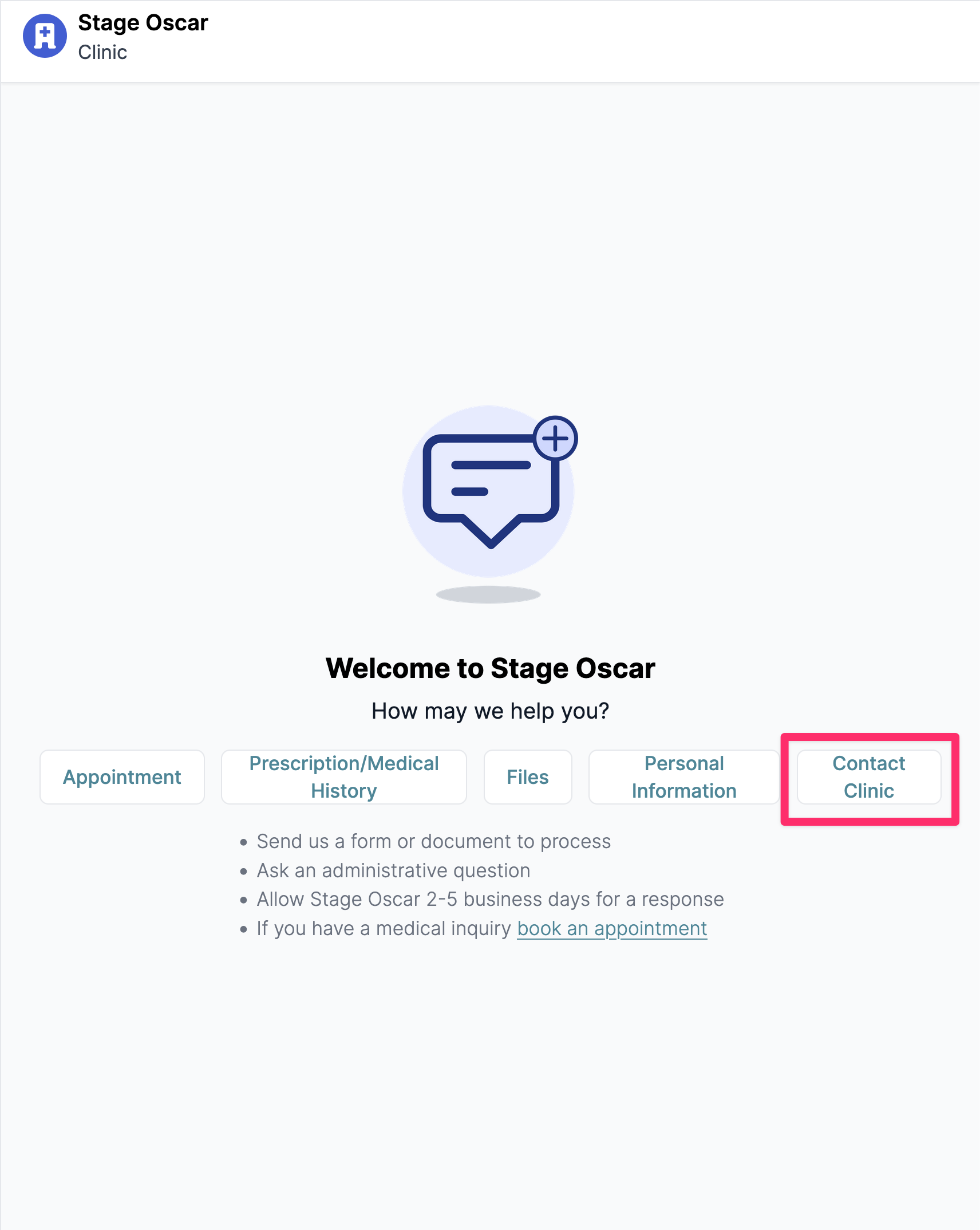
2.2 - Renamed the “Other” option in patient-initiated actions to “Contact clinic” for clarity.
2.3 - Filling out forms in the new patient portal now uses a standalone form view rather than redirecting to the old portal.
3. Updates to Provider Home
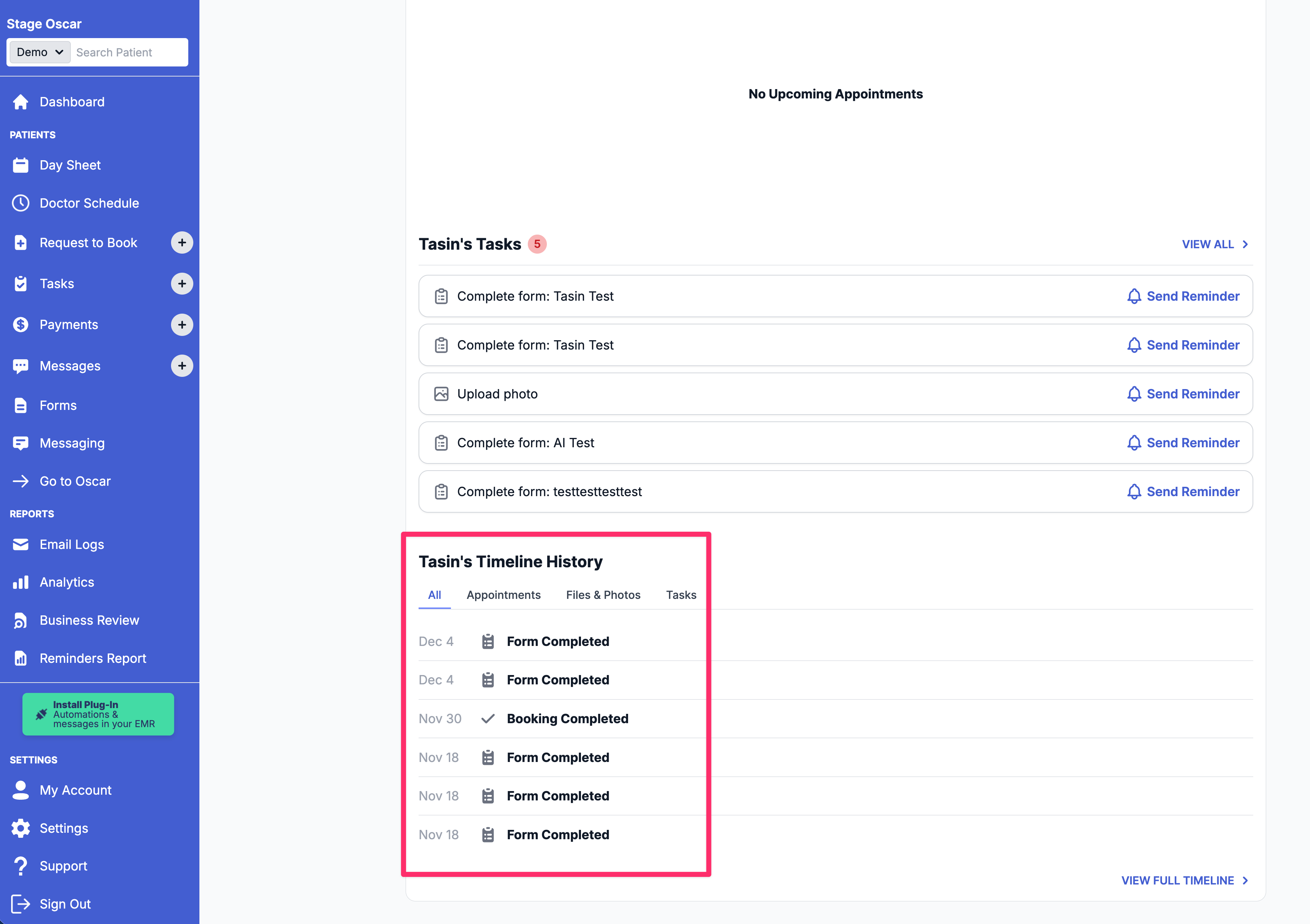
3.1 - Added a timeline history section to the individual patient view.
3.2 - Standalone patient pages now redirect to Provider Home when no patient is specified in the URL.
3.3 - Added Cortico logo and branding to the “Home” menu item.
4. Updates to Patient Forms
4.1 - Patients’ in-progress form responses are now saved for one day. If the patient does not complete/submit the entire form. This also means if patients accidentally close the tab/window, refresh the page, or navigate away from the page before submitting the form, they will not lose their responses.
4.2 - Fixed a mobile issue where the “Next” button for multiple-choice questions could be pushed off-screen.
4.3 - Fixed a bug where patients saw “Please answer the following question before continuing” and duplicate questions if they clicked “Continue” instead of “Next” during the booking flow.
5. Other Updates
5.1 - Fixed a terminal booking bug where having Medical Services configured but disabled caused an error on Step 5.
Cortico Plug-in:
1. Messaging
1.1 - Improved “Read” behavior so messages are not marked as read when the tab is not in focus.
1.2 - Added a shortcut to open the patient’s e-chart directly from the conversation view.
1.3 - Added the ability to click the red refresh icon (when uncopied messages exist) to trigger copying without using the menu.
1.4 - Fixed a bug where clicking SMS Receipt in Prescription reduced the SMS character limit from 160 to 70.
1.5 - Fixed a bug where conversations did not remember the most recent notification channel.
1.6 - [Accuro] Fixed an issue where the default sending option configured in Django was not reflected in Accuro Cortico CDS Link or on the web.
1.7 - Added patient identifiers to email notifications so MOAs/providers can easily identify which patient the message refers to.
1.8 - Temporarily disabled Attach E-docs in Accuro.
2. Pharmacy
2.1 - Added support for fax numbers starting with “1-xxx…” in pharmacy automation.
3. Prescription Receipts
3.1 - Fixed a bug where clicking SMS Receipt in Prescription reduced the SMS character limit from 160 to 70. (Same as 1.4)
4. UI/UX Enhancements
4.1 - Added clearer indicators showing when the chat view can or cannot be expanded.
4.2 - Added a new “No Selected Conversation” graphic for improved empty-state clarity.
5. Code Quality & Architecture
5.1 - Updated messaging to route the chat WebSocket through the service worker for MedAccess compatibility.
5.2 - Set up npm workspaces to allow shared code reuse between projects.
5.3 - Centralized the E2E test pages folder so it can be reused across multiple projects.
6. Stability & Error Handling
6.1 - Fixed a bug where getPatientInfo requests were being triggered unnecessarily when the user was not logged in.
6.2 - Fixed unresolved UI module imports.
6.3 - Resolved various Vitest errors.
7. Testing
7.1 - Revived edge-case tests for Appointment Details after migrating the store from MobX to Zustand.
7.2 - Revived the file-attachment test in MessengerWindow.test.jsx.
7.3 - Fixed a flaky test for the PConversations component.
7.4 - Fixed a flaky test for the PChatHub component.