

Cortico Web Release:
1. Updates to Appointment Booking
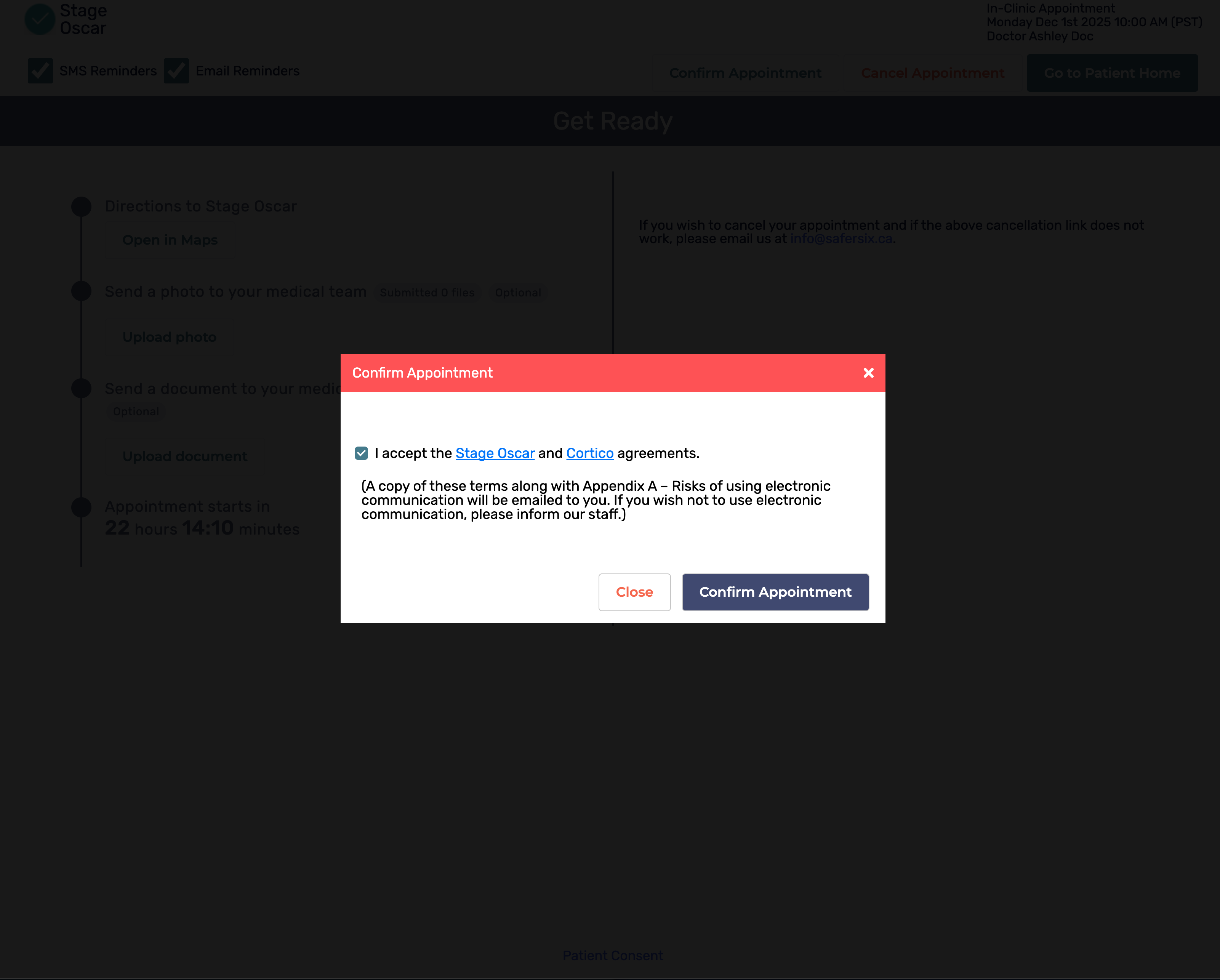
1.1 - Added a modal that allows patients to consent to the patient agreement when confirming appointments (if they have not previously consented).
2. Updates to Provider Home
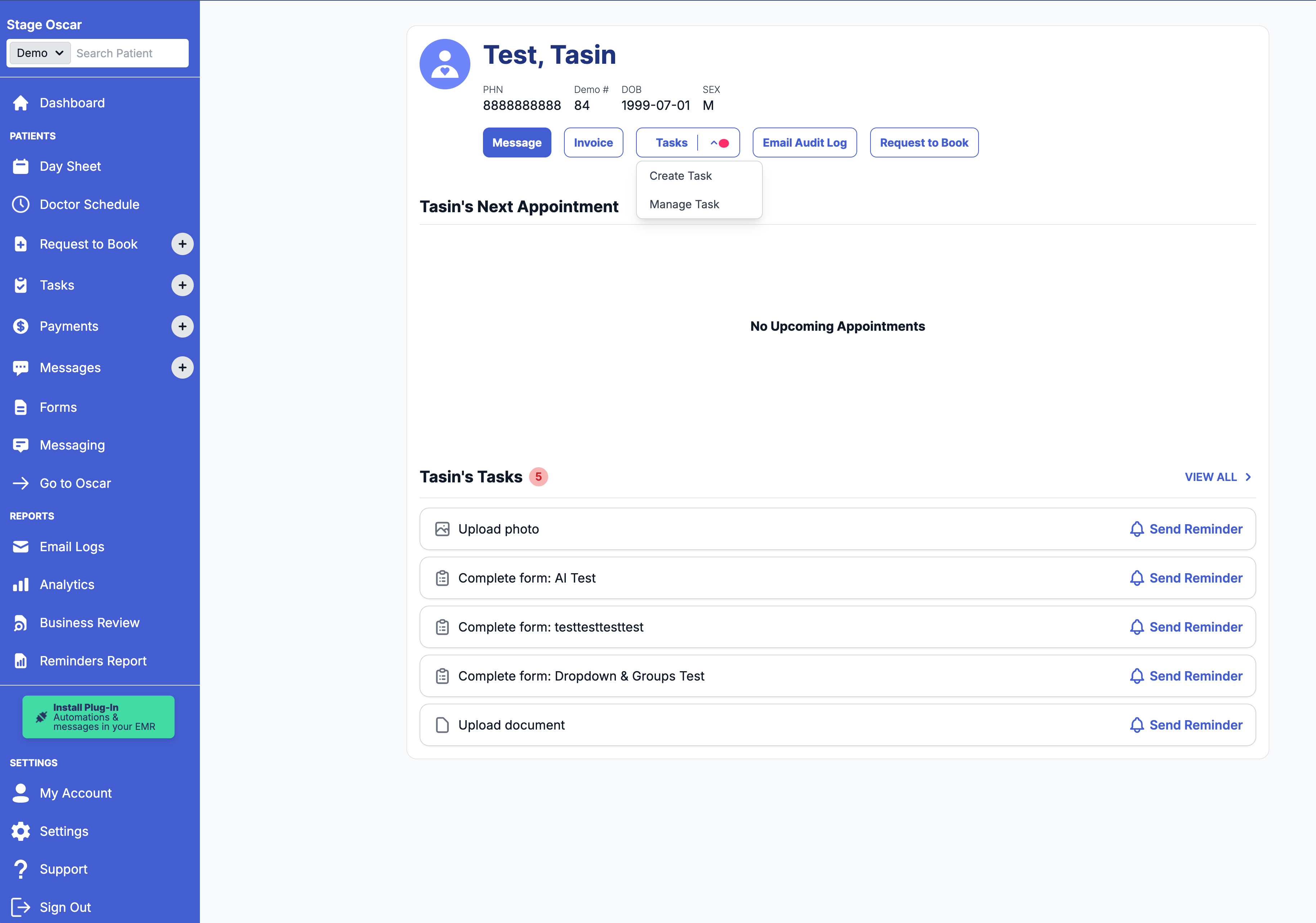
2.1 - Added a Tasks section to the selected patient view.
3. Other Updates
3.1 - Fixed a bug where HTML tags in clinic names were incorrectly rendered on certain pages.
3.2 - Fixed a bug in the terminal kiosk app where the header overlapped with the date bar on iPads.
Cortico Plug-in:
1. Messaging
1.1 - Added ability to send e-docs directly from the e-chart page to save time.
1.2 - Added explicit labels indicating whether uploaded files were successfully uploaded or dismissed.
1.3 - Fixed a bug where newly created conversations were not added to the conversation list.
1.4 - Added a browser permission warning in patient messaging when camera access is blocked, so users understand why “upload from camera” will not work.
1.5 - Improved support for 720p screen resolution in the patient messaging interface so all features remain accessible.
2. Code Quality & Architecture
2.1 - Updated the plug-in to use a single updates WebSocket to help reduce server load.
2.2 - Updated commit message guidelines to require including a reference to the corresponding ticket for better traceability.
2.3 - Decoupled the E2E testing “pages” folder so it can be reused across other projects.
3. Stability & Error Handling
3.1 - Fixed the “Canvas not found” Sentry error.
3.2 - Removed unnecessary console logs from useStopwatchWithProvider when loading the e-chart, resetting the timer, or saving.
3.3 - Fixed failing load tests to improve test reliability.
3.4 - Added an improved logging system to make debugging easier for developers.
3.5 - Fixed the Sentry error “Cannot read properties of undefined (reading 'filter')”.