

Cortico Web Release:
1. Updates to Appointment Booking
1.1 - Fixed a bug where the booking flow required two phone numbers instead of one when updating contact information in Step 2.
1.2 - Fixed an incorrect error message shown when duplicate patient profiles were found while looking up by health card number and date of birth.
1.3 - Added an “After hours” indicator (moon icon and “Evening appointment” tooltip) for appointments at 5 p.m. or later in the calendar step.
2. Updates to Patient Portal
2.1 - Renamed the “Virtual” appointment medium to “Video” in the Upcoming Appointments section on the homepage.
2.2 - Made UX improvements and bug fixes to the video-appointment join flow.
3. Updates to Patient Forms
3.1 - Fixed a bug where pressing Enter on a long-text question submitted the answer and moved to the next question instead of adding a new line.
4. Updates to Payments
4.1 - [PracticeFusion] Fixed a bug where the patient name did not display on the Pre-authorized Payments page.
4.2 - Fixed a bug where Pre-authorized payments did not appear in the table if the Description field was blank.
5. Updates to Clinic Website
5.1 - Added translation options for FAQs and Announcements on clinic websites.
6. Updates to Email Sending
6.1 - Changed transactional emails sent to patients (that copy the clinic) to use BCC instead of CC for clinic addresses.
6.2 - Normalized formatting and case for clinic contact and internal email addresses.
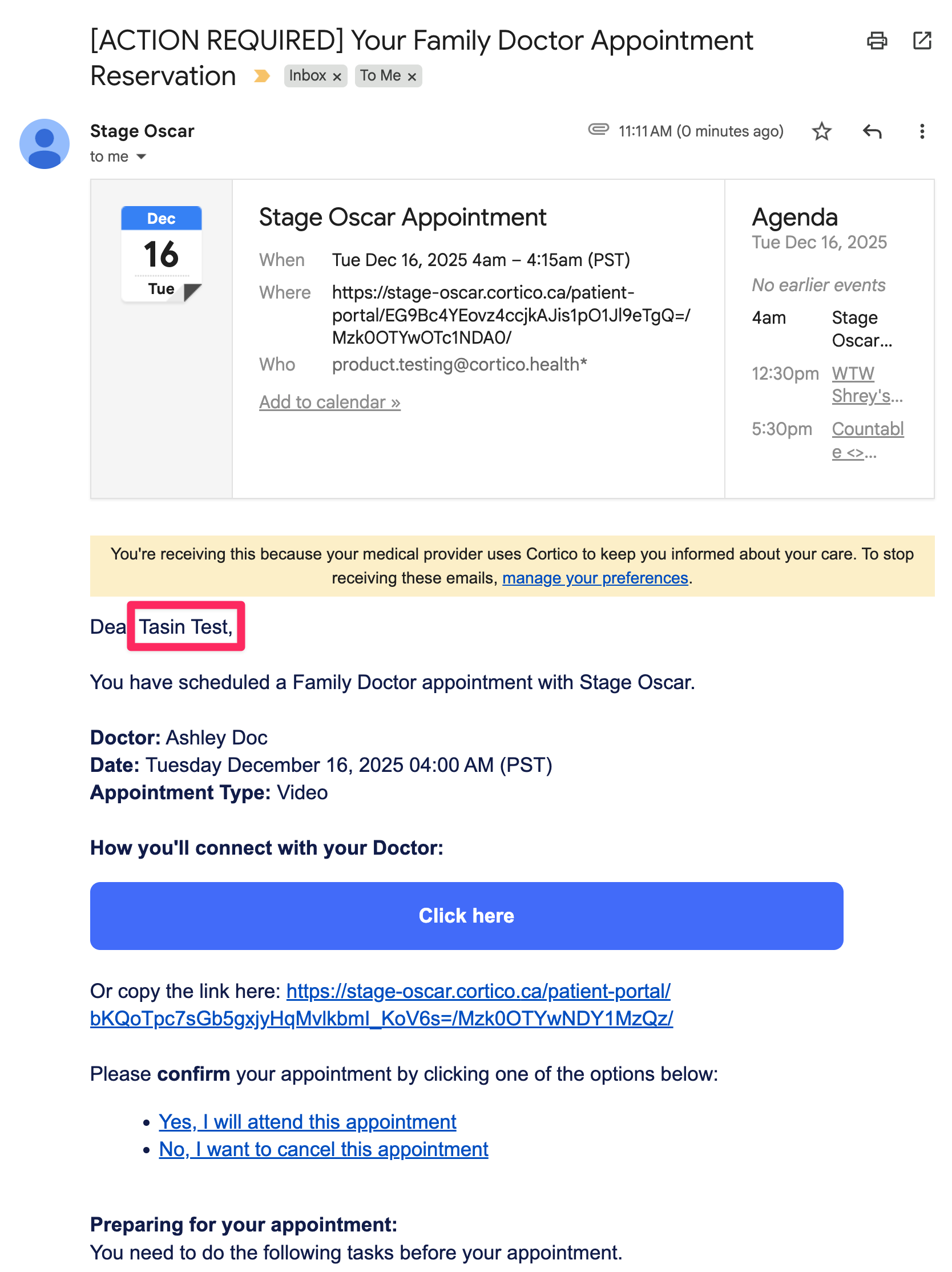
6.3 - Standardized patient-facing emails so they always show the patient’s full name (including preferred name when applicable).
6.4 - Fixed a bug where the Email Logs page sometimes showed results outside the selected date range due to timezone inconsistencies.
7. Updates to Clinic Billing
7.1 - Turning on “Enable billing” on the Clinic Billing page now sets the clinic’s status to Billed.
7.2 - Fixed a bug where the “Starter Plan” billing status was removed when editing a user.
7.3 - Updated Previous Invoices so fully paid invoices show a previous balance of $0.00 instead of “Pending.”
8. Other Updates
8.1 - Fixed missing left padding on multi-location clinic homepages.
8.2 - Added automatic scrolling to the “Are you a new patient?” section when a patient tries to sign in but their profile is not found.
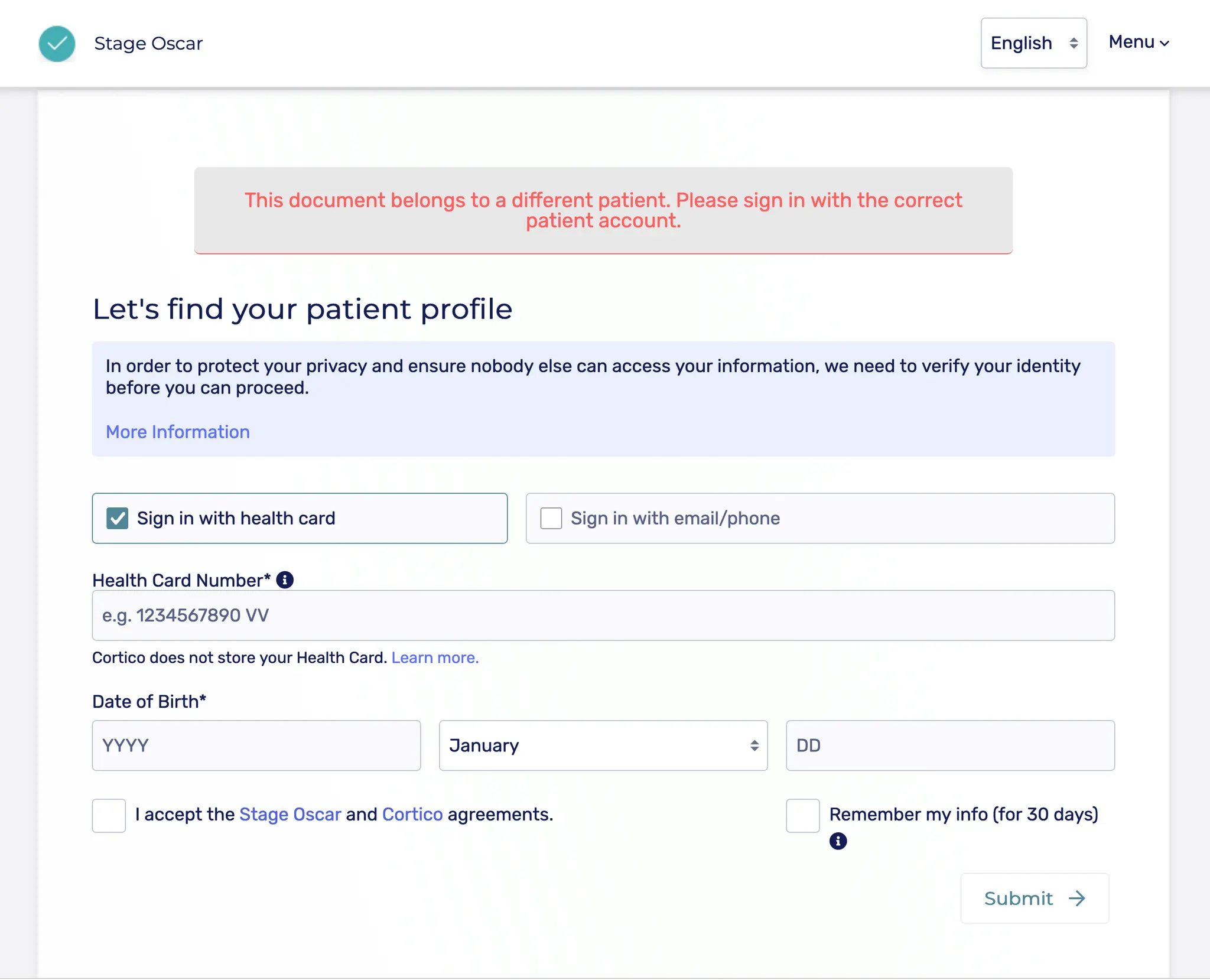
8.3 - Added an error message when a patient tries to open a document link that belongs to a different patient, instead of repeatedly showing the sign-in page.
8.4 - Prevented duplicate clinic registrations via the same signup URL.
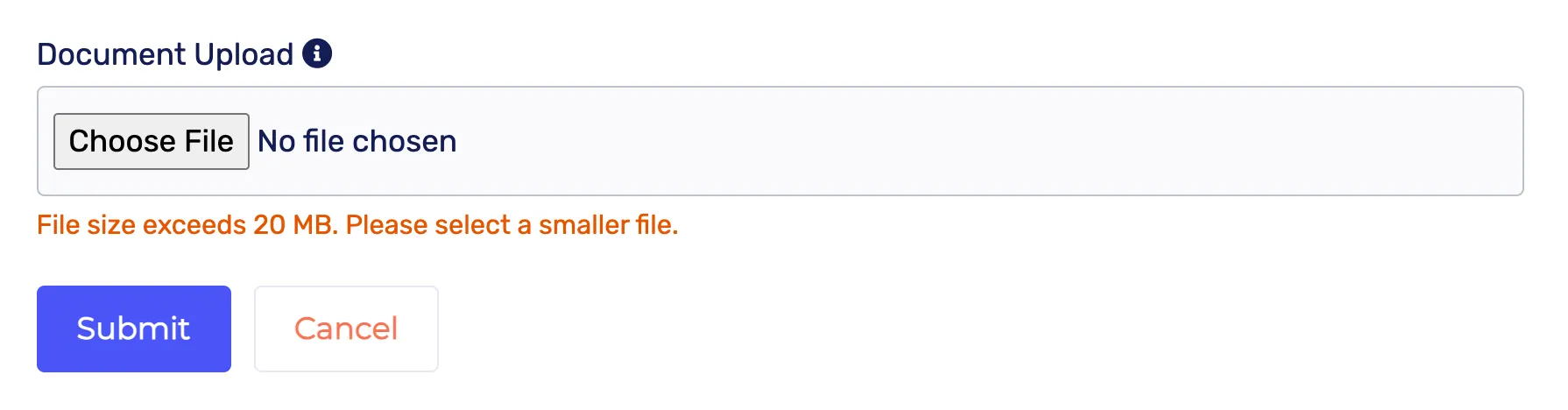
8.5 - Added a 20 MB file size limit when attaching files to invoices or messages.
Cortico Plug-in:
1. Messaging
1.1 - Added the ability in the Accuro plug-in to preview files attached to a message before sending.
1.2 - Fixed a bug where, in MOA-1–initiated conversations, MOA-1’s notification count decremented when MOA-2 read the patient’s reply.
1.3 - Fixed an issue where new conversations (Send, Send Securely, and Send & Allow Replies, with or without attachments) sent both a secure and a non-secure email.
1.4 - Fixed a bug where copied messages disappeared from Encounter Notes after refreshing the page.
1.5 - Fixed UI issues when sending email or SMS messages with file attachments.
1.6 - Fixed a bug where notification counts temporarily decremented by one when tagging or pinging a provider/MOA, until the page was refreshed.
1.7 - Fixed an issue where copying multiple conversations into Encounter Notes resulted in blank messages.
2. UI/UX Enhancements
2.1 - Fixed a bug where the pane toggle was visible even when the expandable chat interface was not available.
3. Code Quality & Architecture
3.1 - Moved “check eligibility” and “preferred pharmacy” automations into their own file to keep the main entry file focused.
3.2 - Moved the diagnostic viewer out of the main entrypoint to reduce responsibilities in that file.
3.3 - Fixed a missing alias that prevented the background script from loading correctly.
3.4 - Cleaned up the Dockerfile by removing redundant recopies instructions.
4. Testing
4.1 - Jenkins CI updates
4.1.1 - Centralized and secured environment variable loading for running E2E tests locally and in CI.
4.1.2 - Increased WebSocket event timeout tolerance in Jenkins CI.
4.1.3 - Updated the CI command used for running tests.
4.1.4 - Re-added block quotes in CI output.
4.1.5 - Ensured test coverage reports are shown even when tests fail.
4.2 - E2E setup and updates
4.2.1 - Added support for stitching E2E test videos together so they are easier to review.
4.2.2 - Temporarily disabled E2E tests, then re-enabled them after updates.
4.2.3 - Temporarily enabled caching for tests, then disabled it after evaluation.
4.3 - Added test coverage for copying messages into Encounter Notes.
4.4 - Fixed a failing test in Jenkins Cerebro.
4.5 - Added and refined Docker image testing.
4.6 - Added tests for the new WebSocket infrastructure.
4.7 - Fixed a test coverage failure.
4.8 - Updated tests to align with the new reconnect logic.