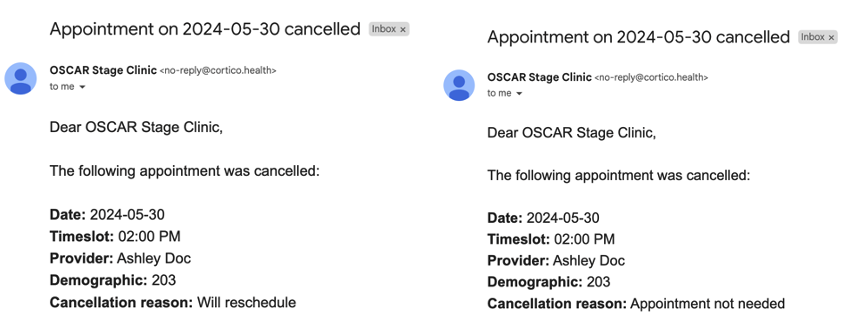
Overview: To enhance the appointment cancellation process, patients can now specify a reason for cancelling their appointment. This reason will be recorded in the appointment notes section within the clinic's EMR system. Additionally, a cancellation email will be sent to the clinic if this feature is enabled.
How Patients Can Cancel Their Appointment:
Clicking the "Cancel Appointment" button in the confirmation/reminder email.
Clicking "Go to the patient portal".
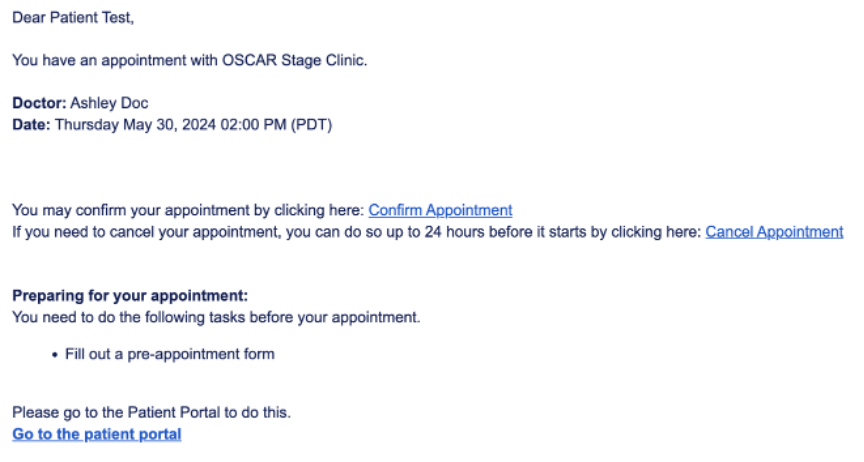
If “Send Cancel Appointment Notification” is enabled for your clinic:
When a patient cancels their appointment, they will see the following screen:
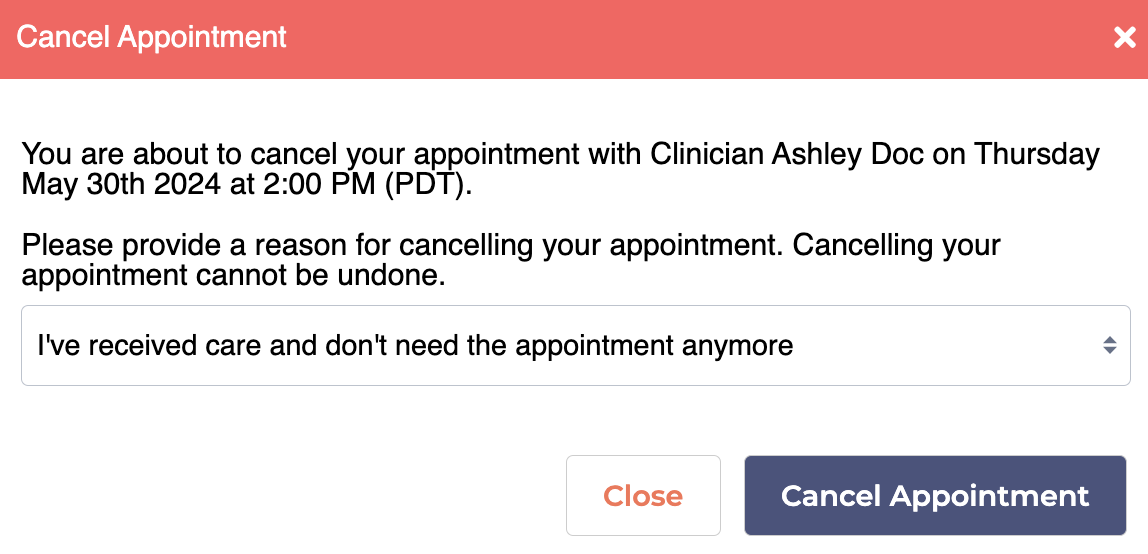
Clicking on the reason will open a drop-down menu with other options:
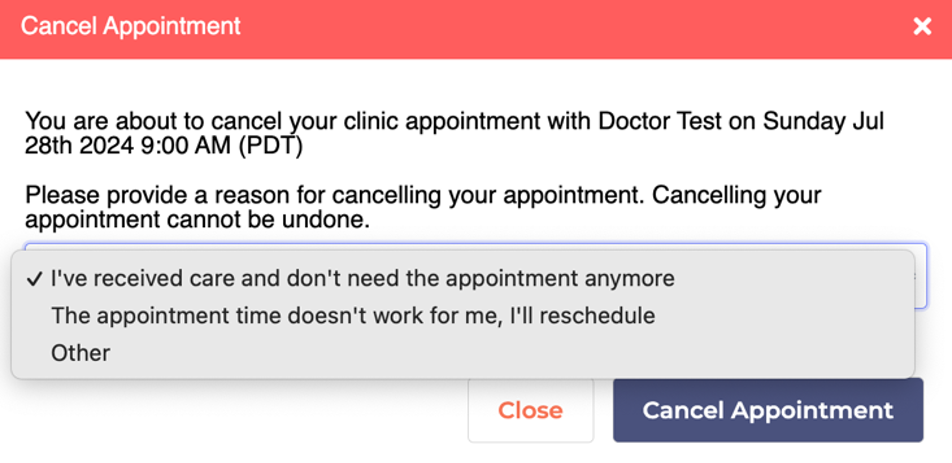
The three options include:
I’ve received care and don’t need the appointment anymore
The appointment time doesn’t work for me, I’ll reschedule
Other
After clicking "Cancel Appointment," the patient will be redirected to a page based on the cancellation reason they selected:
Cancellation Reason: I’ve received care and don’t need the appointment anymore:
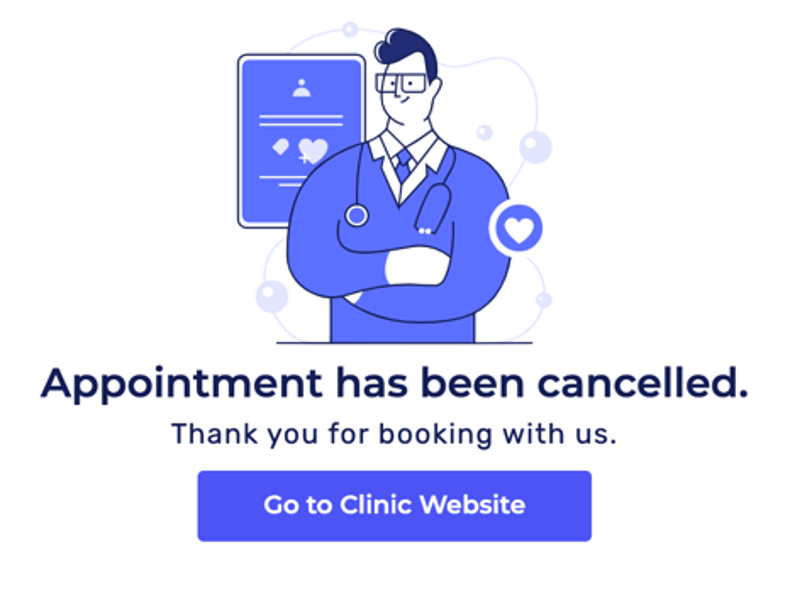
Cancellation Reason: The appointment time doesn’t work for me, I’ll reschedule:
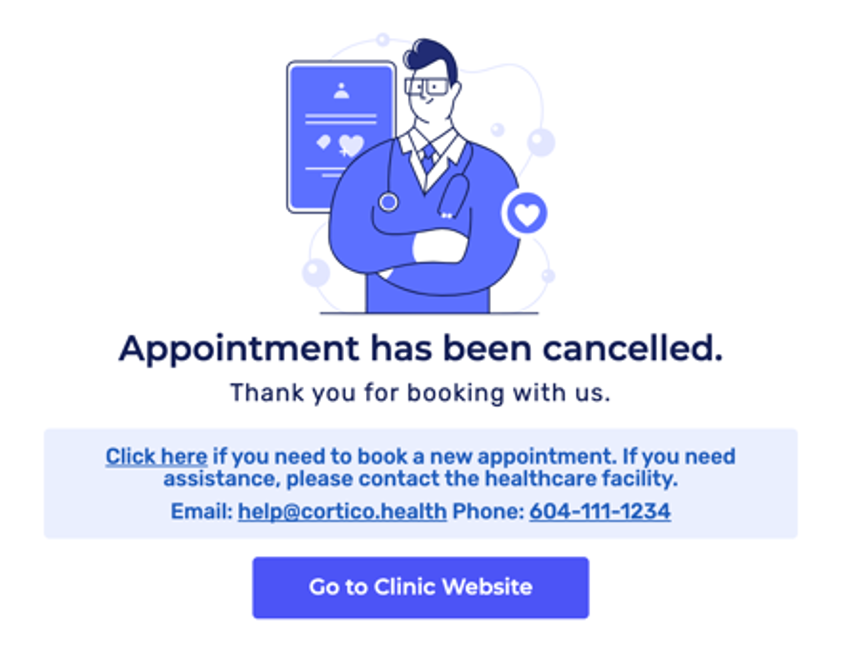
Clicking "Click here" will redirect the patient to the same workflow for the appointment they just canceled, specifically to step 1 of the booking process.
Clicking “Go to Clinic Website” will direct the patient to the clinic’s website (clinicname.cortico.ca)
Cancellation Reason: Other:
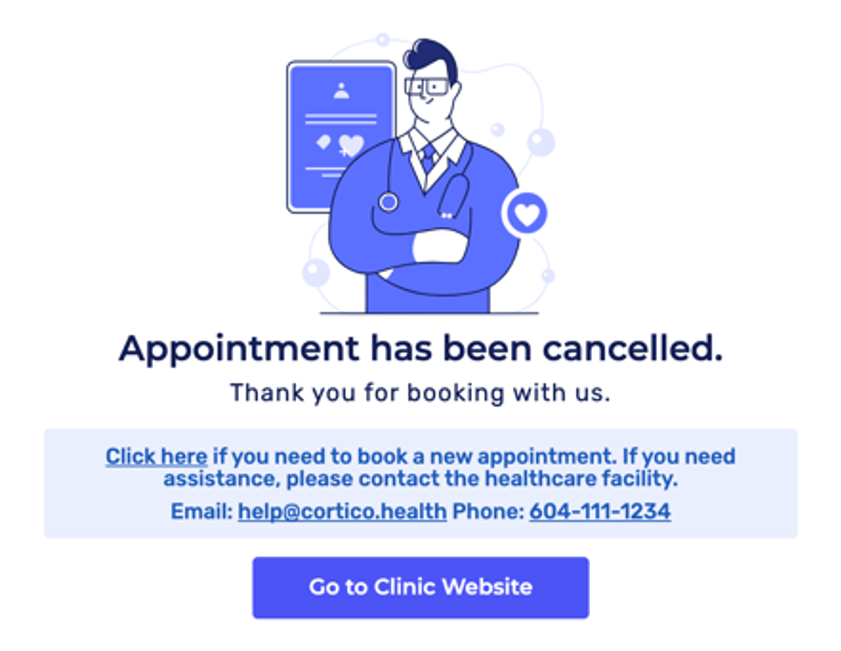
Clicking “Click here” will redirect the patient to the /book page where they can view all the workflows.
Clicking “Go to Clinic Website” will direct the patient to the clinic’s website (clinicname.cortico.ca)
Cancelling a Request to Book Appointment after the clinic has archived the invitation:
Cancellation Reason: The appointment time doesn’t work for me, I’ll reschedule.
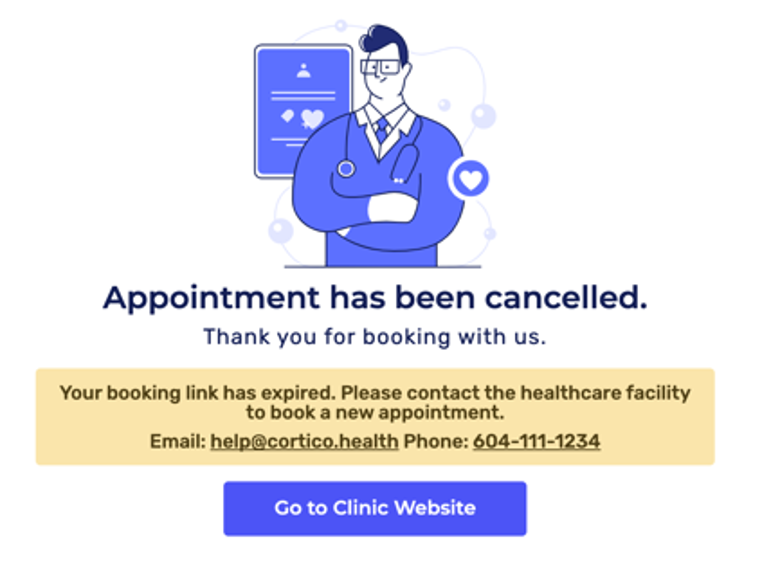
A message is displayed to inform the patient that their Request to Book link has expired, and they will need to contact the clinic to schedule a new appointment.
If “Send Cancel Appointment Notification” is disabled for the clinic:
When a patient cancels their appointment, they will see the following screen:
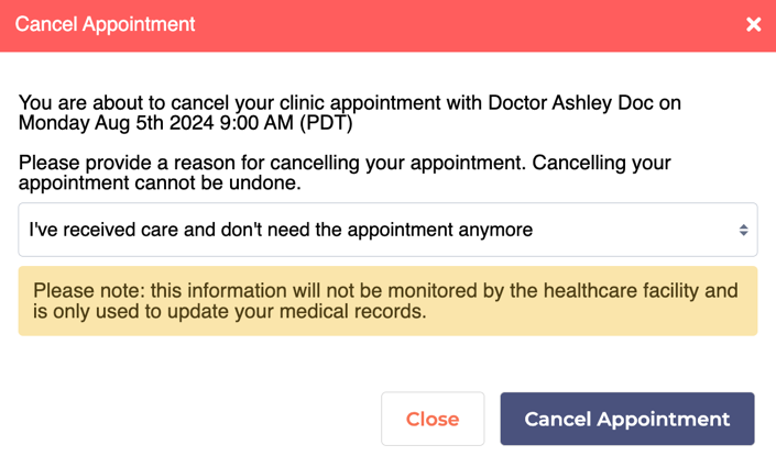
A note will be displayed to inform the patient that this information will not be monitored by the clinic and is only used to update their medical records.
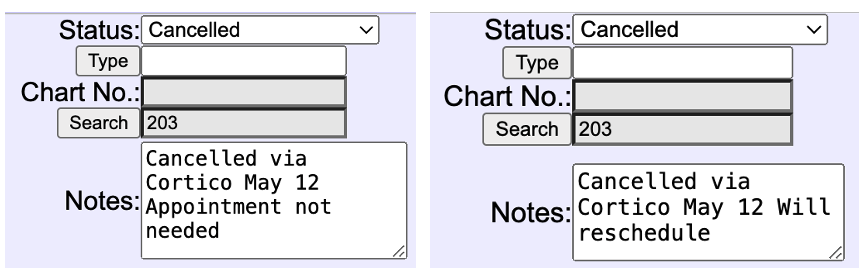
What Does This Look Like in the EMR?
To make it easier for doctors and staff to keep track of patient cancellations, their reason will be recorded in the appointment notes within the clinic's EMR system.
Email Notifications for Cancellations
If your clinic would like to be notified when patients cancel appointments, we can enable this feature so that your clinic will receive an email notification for each cancellation.
This is what the email notification would look like: