

Cortico Web Release:
1. Updates to patient portal
1.1 - Fixed an issue where navigating between sidebar pages caused a full page refresh.
1.2 - Updated design and font styling for improved consistency across the patient portal.
2. Updates to video appointments
2.1 - Added the ability to share computer audio while screen sharing.
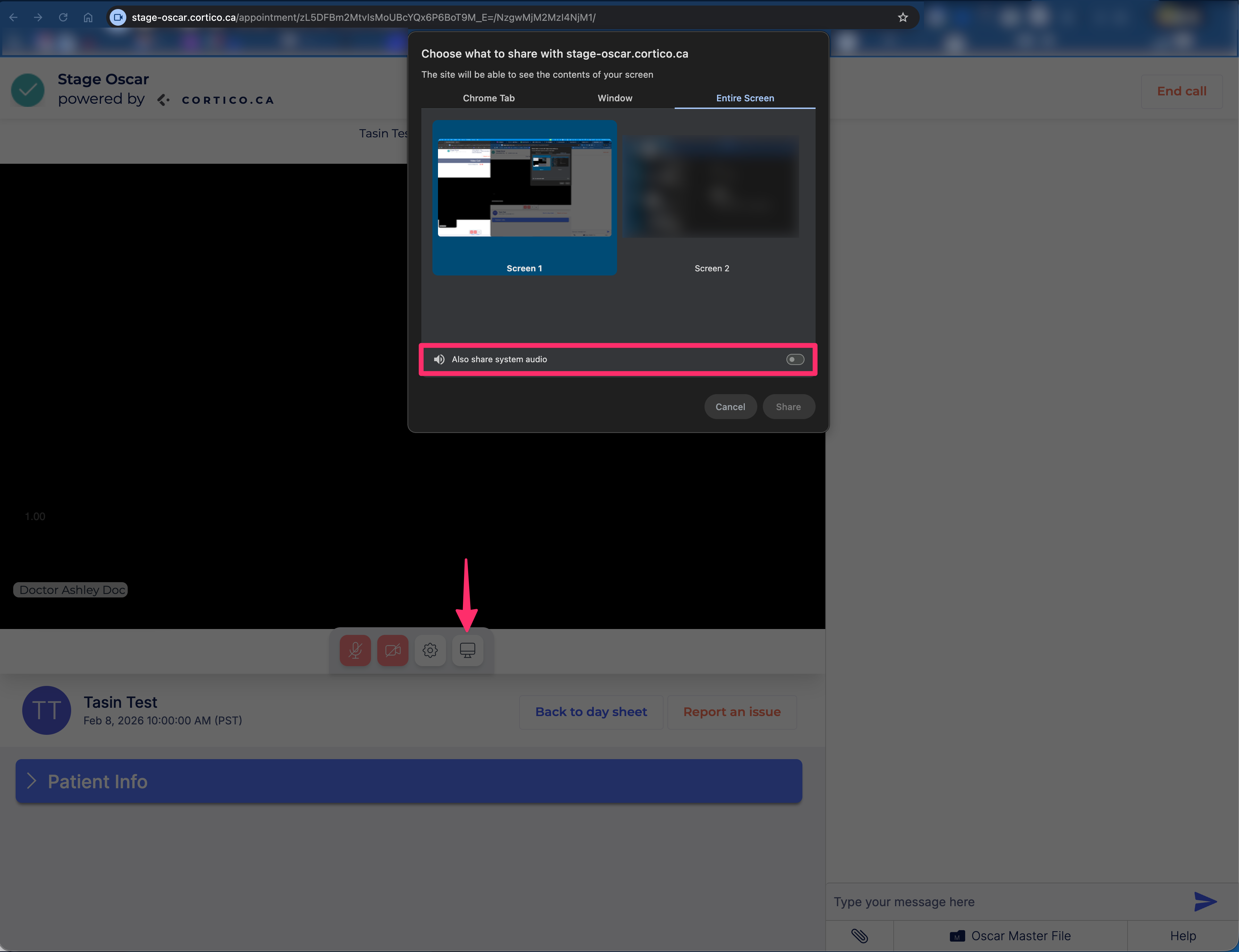
2.2 - Fixed a bug where the screen appeared white while waiting for the other participant to join from the lobby.
2.3 - Fixed a bug where ending a screen share didn't return the user to the video feed.
3. Updates to patient tasks
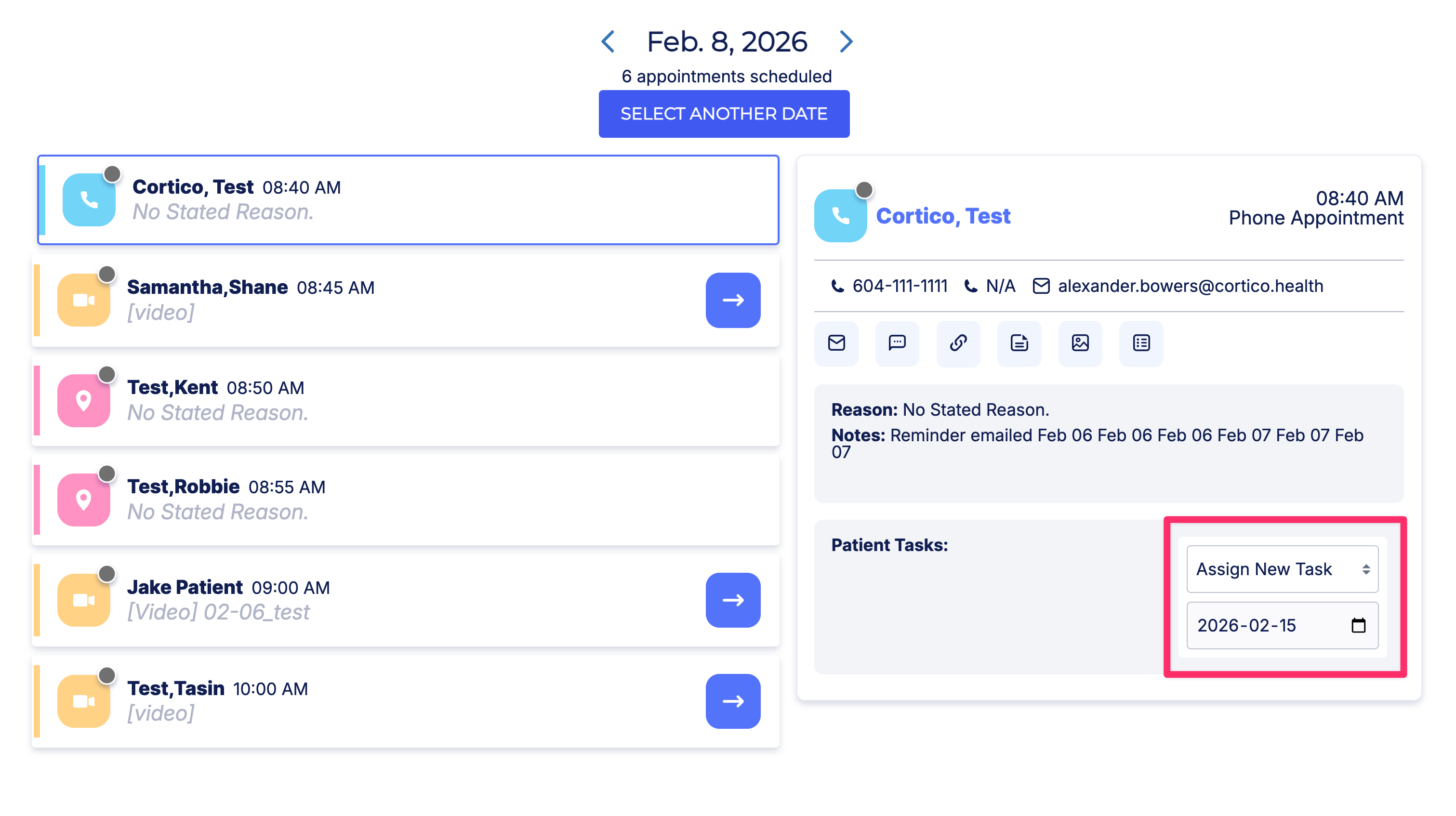
3.1 - Added the option to set a custom deadline when creating a task.
3.2 - Fixed inconsistent checkbox sizing in task filter dropdowns.
4. Updates to request to book
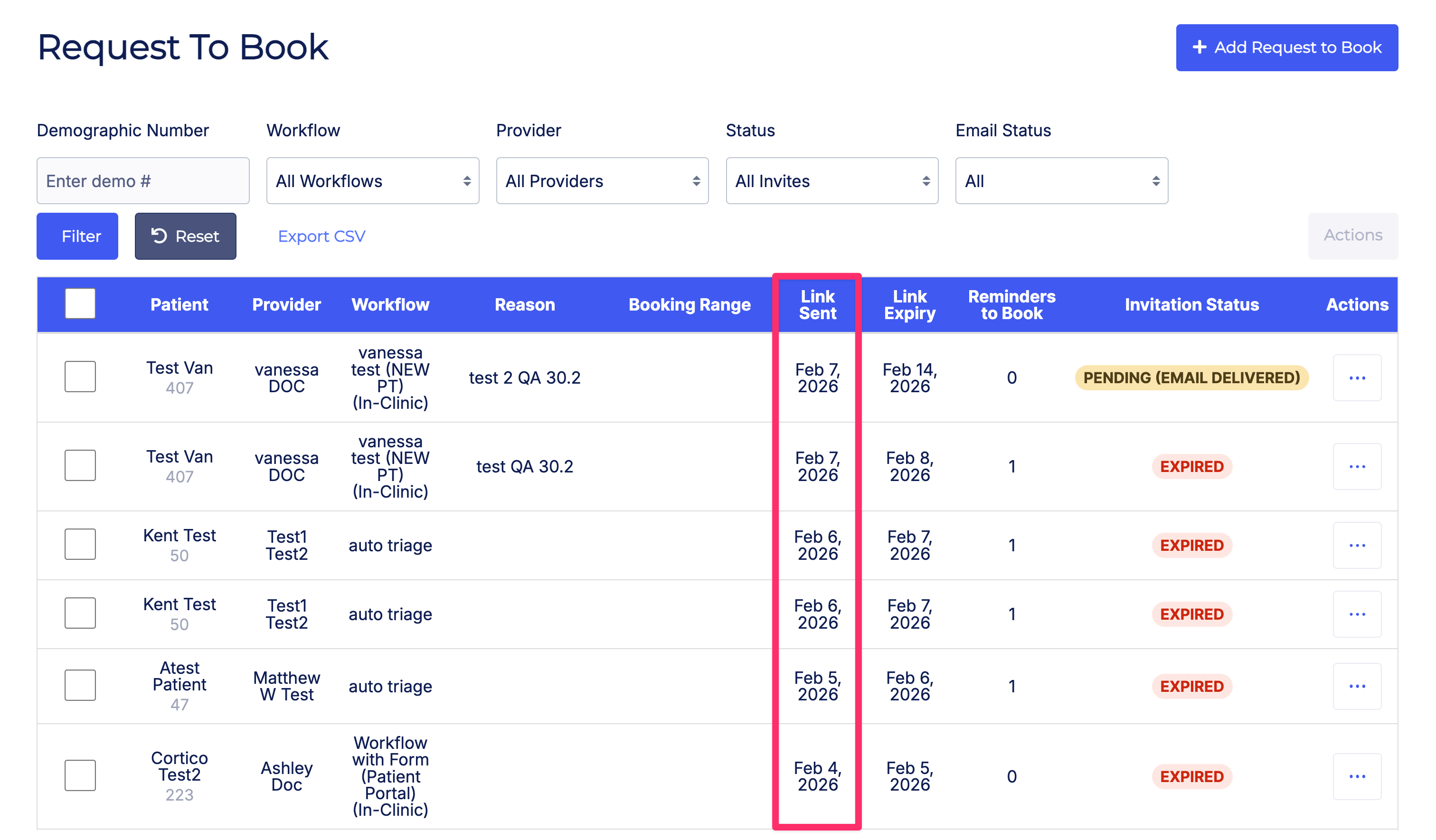
4.1 - Added a new column to show when a Request to Book invite was sent.
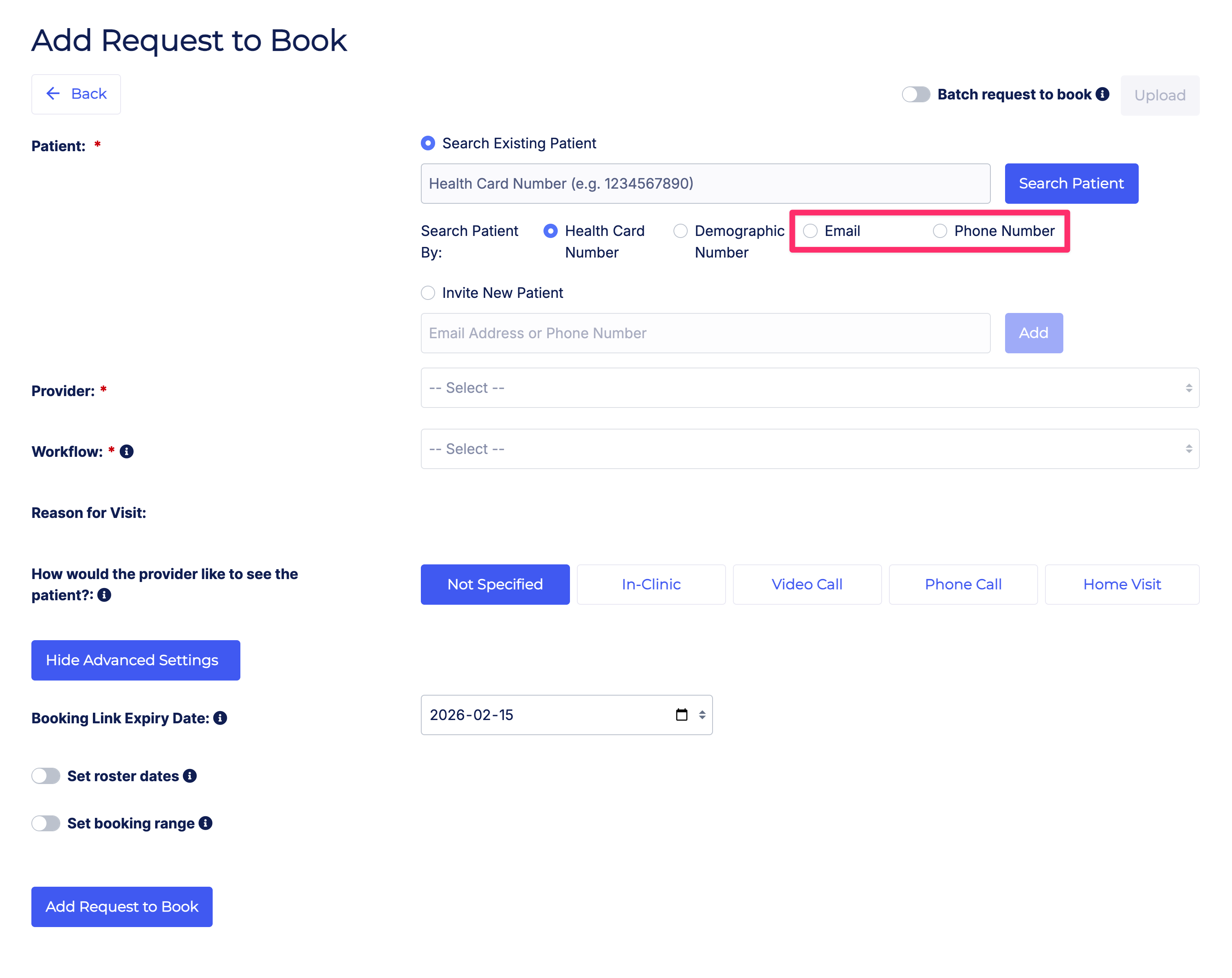
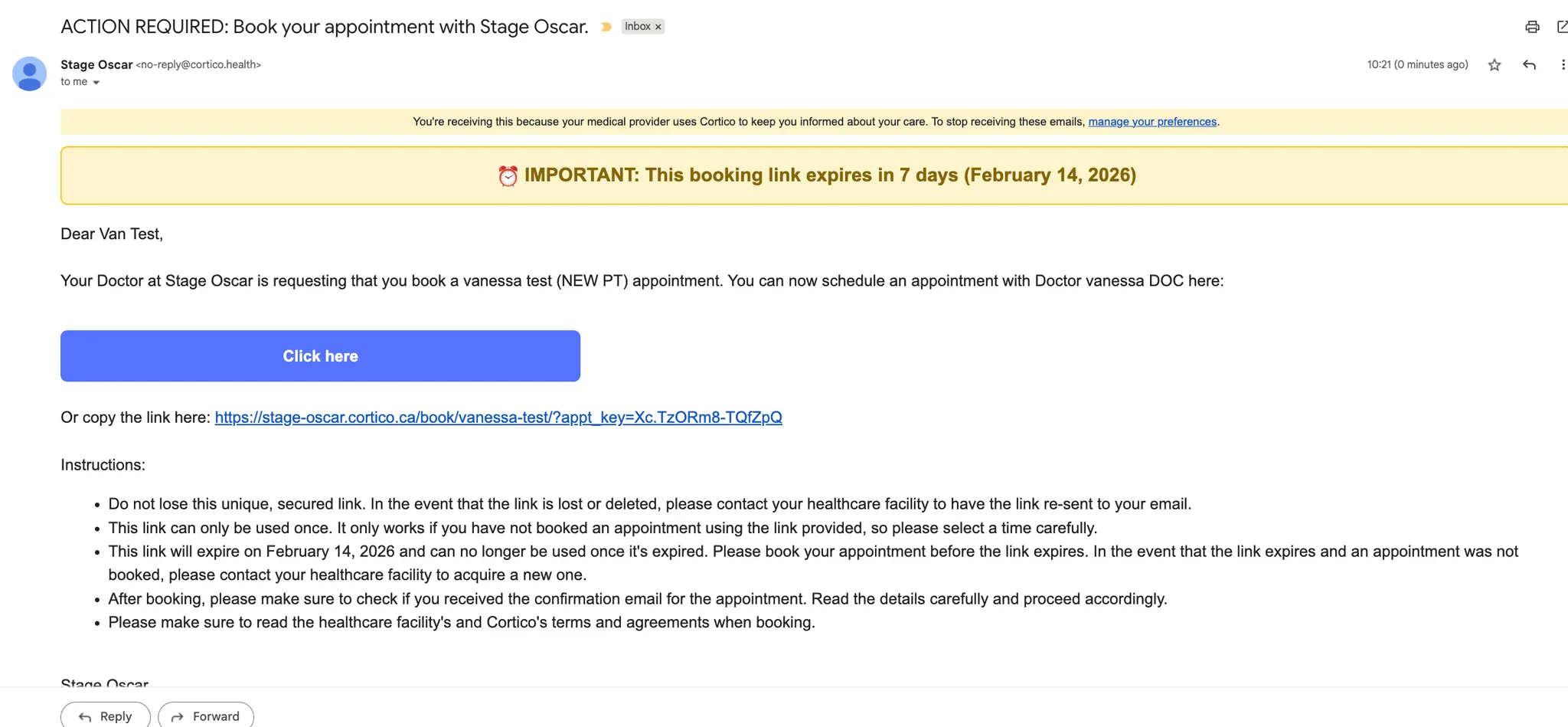
4.2 - User Experience improvements. Added an email status filter to the Request to Book table. Staff can now search for existing patients using email and phone in addition to HCN and Demo number. Patient notifications now have a banner at the top of email with the deadline to book their appointment.
4.3 - Request to Book invites are now automatically archived 14 days after the appointment is booked.
5. Updates to clinic settings
5.1 - Fixed an issue that allowed specializations to be saved without required template codes.
5.2 - Automatically geocode a location’s map point when the address is updated.
6. Updates to provider home
6.1 - [Profile EMR] Fixed patient search validation to support Profile demographic number formats.
7. Other updates
7.1 - [Plug-in messaging] Fixed an issue preventing staff from messaging patients who have a phone number but no email on file.
7.2 - Removed cancelled appointments from the standalone patient view to match other appointment views.
Cortico Plug-in:
1. Messaging
1.1 - Fixed an issue where copying multiple conversations into Encounter Notes resulted in blank messages.
1.2 - Preserved “Send and Allow Replies” as the default option when returning to an open conversation.
1.3 - Added provider availability indicators when mentioning providers in conversations.
1.4 - Fixed a race condition that could create duplicate clinics.
2. Ticklers page
2.1 - Fixed an issue where the patient header was not visible when sending a message from the Ticklers page.
3. Code quality & infrastructure
3.1 - Moved multiple state stores to Zustand to remove context-based state providers.
3.2 - Added Zustand to Vitest optimizer configurations.
4. UI/UX updates
4.1 - Added an Extension Context Invalidation modal.
4.2 - Improved icon usage in failure and error popups.
5. Stability & error handling
5.1 - Fixed a Sentry error related to a missing Masterfile page.
6. Testing
6.1 - Updated skipped test cases.
6.2 - Combined login and 2-step verification workflows into a single E2E test.
6.3 - Fixed E2E tests selecting incorrect patients in the new Juno UI.
6.4 - Added test coverage for sending messages from Encounter Notes.
6.5 - Resolved CI pipeline build failures.
6.6 - Enabled parallel execution of plug-in E2E tests in CI.