

Cortico Web Release:
1. Updates to Appointment Booking:
1.1 - When a patient has multiple appointments in one day at a clinic (same medium and location), Cortico will now only send an SMS reminder for the first appointment.
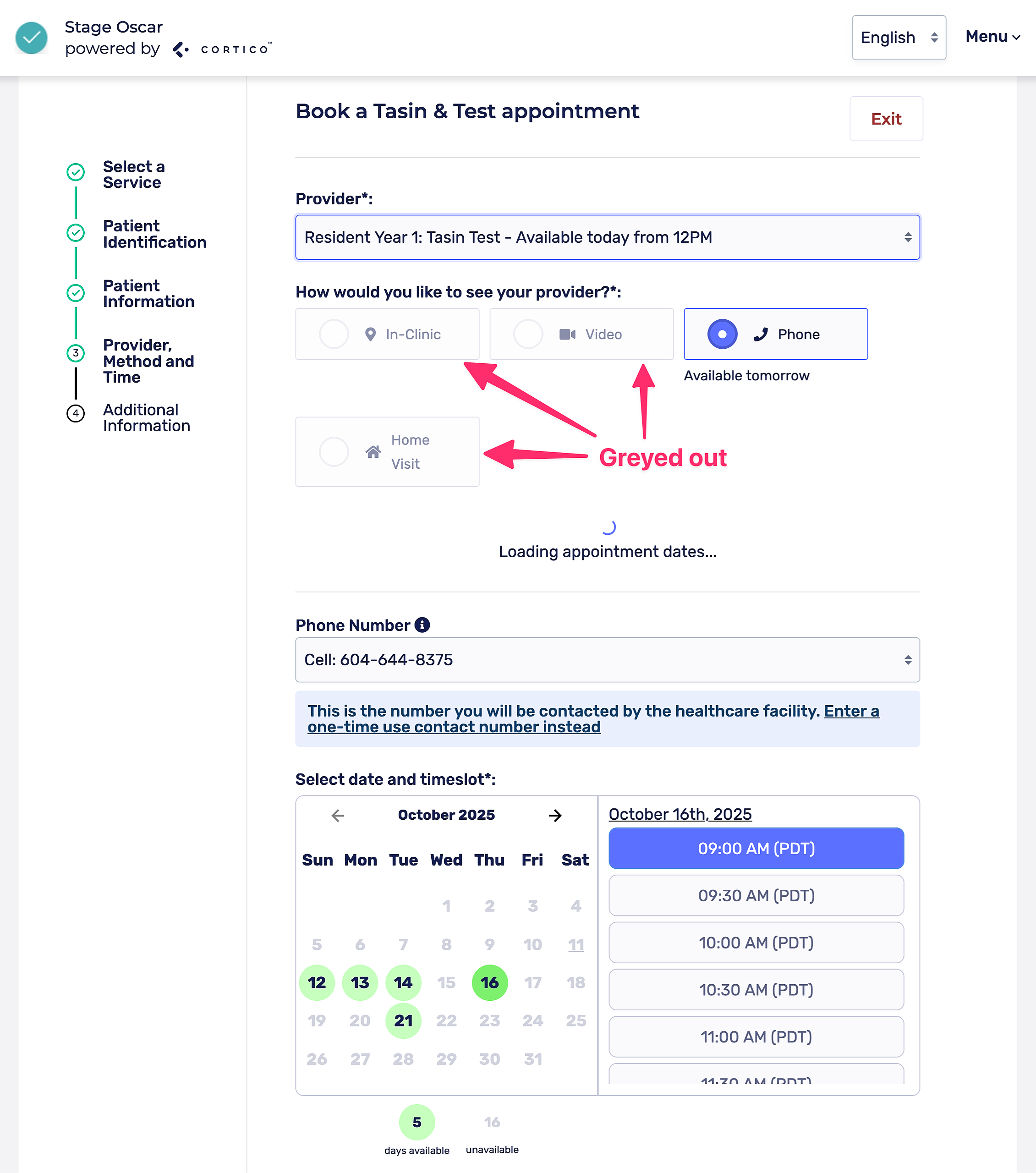
1.2 - Fixed a bug where appointment mediums that were disabled for selected providers were still displayed. Non-applicable mediums will now be greyed out if the provider selected does not offer that appointment medium
2. Updates to Terminal Kiosks:
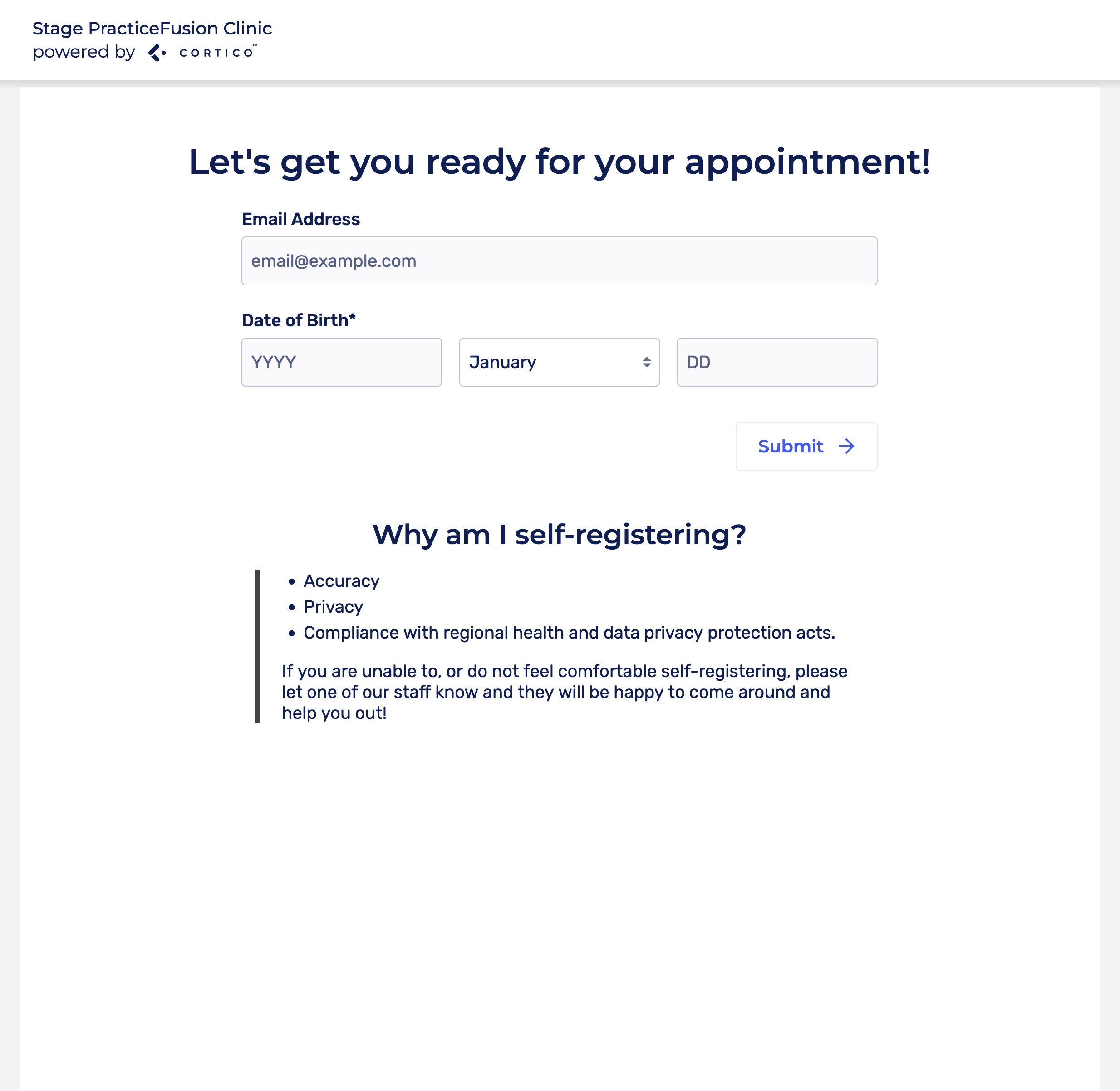
2.1 - Added an option for patients to check in to the terminal with email/phone + DOB in addition to checking in with PHN.
3. Updates to Request to Book:
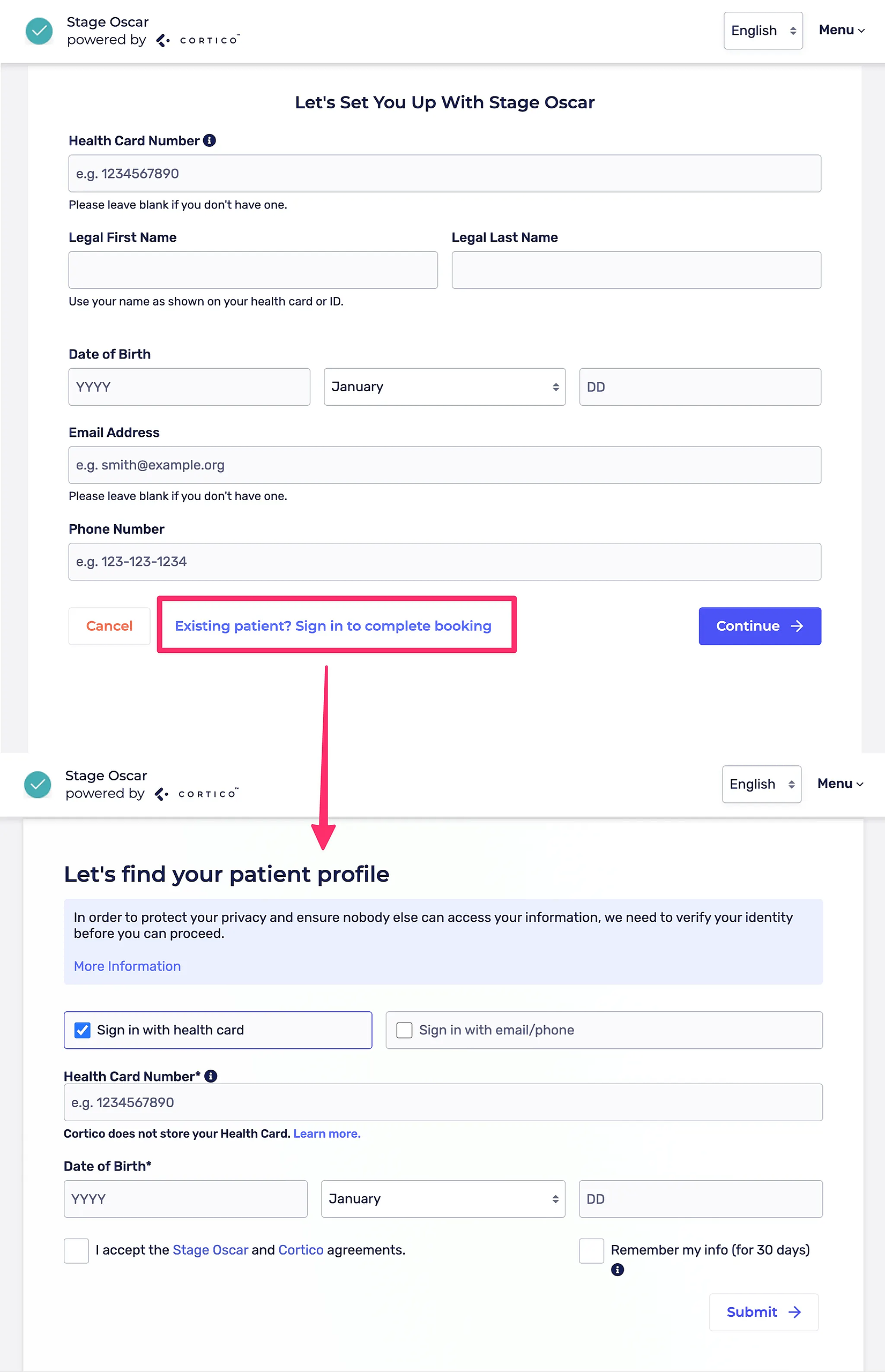
3.1 - Fixed a bug where sending request to book invites to an existing patient's phone or email caused the patient to be unable to book.
4. Updates to Payments:
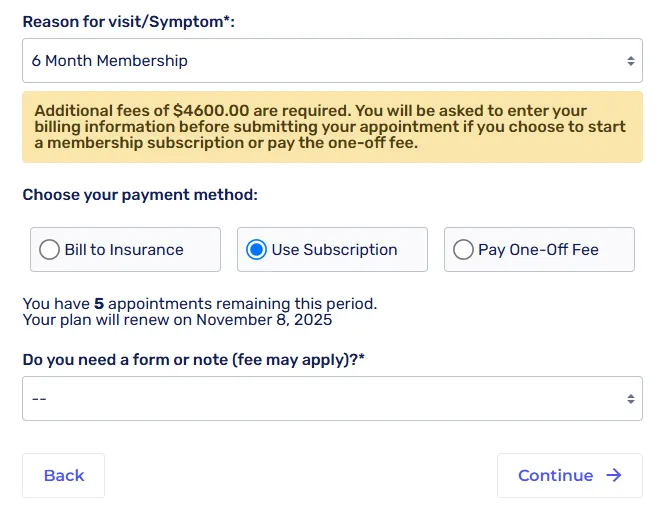
4.1 - Added a Membership/Subscription option. Clinics can set up monthly or annual subscriptions that allow patients to book a pre-defined number of appointments for specified workflows. Click here to learn more.
5. Updates to Email Logs:
5.1 - Added loading indicator when searching email logs.
6. Updates to Terminal Kiosks:
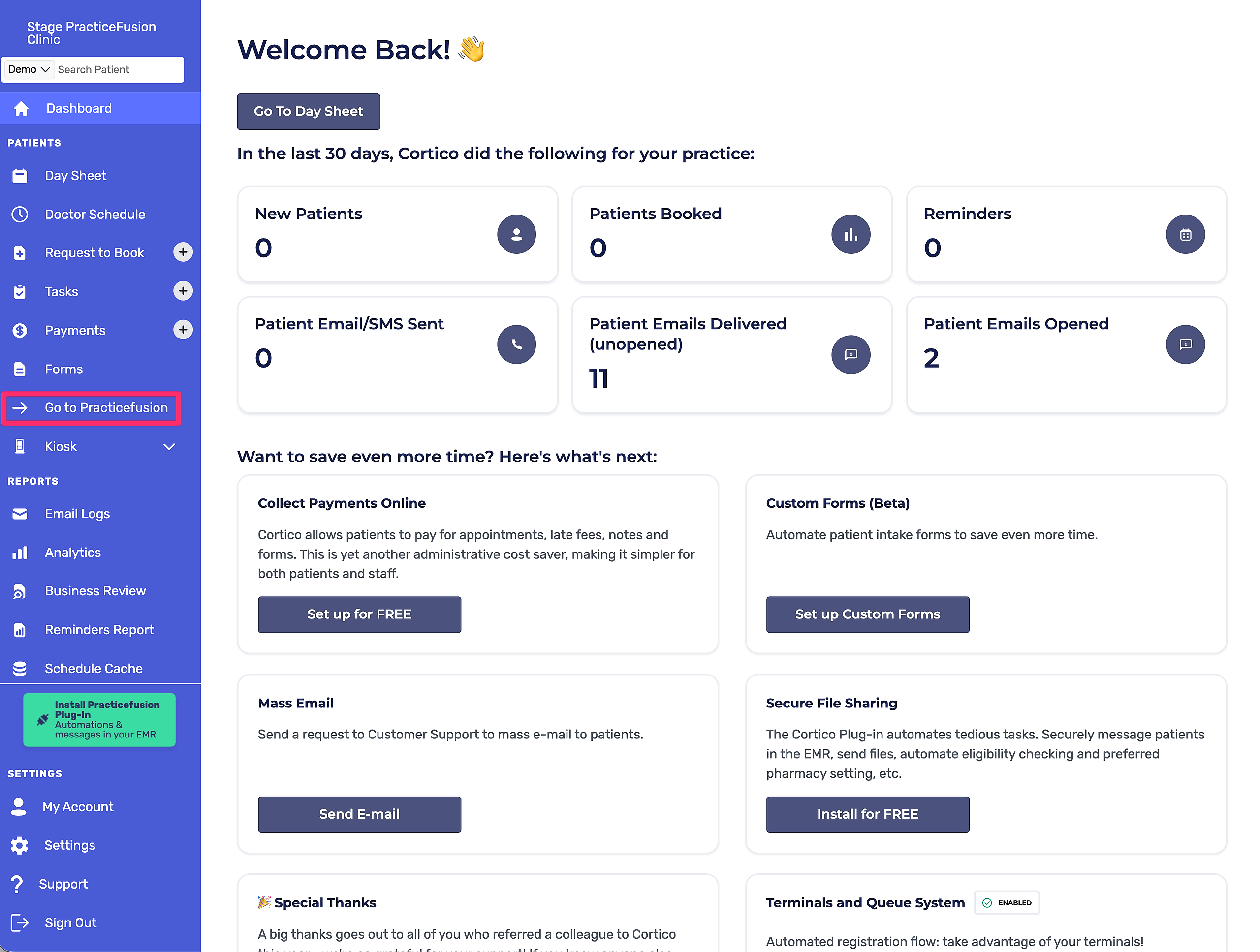
6.1 - [Practice Fusion] Added "Go to Practice Fusion" button in the provider dashboard sidebar (similar to the existing "Go to Oscar" button).
6.2 - Cortico will now store a copy of files uploaded by the patient even when "Upload files to EMR" is enabled (displayed in patient portal). Patients can also download a copy from here. Metadata such as the File name and type, is also now preserved.
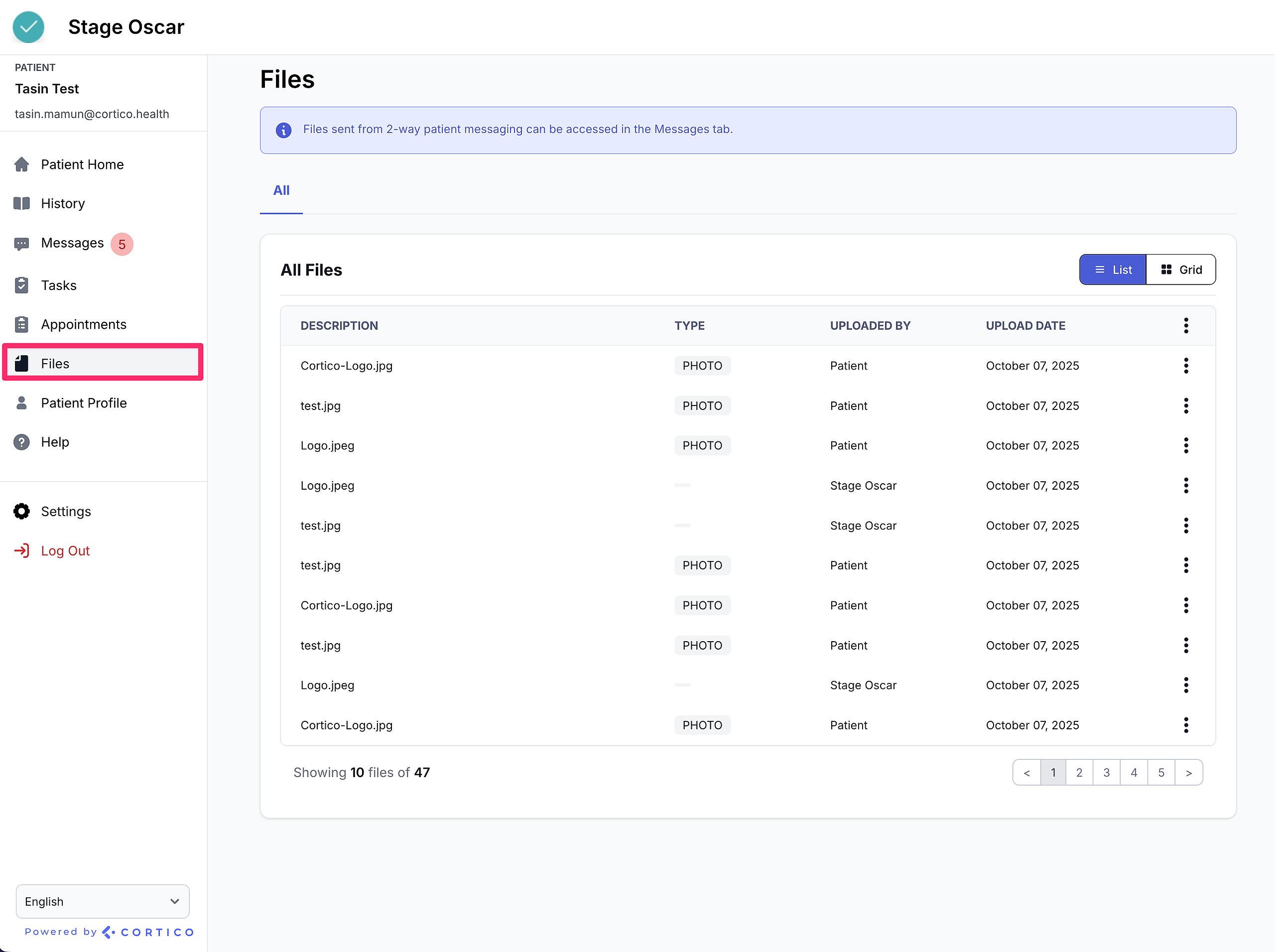
6.3 - Original filenames will now be preserved for files uploaded by the patient or provider in one-way messaging.
Cortico Plug-in:
1. Updates to Messaging:
1.1 - The Provider Messaging Enabled setting is now stored at the clinic level so the plug-in can correctly reference this configuration.
1.2 - Fixed an issue where the Chat User List API was returning all users instead of only those relevant to provider messaging.
1.3 - The QR code messenger now respects each clinic’s provider messaging configuration.
1.4 - Fixed a display issue where text and attached file names appeared without spacing in the message preview.
1.5 - Fixed an issue where email content displayed unintended HTML tags.
1.6 - Updated the “To” field label in the plug-in to accurately show that users can search for both clinics and providers.
1.7 - Fixed a bug where other users could not reply to messages if the most recent message had been sent using “Send Securely” or “Send.”